

A tour of the WPBot admin menu
On this page
Everything in WPBot Pro lives under one menu in the WordPress sidebar: WPBot Pro.
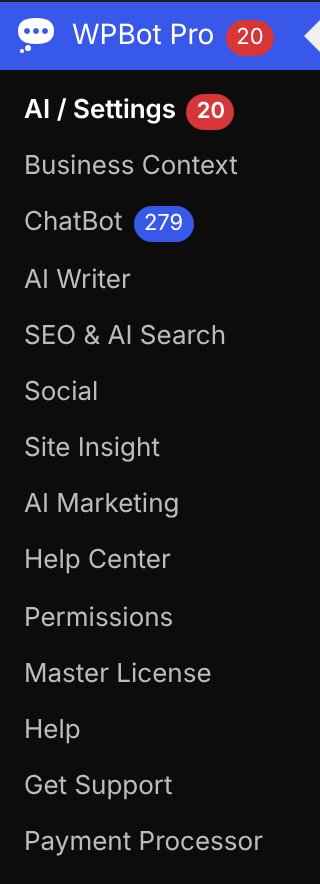
The WPBot Pro menu in WordPress.
The main menu
| Menu item | What you do there |
|---|---|
| AI / Settings | AI providers and keys, how the chatbot answers, the knowledge base, spending, usage, error log, notifications, Help Center switch, white label and chatbot data. See Getting started with AI and Account Settings: the best answers at the lowest cost. |
| Business Context | What every AI feature knows about your business. See Business Context: tell every AI feature about your business. |
| ChatBot | Everything about the chatbot itself (see the tabs below). The number shows open questions waiting in Train. |
| AI Writer | Write and improve content, plan the content calendar. |
| SEO & AI Search | Keywords, page audits, technical SEO and AI search. |
| Social | Create, schedule and measure social posts. |
| Site Insight | Recordings, heatmaps, issues and funnels. |
| AI Marketing | Contacts, forms, campaigns and journeys. |
| Help Center | Help articles and knowledge bases. |
| Permissions | Who can see, use and change each tool. See Permissions: who can see, use and change each tool. |
| Master License | Activate your license. See Activate your license. |
| Module Manager | Switch chatbot modules on and off. See Turn modules on and off in the Module Manager. |
| Help | Send your error log to support, shortcodes and tips. See Getting help and support. |
A red number next to WPBot Pro or AI / Settings counts new entries in the error log. See Error log and support reports.
The ChatBot tabs
Inside ChatBot, tabs at the top lead to every chatbot screen:
| Tab | What it is for |
|---|---|
| ChatBot | Basics, design, start menu, greeting, FAQ, retargeting, embedding and other chatbot settings |
| Sessions | Conversations, questions not answered, AI Insight and reports |
| Language Center | Every text the chatbot shows, in your words and languages |
| AI Actions | AI tasks the chatbot can run for visitors, from templates |
| Forms | Conversational forms |
| Simple Text Responses | Fixed answers for exact questions |
| Train | Questions the chatbot could not answer, ready to fix |
| AI Advanced | Skills and connections to your own API |
| Store | WooCommerce: overview, chat shopping, product finder, cart recovery, returns, season planner and automations |
| Tools | Retargeting (exit intent, scroll and timed messages), Stop Words and User Data |
| Connected sites | Share one knowledge base between several sites |
| Modules | The Module Manager |
The AI / Settings tabs
Providers, Answers, Knowledge Base, What the chatbot knows, Answer cache, Spending and limits, AI Usage, Error log, Notifications, Help Center, and under More: White Label and Chatbot data.
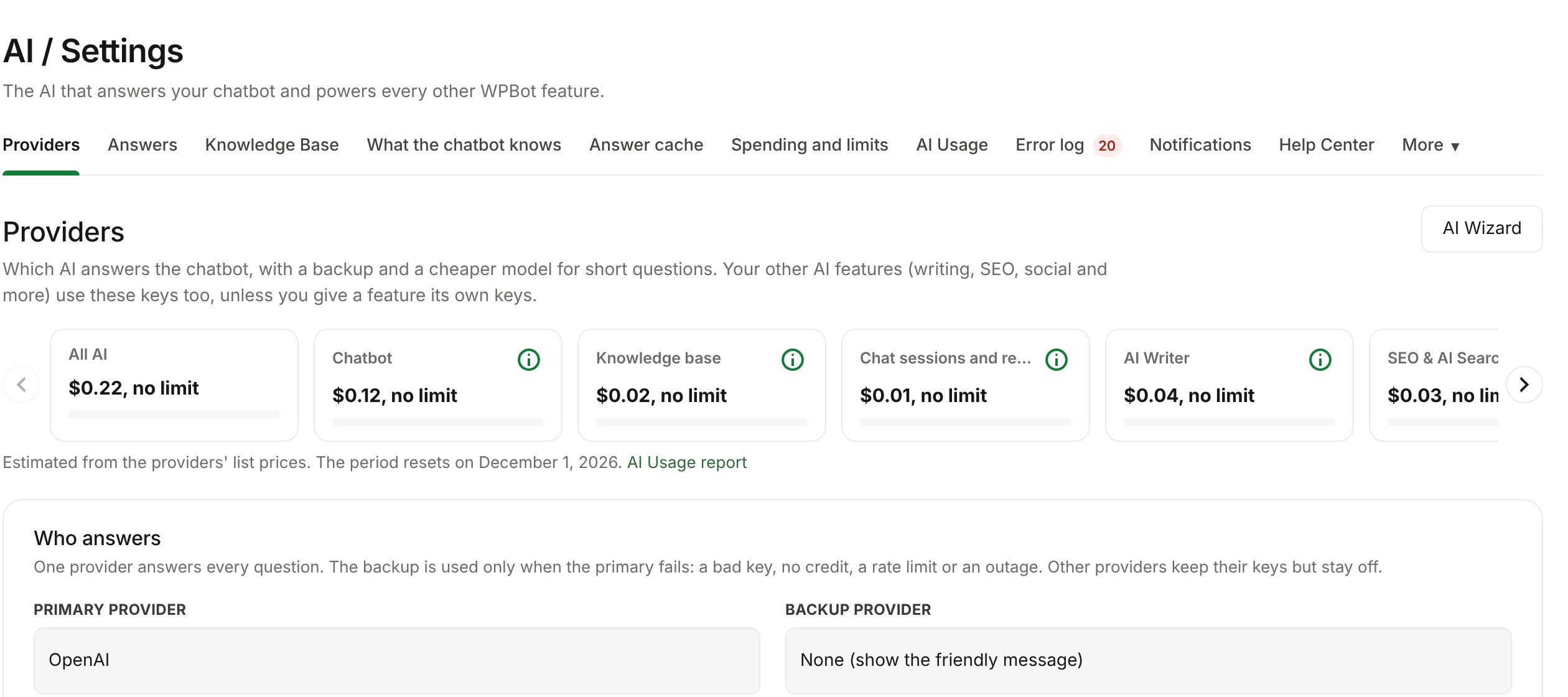
The AI / Settings tabs, with this period's AI spend per feature.
Keyboard shortcuts on your site
- Ctrl + B opens and closes the chatbot window.
- Esc closes it.
Availability
This tour shows WPBot Pro Master. Other editions show fewer ChatBot tabs and Module Manager entries; White Label is Master only. WPBot Free has no license screen or Module Manager.
Was this article helpful?
Sorry about that. Get help another way:











