

Business Context: tell every AI feature about your business
On this page
Business Context is what every AI feature knows about your business. Writing, marketing emails, SEO, replies to reviews and social posts all read it before they write, so the results sound like you and get your facts right.
Open WPBot Pro → Business Context.
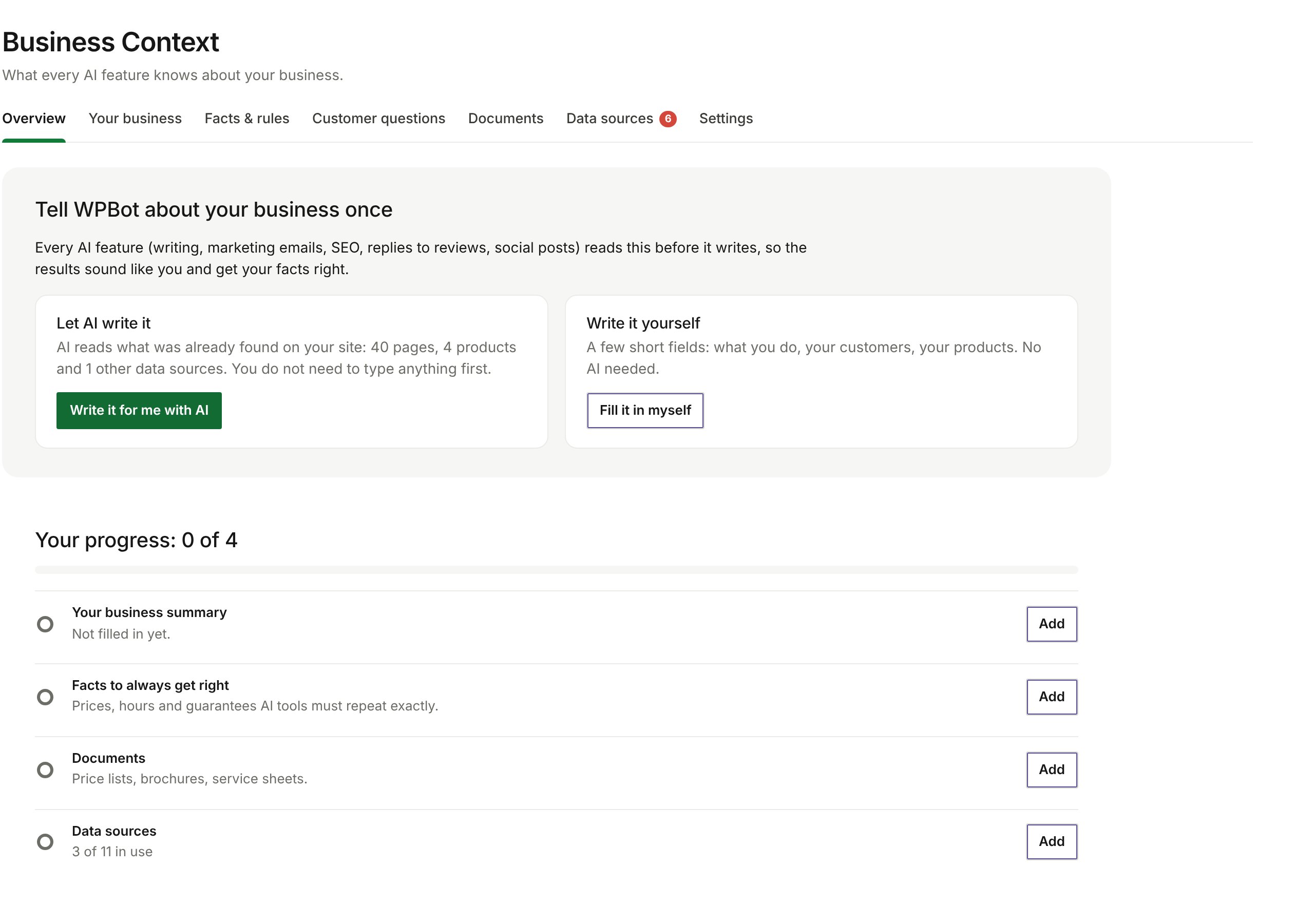
The Business Context overview with your progress.
Fill it in: two ways
- Let AI write it. Click Write it for me with AI. AI reads what WPBot already found on your site (pages, products and other data sources) and writes the summary. You do not need to type anything first. It costs a few cents.
- Write it yourself. Click Fill it in myself and complete a few short fields: what you do, your customers, your products. No AI needed.
Either way, check the result and add what only you know.
The four parts
Your progress counts four parts:
| Part | What to add | Guide |
|---|---|---|
| Your business summary | What you do, for whom, where, and what you do better | Business Context: your business summary |
| Facts to always get right | Prices, hours, guarantees and delivery times AI must repeat exactly | Business Context: facts and rules |
| Documents | Price lists, brochures, service sheets | Business Context: customer questions and documents |
| Data sources | Your website, products, chatbot knowledge, Search Console, location and more | Business Context: data sources and settings |
Used by lists the tools that read it: AI Writer, SEO & AI Search, AI Marketing and Social posts. The chatbot uses your Business Context for its contact details in "not sure" answers.
Where Business Context sits in the Growth Loop
Business Context is the centre of the Growth Loop. Every turn starts here:
- Create: AI Writer drafts in your voice, with your products and facts.
- Get found: SEO & AI Search uses your customers, areas and keywords to suggest topics that matter.
- Share: Social writes posts that match your offer and words.
- Convert: the chatbot offers your real contact details when it is not sure.
- Reach / Sell: AI Marketing's emails repeat your prices and guarantees correctly.
- Learn: with Read the questions customers ask your chatbot on, what buyers ask flows back into every tool.
Get the best results
- Be specific. "Family bakery in Leeds, sourdough and celebration cakes, next-day delivery within 10 miles" beats "We sell bread".
- List facts as single lines. One price, one opening time, one guarantee per line.
- Add "Never say" rules. Claims you cannot make ("cheapest in town"), competitors you never mention, words you avoid.
- Upload your price list. It is summarised once and the facts are kept.
- Connect more data sources. Search Console and your Keyword Vault tell AI what customers search for; your chatbot's questions tell it what they ask.
- Keep it up to date with the weekly refresh in Settings, and edit the summary whenever something changes.
Availability
Business Context is in every edition, including WPBot Free. The tools that read it depend on your edition (see WPBot editions: Free, Starter, Professional and Master).
Was this article helpful?
Sorry about that. Get help another way:











