

Getting help and support
On this page
1. Search this Help Center
Most answers are here. Use the search box on the Help Center home, or ask the chatbot on any page.
Common problems and their fixes are collected in Troubleshooting common problems.
2. Send support your error log
WPBot records its own errors, so support can see what went wrong without asking you for technical details.
- Open WPBot Pro → Help (or AI / Settings → Error log).
- Describe what happened in What happened?
- Tick Send this report to WPBot support and, if you want a reply, Should we contact you after we fix the issue? with your email.
- Click Send to WPBot support. Or click Download report to read it first or attach it to your own email.
The report includes your WordPress and WPBot setup and the error log. API keys, passwords and email addresses are removed first.
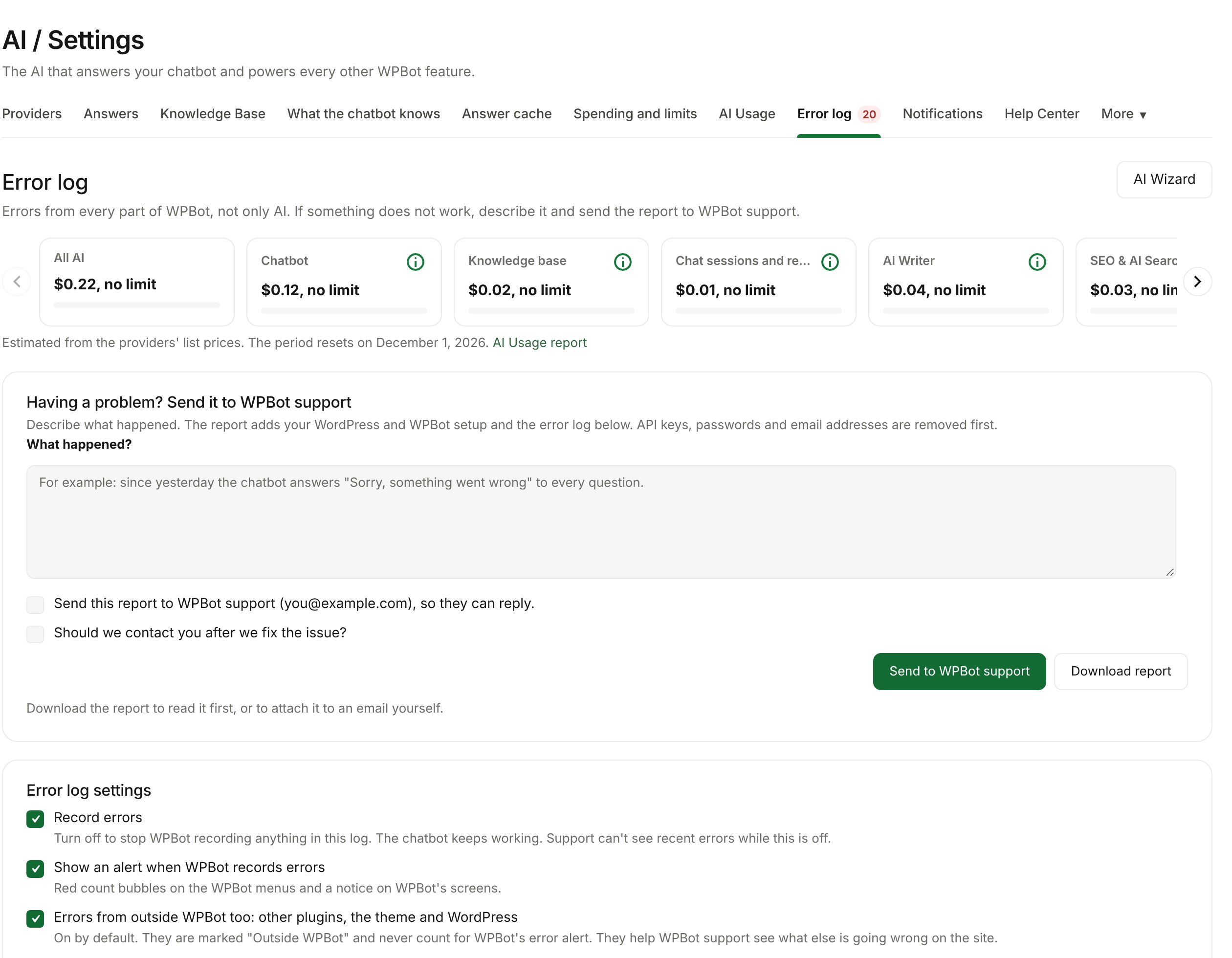
Send a report to WPBot support from the error log.
Details: Error log and support reports.
3. Contact support
- Get Support in the WPBot Pro menu opens the support site.
- Pro customers get priority support: Customer Area → Priority Support for Pro Version on wpbot.pro.
The Help screen
WPBot Pro → Help also lists useful shortcodes and tips:
[chatbot-widget]shows the chatbot inside a page as a widget (optionswidthandintent).[wpbot-click-chat text="Click to Chat"]adds a link or button that opens the chatbot (optionsbot_visibility,intent,display_as,bgcolor,textcolor).[wpbot-page]shows the chatbot on a page (optionintent).- In the Language Center,
%%username%%inserts the visitor's name. - After changing chatbot texts, type
resetin the chatbot or open a private window to test from the beginning.
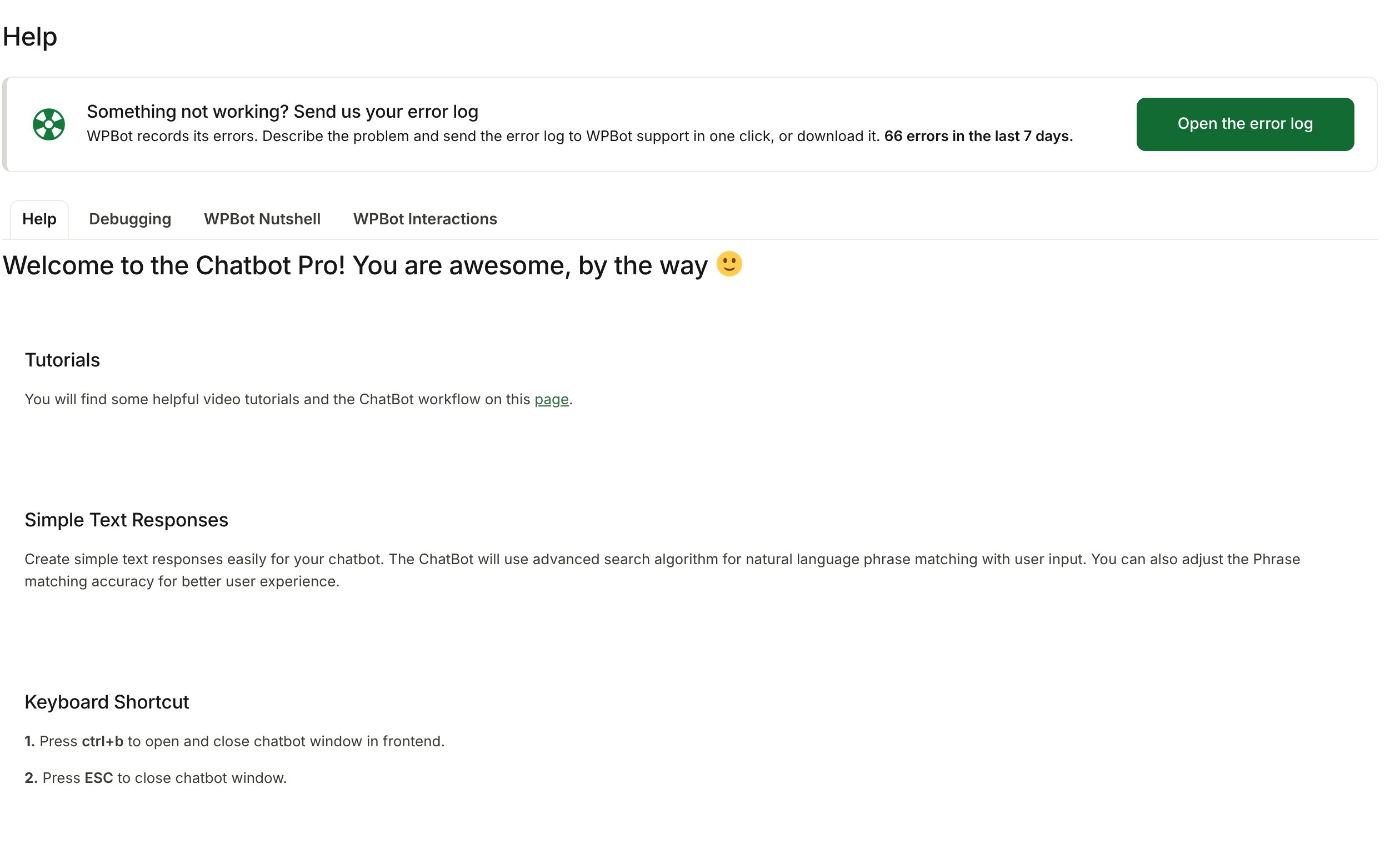
The Help screen with the error report and shortcodes.
Availability
The error log and support report are in every edition, including WPBot Free. Priority support is for WPBot Pro customers.
Was this article helpful?
Sorry about that. Get help another way:











