

What is WPBot?
On this page
WPBot is an AI ChatBot and Growth Suite for WordPress. It runs on your own site: your data stays on your server, there is no per-conversation fee, and you choose the AI provider and pay it directly at its list prices.
The tools in WPBot Pro Master
| Tool | What it does for you | Where to find it |
|---|---|---|
| ChatBot | Answers visitors 24/7 from your pages, products and documents, collects leads, takes bookings and orders, and hands over to a person when needed. | WPBot Pro → ChatBot · Guide |
| AI Writer | Writes and improves articles, product descriptions and local pages in your voice, and plans them in a content calendar. | WPBot Pro → AI Writer · Guide |
| SEO & AI Search | Finds keywords and fixes, audits pages, and helps your pages show up in Google and in AI assistants' answers. | WPBot Pro → SEO & AI Search · Guide |
| Social | Turns one idea into posts for each network, schedules them and shows which posts brought visitors and sales. | WPBot Pro → Social · Guide |
| AI Marketing | Contacts, sign-up forms, email campaigns and automated journeys that turn leads into customers. | WPBot Pro → AI Marketing · Guide |
| Site Insight | Session recordings, heatmaps, frustration signals and funnels, with AI summaries of what to fix. | WPBot Pro → Site Insight · Guide |
| Help Center | A searchable help center and knowledge base the chatbot answers from. | WPBot Pro → Help Center · Guide |
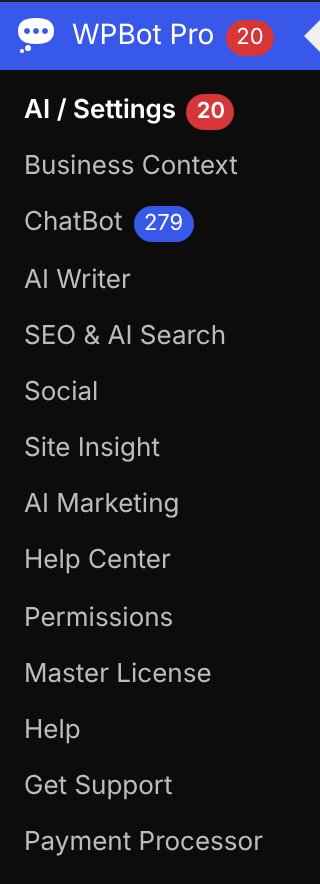
Every tool has its own item in the WPBot Pro menu.
What connects them
Two shared parts make the tools work as one system:
- Business Context: one profile of your business (what you sell, to whom, your facts and rules) that the Growth Suite tools read before they write. See Business Context: tell every AI feature about your business.
- AI / Settings: one place for your AI providers, keys, spending limits, notifications and permissions. See Getting started with AI and Account Settings: the best answers at the lowest cost.
Each tool also passes what it learns to the next one. An article from AI Writer is checked by SEO & AI Search, shared by Social, learned by the chatbot, used in AI Marketing emails, and its posts are measured in Social analytics, while Site Insight shows where visitors get stuck. This is the Growth Loop.
The chatbot in more detail
The chatbot is the part your visitors see. In Master it can:
- answer with AI from your own content, with links to the pages it used;
- work without AI too, with a start menu, FAQ, simple text responses and site search;
- ask questions as a conversational form, and take bookings and callbacks;
- search products, add to cart and check order status in WooCommerce;
- answer on Facebook Messenger, Instagram, WhatsApp and Telegram;
- hand the conversation to a live agent, or open a support ticket;
- speak and listen (voice chat), take voice messages, and chat in several languages.
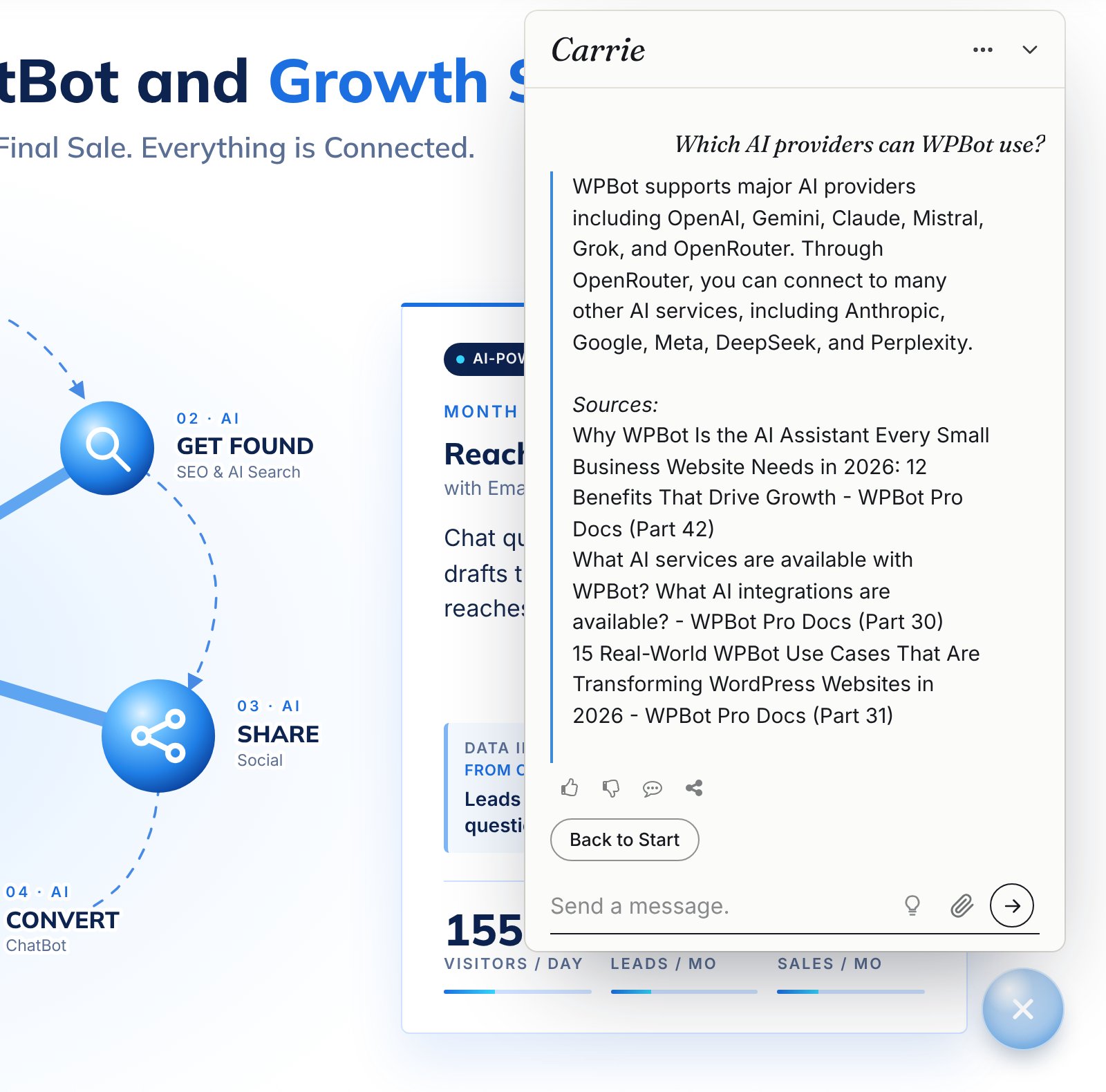
The chatbot answering with AI from the site's own content.
Next steps
- Getting started with WPBot: set it up for more traffic, leads and sales
- WPBot editions: Free, Starter, Professional and Master
Availability
Everything above is in WPBot Pro Master. Professional and Starter include fewer chatbot modules and run some Growth Suite tools in their free versions, and WPBot Free has the chatbot and the free tools only. See WPBot editions: Free, Starter, Professional and Master for the full comparison.
Was this article helpful?
Sorry about that. Get help another way:











