

The Growth Loop: how WPBot’s tools work together
On this page
WPBot's tools are built to feed each other. Your site sits in the middle; around it, six AI tools each take what the previous one produced and pass on something new. We call this the Growth Loop.
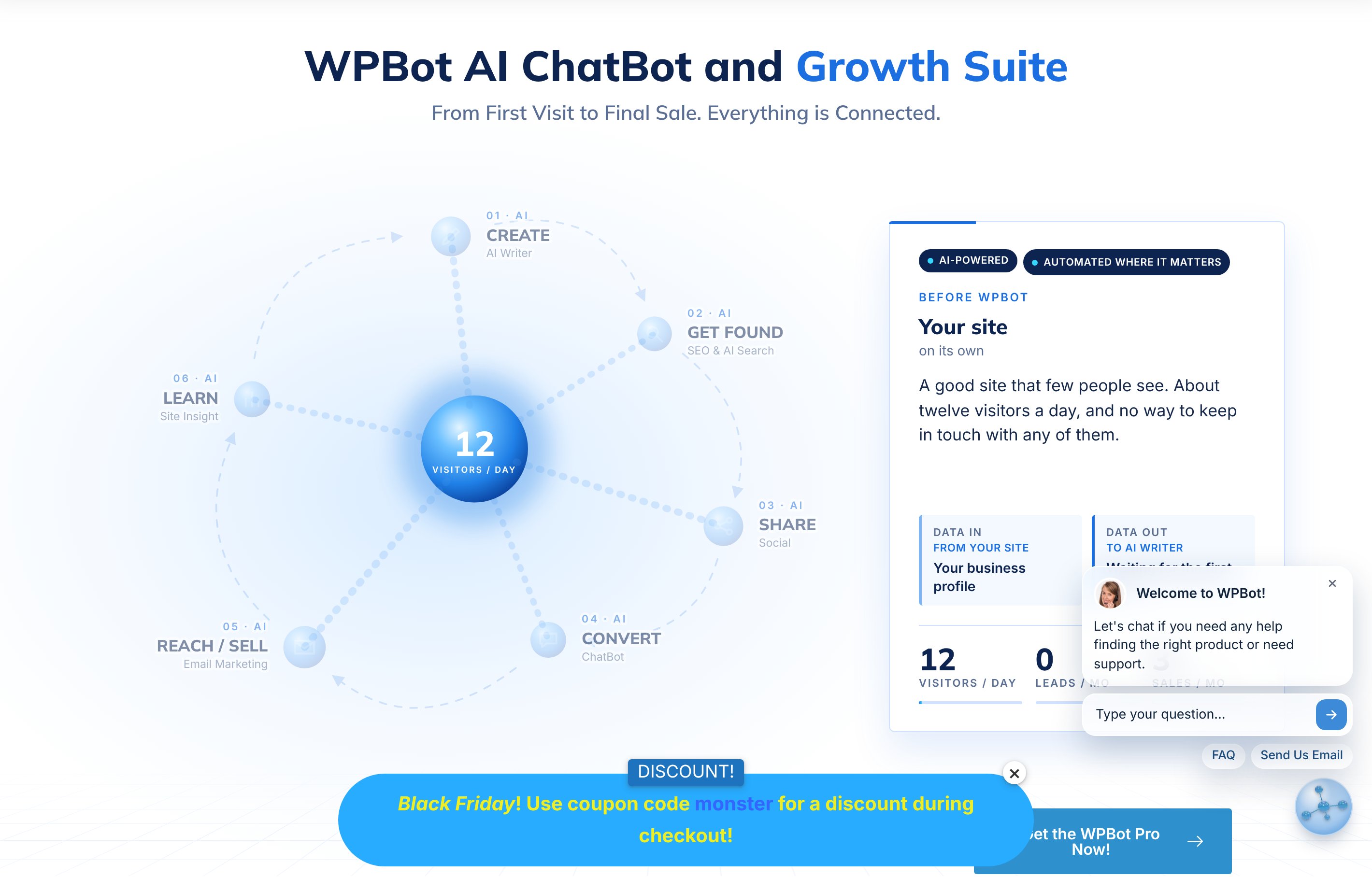
The Growth Loop on wpbot.pro: Create, Get found, Share, Convert, Reach / Sell and Learn.
The six steps
| Step | Tool | Takes in | Passes on |
|---|---|---|---|
| 1. Create | AI Writer | Your Business Context, topics from Site Insight and the chatbot | A new article or page |
| 2. Get found | SEO & AI Search | The new article | Fixes and keywords that rank in Google and AI answers |
| 3. Share | Social | The article | Posts for each network with tracked links, and the visitors they bring |
| 4. Convert | ChatBot | Those visitors and their questions | Leads (names, emails) and the questions they asked |
| 5. Reach / Sell | AI Marketing | The leads and their questions | Emails and journeys, with opens, clicks and sales |
| 6. Learn | Site Insight | Visits, clicks, scrolls, forms and WooCommerce events | Where visitors come from, what they do and where they get stuck, and what to fix or write next |
Then the loop starts again at Create, with better topics than before.
Business Context: the centre of the loop
AI Writer, SEO & AI Search, Social and AI Marketing read Business Context before they write: what you sell, who your customers are, the facts AI must always get right, and what it must never say. Fill it in once and every article, post and email gets better. The chatbot answers from its knowledge base and uses Business Context for its contact details.
An example turn
- You pick a topic. AI Writer drafts the article from your business profile, and you publish it the same day.
- SEO & AI Search checks the published article for search engines and AI answers, and shows you what to improve.
- You choose what to share. Social writes a post for each network, with hashtags and tracked links, ready for your calendar.
- A visitor from one of those posts asks a question. The chatbot answers from your own content, including the new article, and takes their email.
- The new lead joins the welcome journey you set up in AI Marketing, and buys that week.
- Social analytics shows which posts brought the visit and the sale. Site Insight shows where other visitors got stuck on the way, which tells you what to fix and what to write next.
Questions the chatbot could not answer go to ChatBot → Train. They are some of the best topics for the next article, because real visitors asked them.
How to make the loop turn faster
- Start with the chatbot. It works with the visitors you already have and produces the two things the rest of the loop needs: leads and real questions.
- Write about what people ask. Use the questions from Train, AI Insight and SEO & AI Search's keywords as your topic list.
- Always use tracked links when you share, so Social analytics can tell which posts bring visits, leads and sales.
- Put every lead into a journey. A lead that never hears from you again is a lost sale.
- Review once a week. See the weekly routine in Getting started with WPBot: set it up for more traffic, leads and sales.
Availability
The full loop needs WPBot Pro Master: Social Pro and AI Marketing Pro are Master only. In Professional, Social and AI Marketing run their free versions; in Starter, SEO & AI Search, Site Insight, Social and AI Marketing run their free versions. WPBot Free includes the free version of each tool, so the loop still works on a smaller scale.
Was this article helpful?
Sorry about that. Get help another way:











