

Simple Text Responses: your own exact answers
Simple Text Responses (STR) are answers you write yourself. When a visitor's question matches one, the chatbot gives your answer word for word, before it asks the AI. Use them for answers that must be exactly right: prices, policies, opening hours, legal wording. Open WPBot Pro → ChatBot → Simple Text Responses.
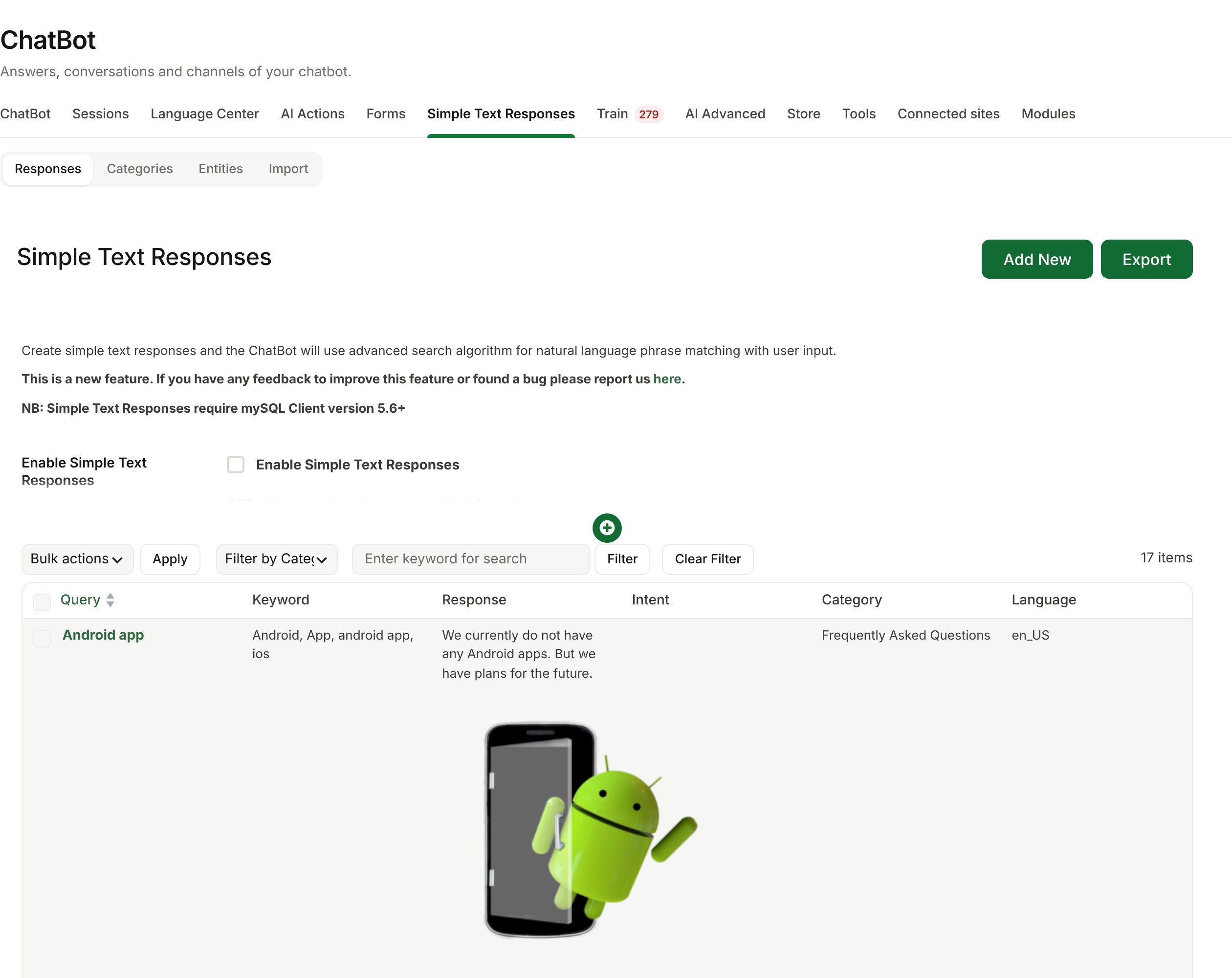
Simple Text Responses: settings and the list of responses.
Add a response
- Click Add New.
- Query: the question as visitors ask it, for example "Do you ship to Canada?".
- Response: your answer. You can add pictures, links and formatting.
- Keyword (optional): other words and phrases, separated by commas, for example
shipping, delivery, canada, international. They help the chatbot find the best match. - Intent Name (optional): a unique name that turns the response into a custom intent. It then appears in every intent list (start menu, Chat Icon Messages, shortcodes) and visitors can trigger it by typing the name.
- Save.
The list shows Query, Keyword, Response, Intent, Category and Language for each response, with Edit and Delete, bulk delete and Filter by Category.
Settings
| Setting | What it does |
|---|---|
| Enable Simple Text Responses | STR answers only when this is on. |
| Phrase matching accuracy | 0 to 1. Higher means the question must match more exactly. Start around 0.4 and raise it if wrong answers appear. |
| Search Fields | Search in Title, Keyword and Response. |
| Turn off full text search / Turn on full text search | Turn it off only if your MySQL version does not support full-text search. |
| Remove Stopwords | Ignores words such as "the" and "is" in questions. The list is in Site search, synonyms and stop words. |
| Allow Shortcodes | Shortcodes in responses are run. |
| Allow Author & Editor to edit STR | Authors and editors can manage responses too. |
| Maximum number of matching STR responses to show (Ex. 3) | How many answers show when several match. |
| Re-Index STR Simple Text Responses | Rebuilds the search index. Use it if results are not as expected. |
Note
Simple Text Responses need MySQL 5.6 or newer.
How matching works
The chatbot tries, in order: an intent name, the exact question, a category, the keywords, and then phrase matching above your accuracy setting. If nothing matches, the question goes on to Dialogflow, site search and the AI (see How the chatbot chooses an answer).
Simple Text Responses and AI
STR and the AI work together:
- STR answers first, so your exact wording always wins for the questions you cover.
- Tick Simple Text Responses under Sources to include in the The knowledge base: what the chatbot learns from, and the AI also uses them when it writes other answers.
- A question the bot could not answer, answered in Train, becomes knowledge right away (Train the chatbot with questions it could not answer).
Availability
In every edition, including WPBot Free. Categories, entities, follow-ups, import and export come with STR Pro in Professional and Master: see STR Pro: categories, follow-ups, entities, import and export.
Was this article helpful?
Sorry about that. Get help another way:











