

Train the chatbot with questions it could not answer
On this page
Open WPBot Pro → ChatBot → Train. The list shows the questions your visitors asked that the chatbot could not answer, most asked first. The number next to Train in the tabs counts the open ones.
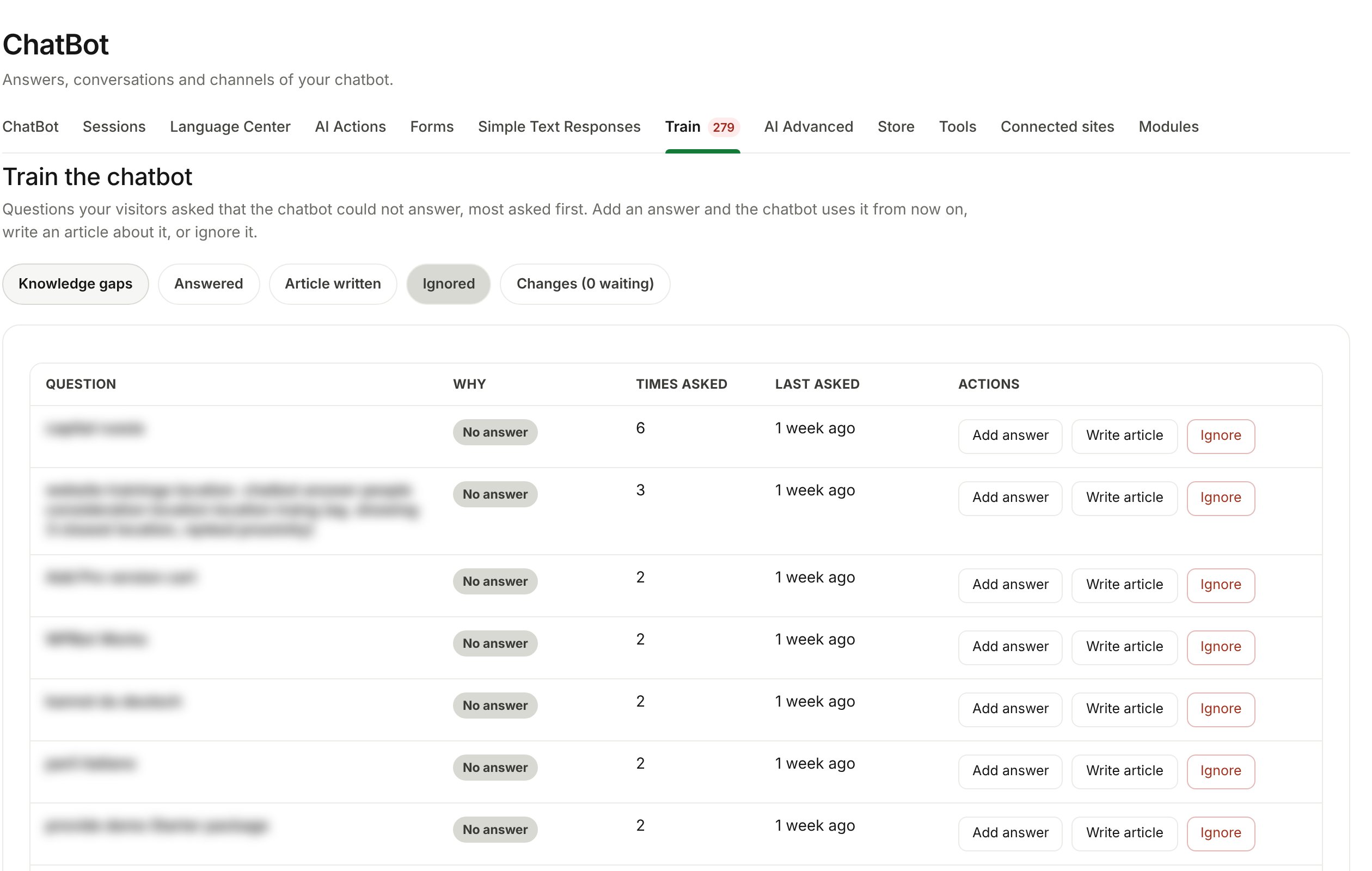
Train: knowledge gaps, most asked first.
Why a question is here
The Why column tells you what happened:
| Reason | Meaning |
|---|---|
| No answer | Nothing answered: no Simple Text Response, no knowledge, no AI answer. |
| Not sure | The AI did not find the answer in your content and said so, instead of guessing. |
| Site search found nothing | Site search found no page for the visitor's words. |
| Thumbs down | The visitor disliked the answer. |
| Asked for a person | The question the visitor asked just before asking for a human. |
| Help Center search found nothing | A search in your Help Center found nothing. |
| AI assistant found nothing in your docs | The Help Center's AI assistant found no answer in your articles. |
| Article marked not helpful | A visitor voted a help article not helpful. |
The list also shows Times asked and Last asked. With connected sites, Site: filters the list by the site the question came from.
What you can do with a question
- Add answer: write the answer and click Save answer. The chatbot uses it from now on: it is added to the knowledge base straight away. The question moves to Answered.
- Write article: opens a draft titled with the question. With the Help Center on, it is a help article in the right category, showing how often the question was asked and a link to write it with AI Writer; otherwise it is a draft post. Once published, the article becomes chatbot knowledge and can bring visitors from Google and AI search. The question moves to Article written.
- Ignore: for spam, tests and questions you will never answer. It moves to Ignored.
On the Answered, Article written and Ignored tabs, Move back to gaps returns a question to the list.
Tip
In Master, with AI Marketing on, everyone who asked a question you answer in Train and left their email gets your answer by email, once. A missed question becomes a reason to get back in touch.
A 15-minute weekly routine
- Open Train on Monday. Work from the top: the most asked questions matter most.
- Short factual answers (a price, a date, a yes or no): Add answer.
- Questions that need explaining (how to choose, how to use, comparisons): Write article. These are your best blog and help topics, because real people asked them.
- Thumbs down on a question you did cover: check the page the answer came from in What the chatbot knows, and fix the page.
- Ignore the rest.
A Chatbot: questions it could not answer card on the WordPress dashboard shows the top open questions, so you see them without opening Train.
Train in the Growth Loop
Train is where Convert feeds Learn and Create in the Growth Loop: visitors tell you in their own words what is missing, you answer or write about it, the chatbot learns it, and the new article brings more visitors to the chatbot. Business Context can read the questions customers ask your chatbot too (Business Context: tell every AI feature about your business).
Changes that AI assistants asked to make wait on the Changes tab: see Approve changes from AI assistants. The Sessions report Questions Not Answered shows a similar list with counts: see Questions Not Answered: find the gaps in your chatbot.
Availability
In every edition, including WPBot Free. The reasons from the Help Center need the Help Center module; the answer emails need AI Marketing in Master; the site filter needs connected sites (Professional and Master).
Was this article helpful?
Sorry about that. Get help another way:











