

Site search, synonyms and stop words
On this page
Site search lists the pages, posts and other content whose words match the visitor's question, as cards with links. It is the chatbot's answer engine when no AI provider is connected.
Site Search
Open WPBot Pro → ChatBot → Site Search (under Answers).
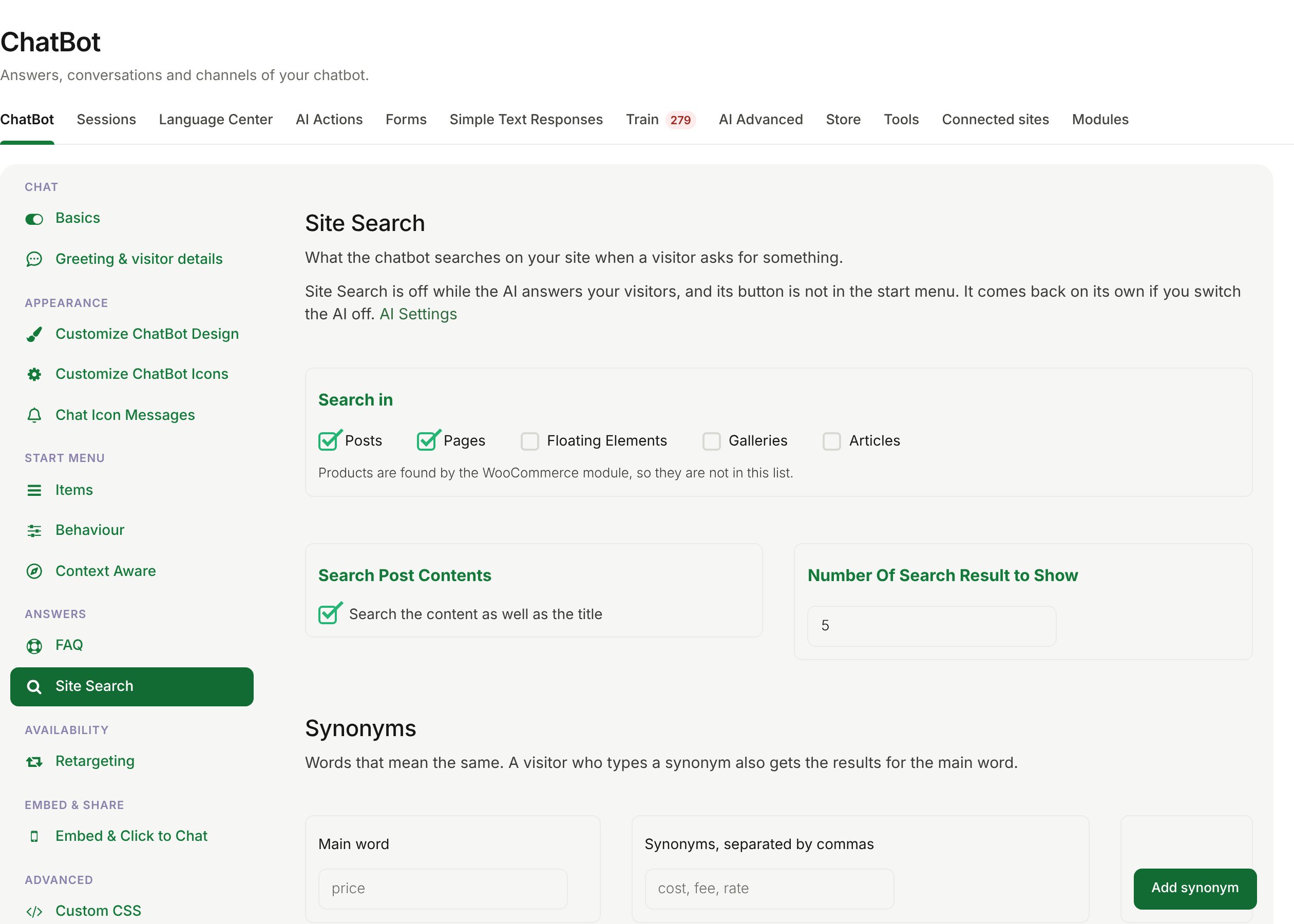
Site Search settings and synonyms.
| Setting | What it does |
|---|---|
| Search in | The content types to search: posts, pages and your other public post types. Products are found by the WooCommerce module instead. |
| Search Post Contents | Search the content as well as the title. Without it, only titles are searched. |
| Number Of Search Result to Show | How many results show in the chat. |
Results whose title matches come first, and a result must contain at least half of the question's words.
Note
Site Search is off while the AI answers your visitors, and its button is not in the start menu: the AI answers from the same content through the The knowledge base: what the chatbot learns from, with source links. It comes back on its own if you switch the AI off.
How results open (new window, image size) is set in Bot Response Options (Chat window and bot response options).
Synonyms
Synonyms are words that mean the same. A visitor who types a synonym also gets the results for the main word.
- Type the Main word, for example
sofa. - Type the Synonyms, separated by commas, for example
couch, settee, lounge. - Click Add synonym.
The table lists each Main word with its Synonyms and Actions. Add the words your customers use that differ from the words on your site.
Stop Words
Stop words are words such as "the", "is" and "what" that carry no meaning for a search. The chatbot leaves them out of visitors' questions, so the search looks for the words that matter. Open WPBot Pro → ChatBot → Tools → Stop Words.
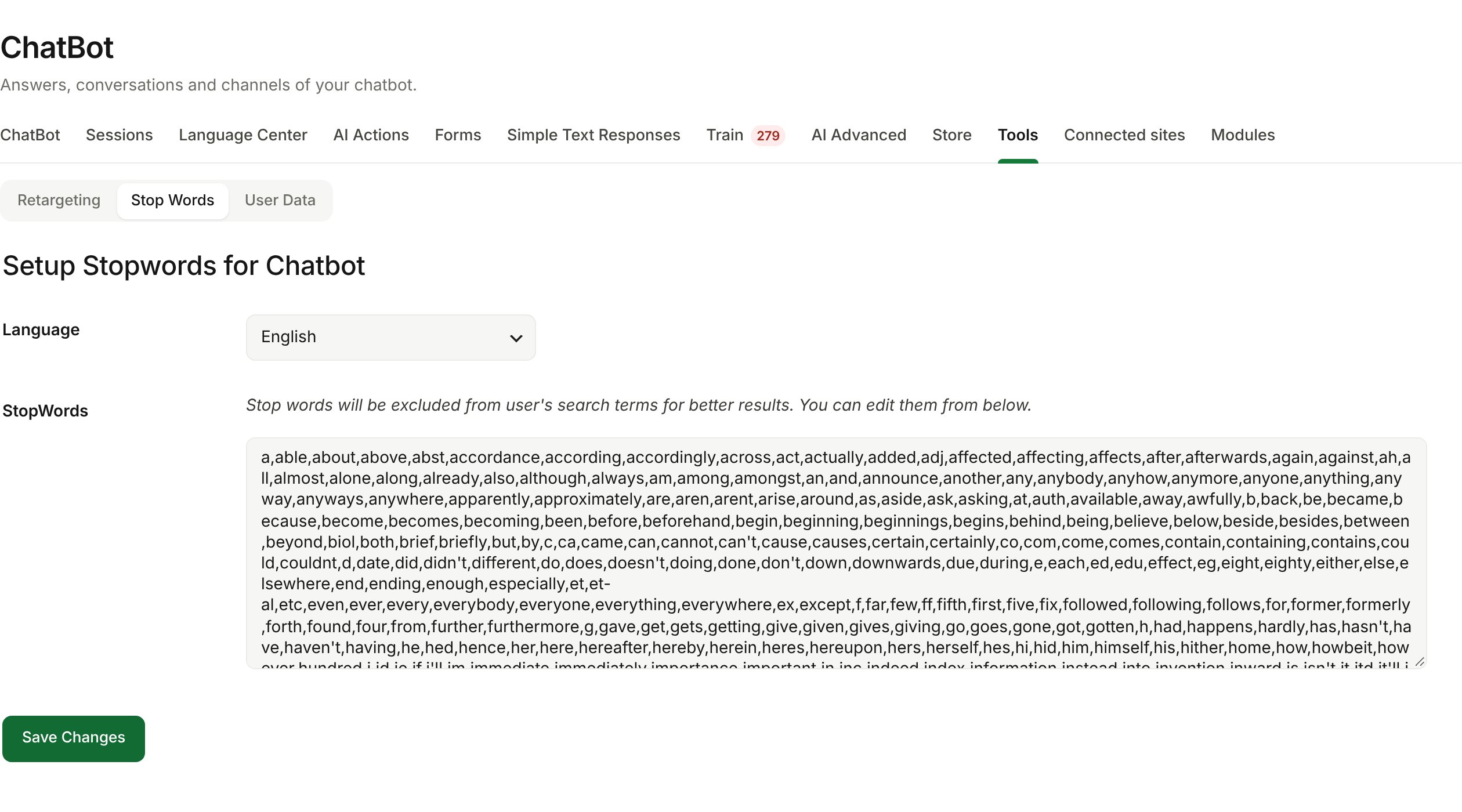
Stop Words, with a list per language.
- Choose the Language of the list (English, Arabic, Bulgarian, Czech, Catalan, Danish, Dutch, Finnish, French, German and more).
- Edit the StopWords list.
- Save.
Stop words are used by site search and, with Remove Stopwords on, by Simple Text Responses: your own exact answers. Short words under three letters are always ignored by site search.
Availability
Site search is in every edition, including WPBot Free. The Site Search tab with synonyms and the Stop Words screen are in the WPBot Pro editions.
Was this article helpful?
Sorry about that. Get help another way:











