

When the start menu shows
On this page
Open WPBot Pro → ChatBot → Behaviour. Each answer describes what the chat does today, so nothing changes until you pick another one.
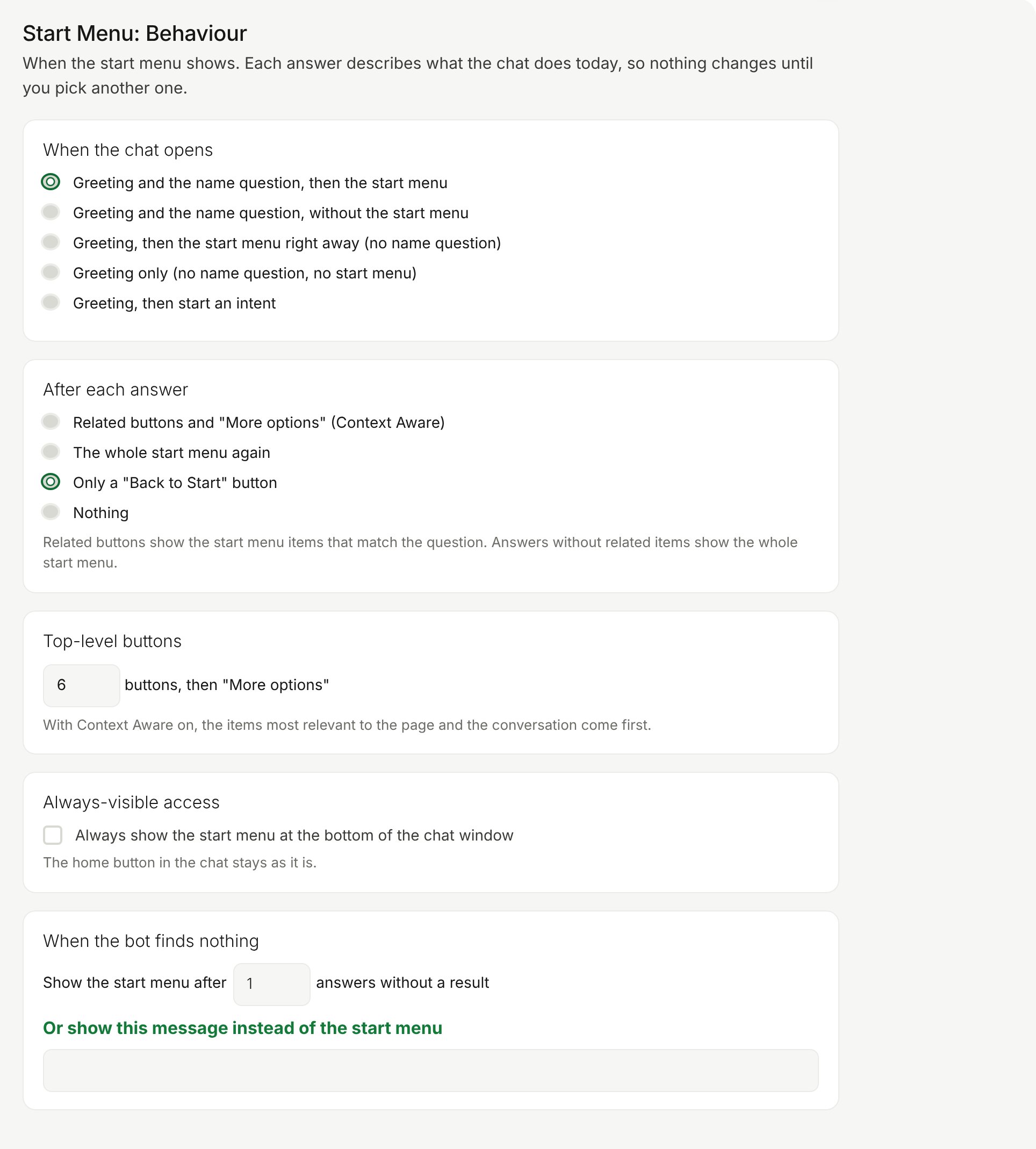
Start Menu: Behaviour.
When the chat opens
| Choice | What the visitor sees |
|---|---|
| Greeting and the name question, then the start menu | The classic start. |
| Greeting and the name question, without the start menu | The visitor types freely after giving a name. |
| Greeting, then the start menu right away (no name question) | Fastest way to buttons. |
| Greeting only (no name question, no start menu) | An open chat, good when AI answers everything. |
| Greeting, then start an intent | Starts one item at once. Choose it under Select an Intent for non logged in user and Select an Intent for Logged in User. |
Greeting, then start an intent is useful on a single-purpose page, for example a quote page that starts the quote form straight away, or a members' area that opens order status for logged-in customers.
After each answer
| Choice | What follows an answer |
|---|---|
| Related buttons and "More options" (Context Aware) | Start menu items that match the question, plus More options. Answers without related items show the whole start menu. |
| The whole start menu again | All the buttons, every time. |
| Only a "Back to Start" button | One button back to the menu. |
| Nothing | No buttons. |
The first choice appears when Context Aware is available.
Top-level buttons
Set how many buttons show (2 to 8) before More options. With Context Aware on, the items most relevant to the page and the conversation come first.
Always-visible access
Always show the start menu at the bottom of the chat window keeps the menu one tap away during the whole conversation. Its look is set under Start menu bar style in Guide visitors in the chat window.
When the bot finds nothing
Show the start menu after a number of answers without a result (default 3), Or show this message instead of the start menu. This gives a visitor who is stuck a way forward instead of another "Sorry".
Recommended for sales
- When the chat opens: Greeting, then the start menu right away (no name question), unless you need the name for a personal follow-up.
- After each answer: Related buttons and "More options": each answer leads to the next useful step, such as a product, a form or a booking.
- Top-level buttons: 4 to 6.
Availability
In every edition, including WPBot Free. WPBot Free's Behaviour tab has fewer choices; the related buttons after answers need Context Aware, which is in the WPBot Pro editions.
Was this article helpful?
Sorry about that. Get help another way:











