

Context Aware start menu
On this page
A visitor on a product page and a visitor on your support page need different buttons. Context Aware orders, shows and hides start menu items based on the page and the conversation, without an extra AI call. Open WPBot Pro → ChatBot → Context Aware. Everything here is off until you switch it on.
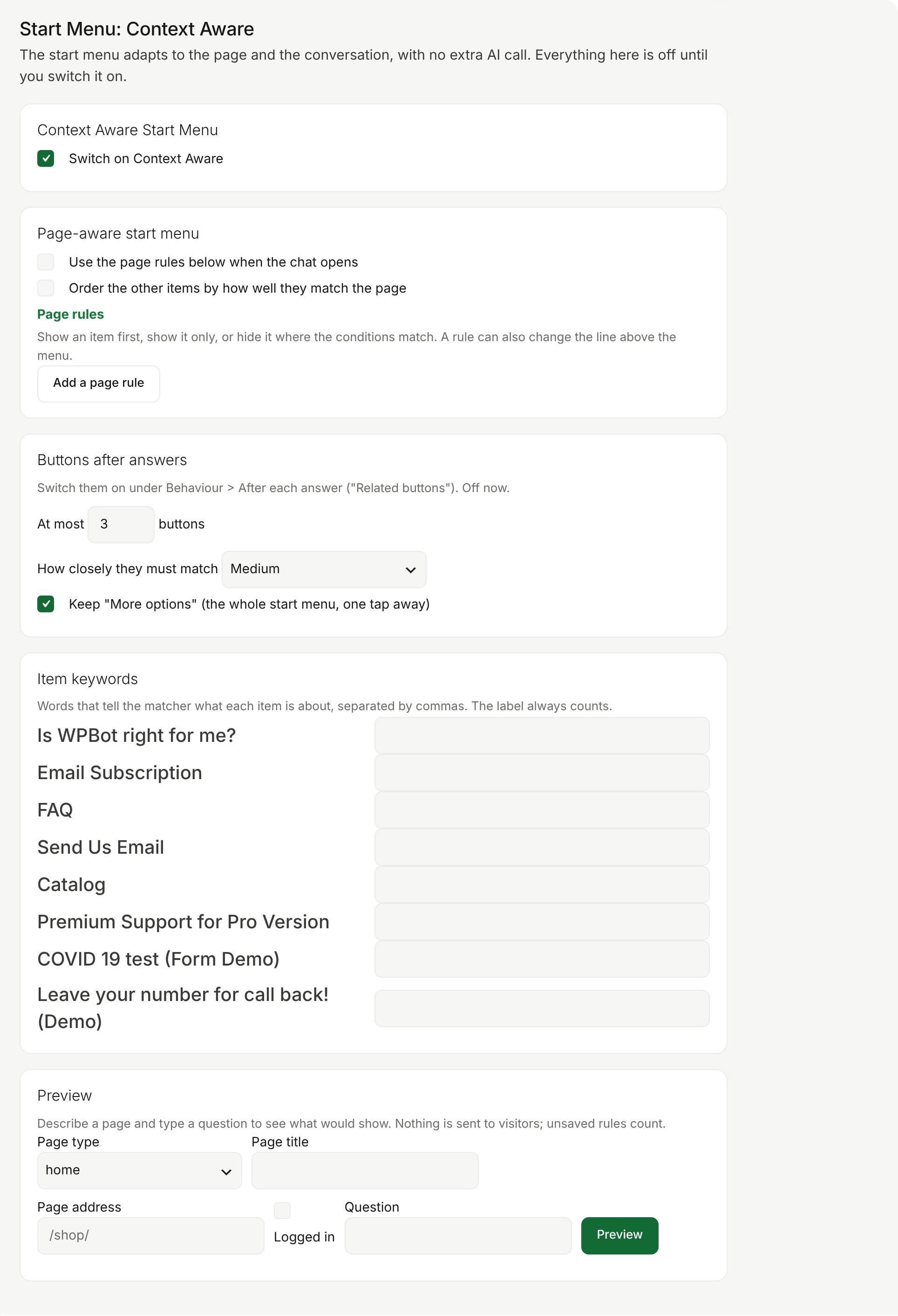
Start Menu: Context Aware.
Switch it on
Tick Switch on Context Aware.
Page-aware start menu
- Use the page rules below when the chat opens: applies your page rules.
- Order the other items by how well they match the page: items whose label and keywords match the page title come first.
Page rules
Click Add a page rule. A rule can show an item first, show it only, or hide it where its conditions match, and it can change the line above the menu. Conditions include:
- Page: Page type (home, shop, product, category, cart, checkout, account, post, page, other), Post type, Page address.
- Where the visitor came from: Campaign source (utm_source), Campaign medium (utm_medium), Campaign (utm_campaign), Came from (site).
- Visitor: Language, User role, Logged in, Returning visitor.
- Shop: Segment, Cart value, Items in cart, Minutes since the cart was started, Has ordered before, Times the current product was viewed, Products viewed (30 days).
Buttons after answers
Switch them on under Behaviour → After each answer ("Related buttons"), see When the start menu shows. Then set:
- At most 1 to 4 buttons.
- How closely they must match: Loosely, Medium or Closely.
- Keep "More options" (the whole start menu, one tap away).
Item keywords
Words that tell the matcher what each item is about, separated by commas. The label always counts. For example, for a "Shipping" item: delivery, ship, courier, tracking, postage.
Preview
Describe a page (Page type, Page title, Page address, Logged in) and type a Question, then click Preview to see which buttons would show. Nothing is sent to visitors, and unsaved rules count.
Rules that convert
| Situation | Rule |
|---|---|
| Product pages | Show "Ask about this product" or your product advisor AI Action first. |
| Cart with items, started more than 20 minutes ago | Show a "Need help to finish your order?" item first. |
Visitors from a campaign (utm_campaign is your offer) | Show the offer's item only, with a line that repeats the offer. |
| Returning customers who have ordered before | Show Order Status first. |
| Checkout | Hide sales items; show help items only. |
The same data powers "Popular on this page" and follow-up buttons in the chat window (Guide visitors in the chat window).
Availability
In every WPBot Pro edition. The shop conditions need WooCommerce or Easy Digital Downloads. WPBot Free does not have Context Aware.
Was this article helpful?
Sorry about that. Get help another way:











