

A tour of AI Writer
Open WPBot Pro → AI Writer. The tabs run along the top; tabs that do not fit are under More ▾.
The Overview
The Overview is the start page:
- Write something new: a post, help article, FAQ, page or product description from one sentence. Click Write.
- Improve existing content: make a post or page clearer, shorter or up to date, section by section. Click Improve.
- Answer visitor questions: turn a question your visitors ask into an FAQ, help article or page section. Click Answer a question.
- Not sure where to start? Three ready ideas, for example "Answers to the five questions customers ask us most". Click one to start a brief you can change.
- Running jobs: writing jobs in progress. You can leave the page; the work continues and you come back with Continue.
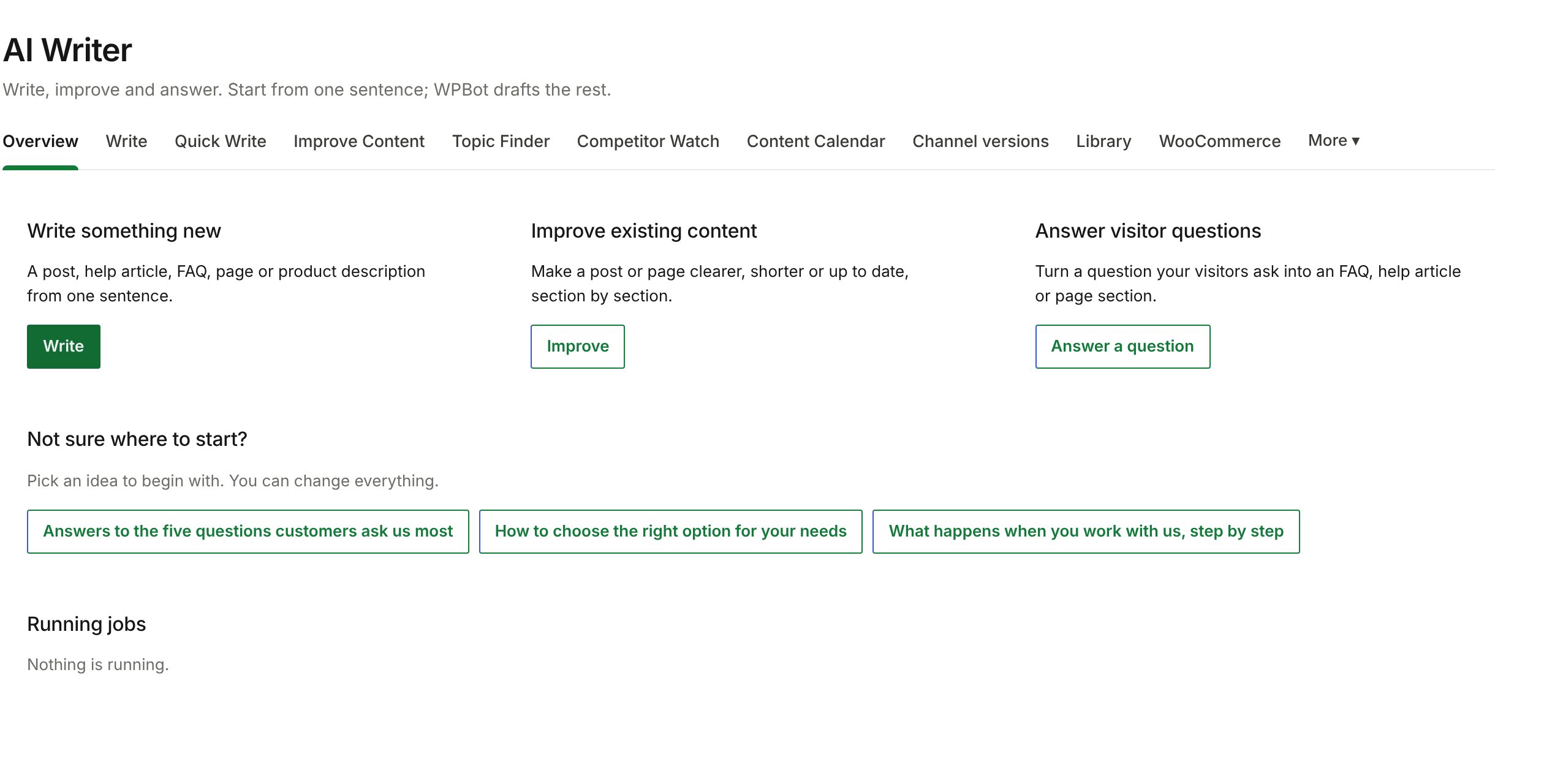
The Overview with the three ways to start.
Every tab
| Tab | What it does | Guide |
|---|---|---|
| Write | One piece from a brief; also Many from a list, Interview me and Headline lab | Write an article with AI Writer |
| Quick Write | Short texts: social posts, emails, ads, bios, review replies | Quick Write and templates: social posts, emails, ads and more |
| Improve Content | Pages losing visitors, and section-by-section improvements | Improve existing content and regenerate drafts |
| Topic Finder | Ranked topic ideas from your data, plus coverage of your topics | Topic Finder: what to write next |
| Competitor Watch | New content, topic gaps, products, rankings and ads of up to ten competitors | Competitor Watch: what your competitors publish, rank for and advertise |
| Content Calendar | Plan, schedule and spread your content | Plan your content with the Content Calendar |
| Channel versions | Social, email, video and audio versions of each finished piece, and campaigns | Channel versions and campaigns: share every piece everywhere |
| Library | Everything AI Writer wrote, and your saved Quick write texts | The Library and the review workflow |
| WooCommerce | Product descriptions, buying guides, comparisons and category descriptions (only when WooCommerce is active) | Write WooCommerce product descriptions, buying guides and comparisons |
| Brand & Business | Brand Voice, style guide and Business Profile | Brand Voice: make AI Writer sound like you |
| Templates | Quick Write templates, your own templates and Many at once | Quick Write and templates: social posts, emails, ads and more |
| Local pages | A page for one service in one place, from real local details | Local pages: one service in one place |
| Results | Visits, leads and orders per topic, headline tests and A/B tests | Results, headline tests and A/B tests |
| Usage & Costs | What AI Writer has cost, by month, feature and model | AI Writer usage and costs |
| Settings & AI Provider | Keys, budget, writing defaults, images, Topic Finder and connections | AI Writer settings: AI provider, budget and writing defaults |
Settings & AI Provider is shown only to users who may change AI Writer's settings. See Permissions: who can see, use and change each tool.
AI Writer outside its screen
- In the block editor: the AI Writer sidebar (the sparkle icon at the top right) and AI actions in each block's toolbar. See AI Writer in the block editor: sidebar, checklist and block actions.
- In your post, page and product lists: an Improve with AI link under each item opens Improve Content for it.
- In WooCommerce: the AI Writer panel on the product screen, the Write descriptions with AI bulk action, and Write with AI on product categories.
Availability
AI Writer is in every edition. Competitor Watch, Channel versions, Local pages and Results are Pro tabs: they are in Starter, Professional and Master, and WPBot Free shows them as previews. See Getting started with AI Writer: content that brings traffic, leads and sales for the full split.
Was this article helpful?
Sorry about that. Get help another way:











