

AI Writer usage and costs
On this page
Open WPBot Pro → AI Writer → Usage & Costs (under More ▾).
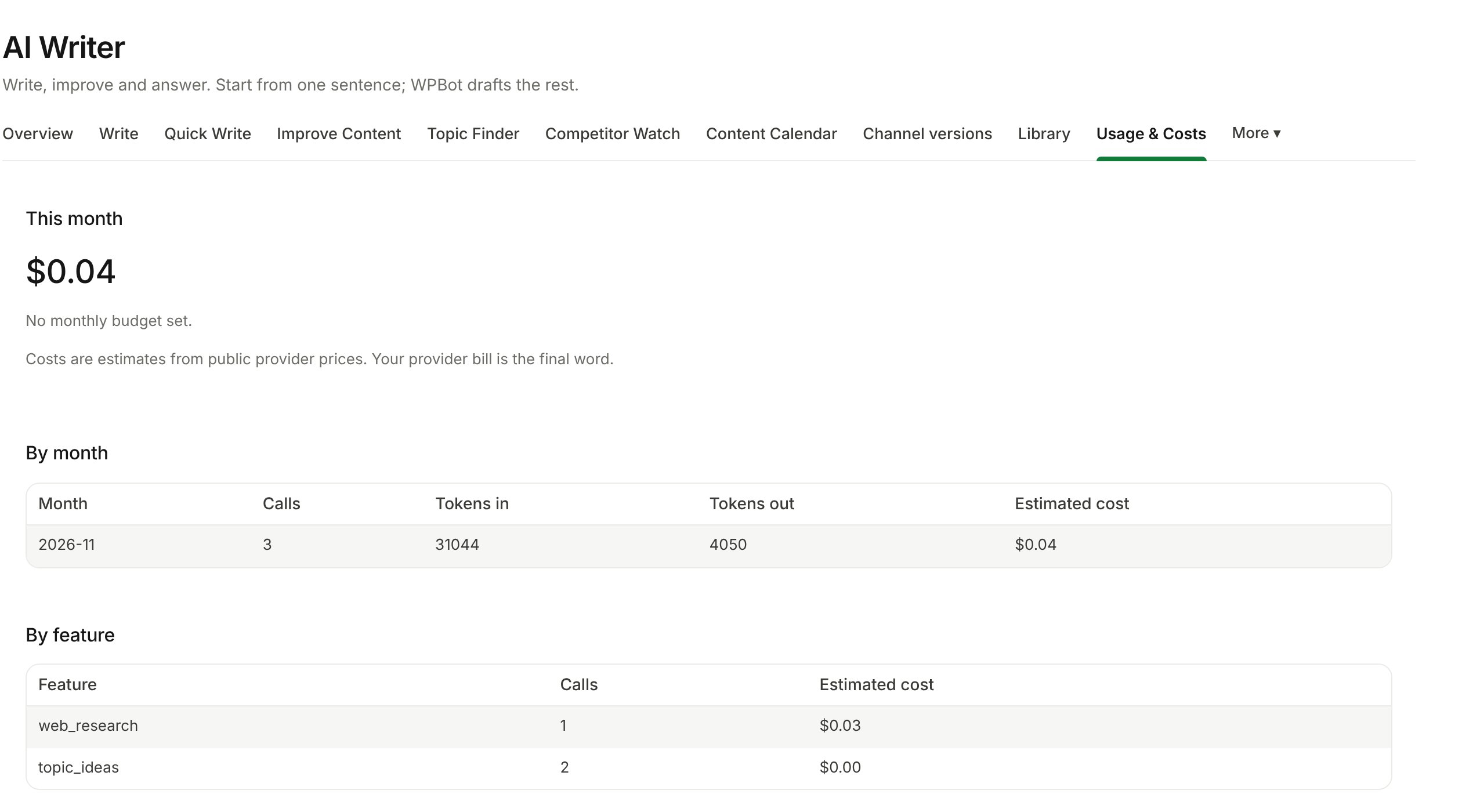
Usage & Costs: this month, by month, by feature and by model.
What you see
- This month: what AI Writer has spent so far, and your monthly budget (or "No monthly budget set.").
- By month: Calls, Tokens in, Tokens out and Estimated cost per month.
- By feature: which AI Writer task used the calls, for example topic ideas or web research.
- By model: the Provider and Model of each call, with its cost.
Costs are estimates from public provider prices. Your provider bill is the final word. A token is about three quarters of a word.
For all WPBot features together, see AI / Settings → AI Usage (Read the AI Usage report).
Keep costs predictable
- Set a MONTHLY BUDGET IN US DOLLARS in Settings & AI Provider. See AI Writer settings: AI provider, budget and writing defaults.
- Keep Show a cost estimate before each job on: every brief shows its estimate before you start.
- Give bulk jobs their own Budget for this job (US$). Writing pauses when it is reached.
- Set an AI Writer limit in AI / Settings → Spending and limits. See Set AI spending limits and alerts.
- Use a cheaper model for Facts, metadata and product data under Models per kind of step.
A typical article uses a handful of short AI calls; the brief shows the number before you start, for example "9 short AI calls".
Availability
Usage & Costs is in every edition, including WPBot Free.
Was this article helpful?
Sorry about that. Get help another way:











