

Brand Voice: make AI Writer sound like you
On this page
Readers trust a site that sounds like a real business, not like every other AI text. Brand Voice teaches AI Writer how you write.
Open WPBot Pro → AI Writer → Brand & Business → Brand Voice.
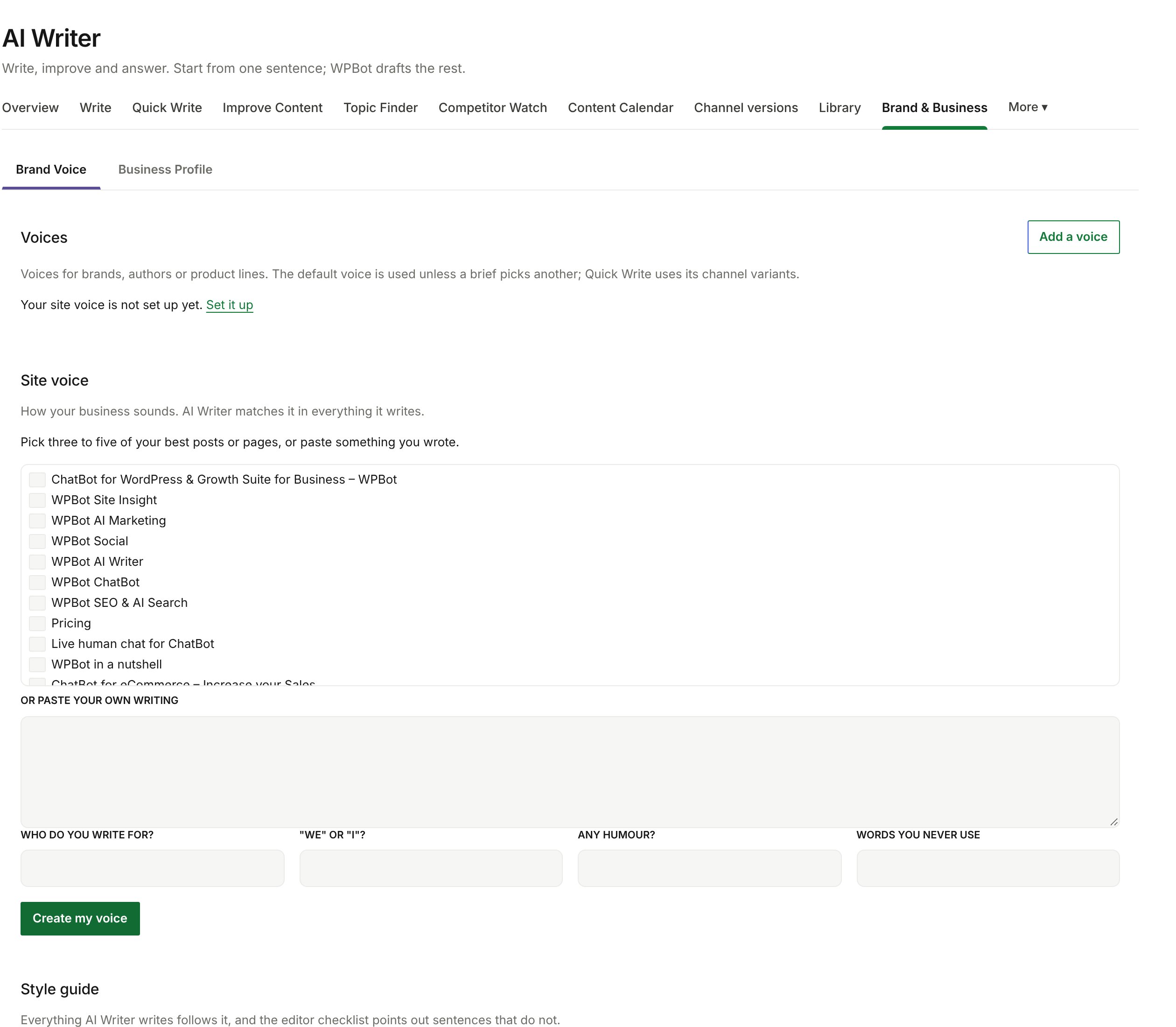
Brand Voice: voices, site voice and the start of the style guide.
Site voice
How your business sounds. AI Writer matches it in everything it writes.
- Pick three to five of your best posts or pages, or paste something you wrote under OR PASTE YOUR OWN WRITING.
- Answer WHO DO YOU WRITE FOR?, "WE" OR "I"?, ANY HUMOUR? and WORDS YOU NEVER USE.
- Click Create my voice.
Choose pages you wrote yourself, not text you are unhappy with: the voice copies what it reads.
Style guide
Everything AI Writer writes follows it, and the editor checklist points out sentences that do not.
| Field | Example |
|---|---|
| WORDS TO USE (ONE PER LINE) | "bike fitting", "service" |
| WORDS TO AVOID (ONE PER LINE) | "cheap", "revolutionary" |
| PRODUCT AND BRAND NAMES, WRITTEN EXACTLY (ONE PER LINE) | "WPBot Pro", "eBike X2" |
| READING LEVEL | No preference, Simple: short sentences, everyday words, Standard: plain words, terms explained or Advanced: expert readers |
US or UK spelling is set under Settings & AI Provider → Writing defaults. Click Save style guide.
Phrases that sound like AI in Settings & AI Provider lists the phrases the AI-pattern check flags, one per line. Add the ones you see too often.
Several voices (Pro)
Voices holds voices for brands, authors or product lines. The default voice is used unless a brief picks another; Quick Write uses its channel variants.
Click Add a voice and set its Name, How this voice sounds, a Style guide for this voice (words to use, words to avoid, names to spell exactly, reading level, spelling), Channel variants (how it changes per channel, for example more casual on Instagram) and the Formal ↔ casual slider. Each voice can be edited, duplicated, deleted or made the default, and shows how many drafts used it. On the brief, choose the Voice for a piece.
Learned from your edits (Pro)
When you edit AI drafts, AI Writer counts the words you remove or add, per voice. A word you removed from three or more drafts becomes a suggestion: "Avoid it in this voice?". A word you added to three or more becomes "Prefer it in this voice?". Click Yes or No; nothing changes until you do. This uses no AI and costs nothing.
About your business (Pro)
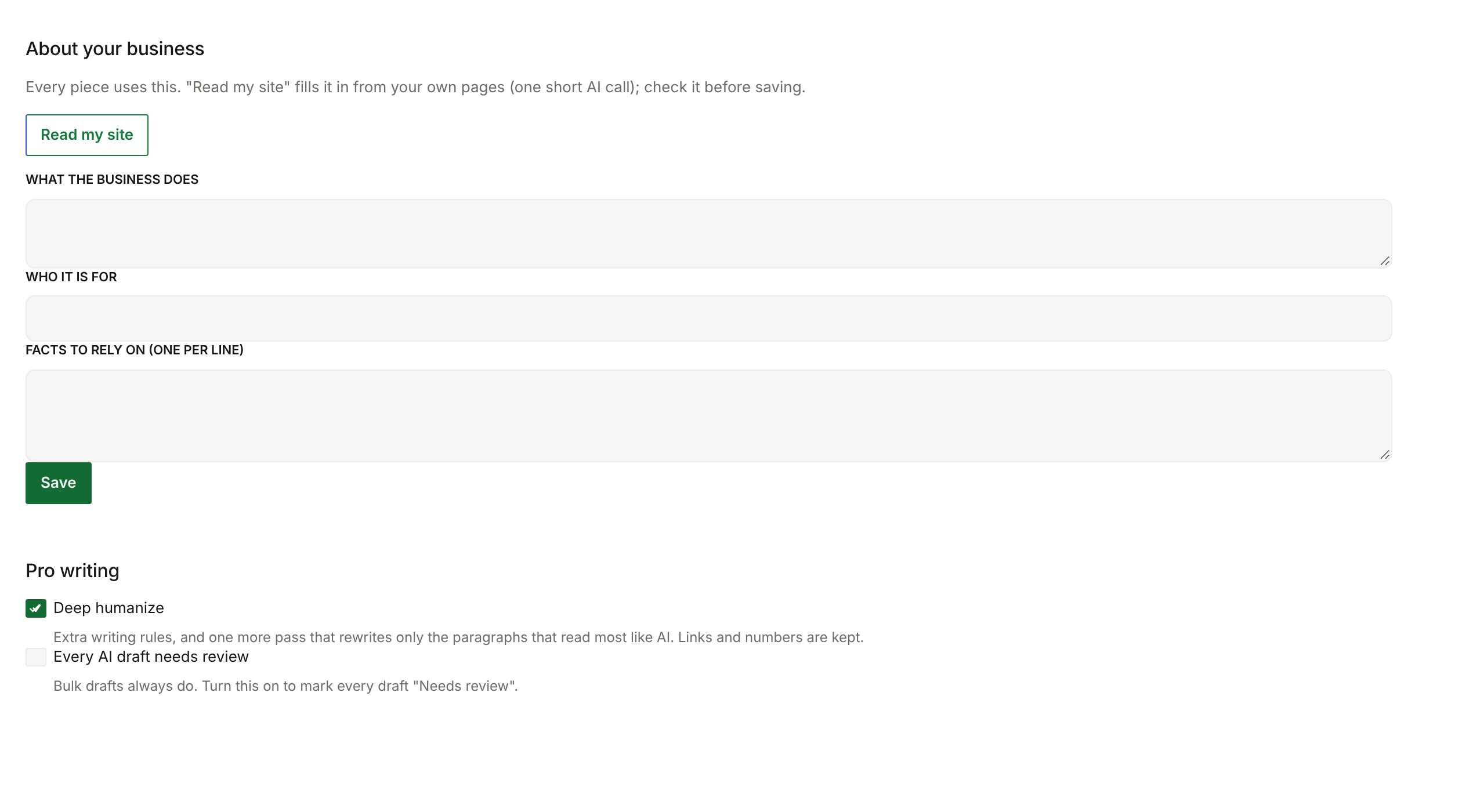
About your business and Pro writing.
Every piece uses this. Read my site fills it in from your own pages with one short AI call: WHAT THE BUSINESS DOES, WHO IT IS FOR and FACTS TO RELY ON (ONE PER LINE), plus main topics for Topic Finder, names for the style guide and good pages to build your voice from. Check it, then Save.
Keep it in line with Business Context, which every WPBot tool reads.
Pro writing (Pro)
- Deep humanize: extra writing rules, and one more pass that rewrites only the paragraphs that read most like AI. Links and numbers are kept.
- Every AI draft needs review: bulk drafts always need review; turn this on to mark every draft Needs review. See The Library and the review workflow.
Availability
The site voice, style guide and AI-phrase list are in every edition, including WPBot Free. Several voices, Learned from your edits, About your business, Deep humanize and Every AI draft needs review are AI Writer Pro, in Starter, Professional and Master.
Was this article helpful?
Sorry about that. Get help another way:











