
WPBot Pro Master Lifetime License vs. Monthly Plans: Which Is Better for Agency Profit Margins?

If you’re running a digital agency and want predictable profits with zero long-term overhead, the WPBot Pro Master Lifetime license is usually the smarter choice. It gives you 50 client sites, white-label,centralized dashboard and full AI chatbot capabilities for a one-time cost—which is exactly what protects your margins as your business scales.

But… monthly plans can still make sense in some cases.

Let’s break down both options so you can confidently choose the one that fits your agency model.

What Is WPBot Pro Master?

WPBot Pro Master Lifetime License vs. Monthly Plans: Which Is Better for Agency Profit Margins?

If you’re new to WPBot, let me make it simple.

WPBot Pro Master is an AI chatbot automation platform for WordPress agencies. It lets you:

  • Build AI chatbots without coding
  • Deploy them across 50 websites
  • Customize branding for clients
  • Manage everything from one dashboard
  • Sell chatbot services for recurring revenue

In short: It’s a turnkey chatbot system built for agencies who want to resell AI without building software.

Why Does the License Type Even Matter for Agencies?

Because your license determines your cost structure, and your cost structure determines your profit margin.

If you’re charging your clients:

  • $49/month
  • $99/month
  • $199/month

…your profit changes massively depending on whether YOU pay:

  • $0/month (lifetime license) or
  • $39–$79/month (monthly plan)

This is where many agencies lose money without realizing it.

Lifetime vs Monthly: Quick Comparison (At a Glance)

Here’s a simple, agency-friendly comparison table:

Feature

Lifetime License

Monthly Plan

Cost

One-time payment

Recurring cost

Number of Websites

Up to 50

Typically limited

Branding

White-label

Depends on plan

ROI Timeline

Immediate

Slower

Profit Margin

Highest

Lower

Scalability

Unlimited (no extra cost)

More clients = more cost

Long-Term Risk

None

Subscription dependency

Best For

Agencies scaling to 10–50 clients

New agencies testing the market

What’s Included in the WPBot Pro Master Lifetime License?

To understand the value, here’s what you actually get:

** 50 Client Websites

White-label Branding AI Chatbot Builder Custom Flowbuilder (No-Code) OpenAI Integration WooCommerce Chat Automation Lead Generation Tools Analytics & Reporting Dashboard Centralized Management Support + Updates**

And the best part:

Everything is included for life.

No renewal. No upgrade traps. No surprise bills.

As an agency owner, that’s a huge deal.

What’s Included in WPBot’s Monthly Plans?

Monthly plans usually provide:

  • Core AI chatbot features
  • Limited number of websites
  • No full white-label (in lower tiers)
  • More cost as you add more clients
  • Recurring billing every month/year

For freelancers and small teams testing the water, this is totally fine.

But for an agency planning to scale? It quickly becomes expensive.

Why Lifetime Licensing Usually Wins for Agencies

Let’s talk real numbers.

Example Scenario

Let’s say you charge each client $49/month for AI chatbot services.

  • With the lifetime license, your cost is $0/month.
  • With a monthly plan, your cost might be $39–$79/month.

Your Profit Math

With Lifetime License:

  • 10 clients x $49 = $490/month revenue
  • Cost = $0
  • Profit = $490/month

With Monthly Subscription:

  • Revenue = $490/month
  • Cost = $79/month
  • Profit = $411/month

At 20, 30, or 50 clients, the gap gets even bigger.

After 12 months, the lifetime license pays for itself multiple times.

This is why agencies love lifetime deals—they create clean margins.

When Does the Monthly Plan Make More Sense?

Not everyone needs a lifetime license.

Choose monthly if:

1. You’re testing the market

Maybe you’re unsure whether clients will buy chatbot services.

2. You only have 1–2 clients

Paying a one-time fee may feel heavy at the start.

3. You want maximum flexibility

Cancel anytime. Upgrade anytime.

4. You don’t need white-label branding yet

If clients don’t care, you might not need premium features immediately.

So yes—monthly plans have their place.

What Kind of Agency Gains the Most from Lifetime Licensing?

If your agency falls into any of these categories, the lifetime license is a no-brainer:

WordPress Development Agencies

Lots of clients. Lots of sites.

SEO Agencies

Chatbots improve dwell time and conversions.

Marketing Agencies

Lead generation automation is a major upsell.

Freelancers Selling Automation Services

No coding required. Just install, configure, and sell.

Agencies Building Productized Services

Perfect for $49–$199/month recurring packages.

Agencies Managing 10+ clients

Scaling without recurring cost = pure profit.

For these teams, a monthly plan ends up being more expensive within months.

How the Lifetime License Improves Your Profit Margins (Deep Dive)

Let’s break it down into real components.

1. Zero Ongoing Cost = Higher Margins

Your chatbot becomes almost pure profit.

You can sell:

  • Setup: $199–$499
  • Monthly service: $49–$199
  • Chatbot training: $99–$199
  • Custom flows: $50–$200/hour

You pay nothing to maintain the software.

2. Unlimited Scaling Without Penalties

Most SaaS tools charge “per seat,” “per client,” or “per chatbot.”

Not with WPBot Pro Master.

You pay once, deploy to 50 sites, and grow stress-free.

3. Predictable Profit for Your Finance Model

You always know your cost: zero.

This makes forecasting easy.

4. Better Client Retention

Because you have full control:

  • Your own branding
  • Your own service packages
  • Your own settings
  • Your own pricing

You’re not relying on a vendor’s monthly plan that might change later.

5. White-Label = Sell for Higher Prices

White-labeling is not just branding.

It lets you:

  • Position yourself as an AI chatbot provider
  • Offer higher-ticket services
  • Charge premium onboarding fees

Clients see your brand—not WPBot’s.

That alone increases perceived value.

What About Updates? Will a Lifetime License Become Outdated?

This is a common concern.

WPBot Pro Master lifetime licenses include updates, so you keep receiving:

  • AI improvements
  • Feature additions
  • Security updates
  • Compatibility fixes

You’re not stuck with an outdated product.

Cost Breakdown: How Fast Does the Lifetime License Pay for Itself?

Let’s assume the lifetime license cost is X.

Scenario: You onboard 5 clients

  • Revenue: $49 × 5 = $245/month
  • Lifetime license paid off in: X / 245 months

Usually, it pays for itself within 1–3 months.

Scenario: You onboard 20 clients

  • Revenue: $49 × 20 = $980/month
  • All profit, no recurring cost
  • ROI becomes massive

This is why agencies with scaling plans choose lifetime licensing.

What If You Don’t Use All 50 Websites?

That’s fine.

Even if you use only 5, you still benefit.

But if you ever grow or hire more staff, you have room to scale—without paying more.

Many agencies buy lifetime licenses early because it gives them freedom to grow without new overhead.

Which One Should YOU Choose? (Clear Recommendations)

Here’s the simple version.

Choose the Lifetime License If:

  • You’re serious about offering chatbot services
  • You want the highest possible margins
  • You plan to sell to more than 3–5 clients
  • You value white-label features
  • You want predictable, stable business costs
  • You’re building recurring revenue packages
  • You hate subscription traps
  • You want long-term ownership

Choose the Monthly Plan If:

  • You’re testing the market
  • You want no upfront cost
  • You only have 1–2 clients
  • You don’t need white-label yet
  • You’re still experimenting with your offer

How Agencies Usually Price WPBot Services (Real Examples)

Here are common agency packages:

Starter Package

  • $149-$299 setup
  • $29-$49/month maintenance

Professional Package

  • $299-$499 setup
  • $49-$99/month maintenance

Enterprise Package

  • $499-$999 setup
  • $99-$199/month maintenance
  • Custom flows
  • WooCommerce automation
  • Conversion funnels

Now imagine your cost is zero. Every month is pure profit.

Common Questions Agencies Ask

Let me answer the most frequent ones.

1. Do clients know I’m using WPBot?

No. With white-label, it’s all your branding.

2. Can I resell chatbot services as my own product?

Yes. That’s what the Pro Master license is made for.

3. Will I need coding skills?

No. Everything is no-code.

4. Can I charge monthly fees to clients?

Yes—most agencies do.

5. Can I create custom flows for industries?

Yes. You can even clone templates and sell them as “industry packs.”

FAQs

Q1: Is the WPBot Pro Master lifetime license worth it for small agencies?

Yes—if you plan to grow. Even 3–5 clients make it profitable.

Q2: Can I upgrade from monthly to lifetime later?

Depending on the offer, yes.

Q3: Does lifetime include updates and support?

Yes, updates are included.

Q4: What happens if WPBot increases its pricing?

Your lifetime license stays locked at your original price—forever.

Q5: Can I limit chatbot features per client?

Yes, you can control permissions and access.

Q6: Can I manage all client chatbots from one dashboard?

Yes. That’s one of the biggest advantages.

Final Verdict: Which License Is Better for Agency Profit Margins?

If you’re an agency owner, here is the answer without fluff:

The WPBot Pro Master Lifetime License is the most profitable long-term option. It removes recurring costs, boosts your margins, gives you white-label control, and lets you scale to 50 clients without paying extra.

Monthly plans only make sense if you’re just testing the water or running very few clients.

But for real agency growth? Lifetime wins every time.

 

Leave a Reply

Got more questions?

Contact our ChatBot Support Heroes. They’ll provide you with all the information you need.

Contact us

Customer support is very responsive and professional. The script is awesome and with many features, including A.I. from Dialogflow. High quality.

Newpolaris

If have a 7 Stars won’t hesitate to rate that chatbot as a 7stars+++ Very helpful prompt team support Cannot find enough words express my happiness for purchasing that CHATBot Good Luck for you and your items

Ahsmartsolutions

X
Let's chat if you need any help finding the right product or need support.
FAQEmail SubscriptionSend Us Email

Build Conversations & Dynamic Forms for WPBot Pro

Create conditional conversations and forms for a native WordPress ChatBot experience  Build Standard Forms, Dynamic Forms with conditional fields, Calculators, Appointment booking etc. Comes with 7 ready templates built-in. Saves form data into database, auto response, conditional fields, variables, saved revisions and more!

This Addon requires the WPBot Pro V 9.2.0+

What is the Conversational Forms?

Conversational Forms is a powerful Addon for WPBot. It extents WPBot’s functionality and adds the ability to create conditional conversations and/or forms for the WPBot. It is a visual, drag and drop form builder that is easy to use and very flexible. Supports conditional logic and use of variables to build all types of forms or just menu driven conversations with if else logicConversations or forms can be eMailed to you and saved in the database.
What Can You Do with it?

Conversation Forms Pro allows you to create a wide variety of forms, that might include:

  • Conditional Menu Driven Conversations
  • Standard Contact Forms
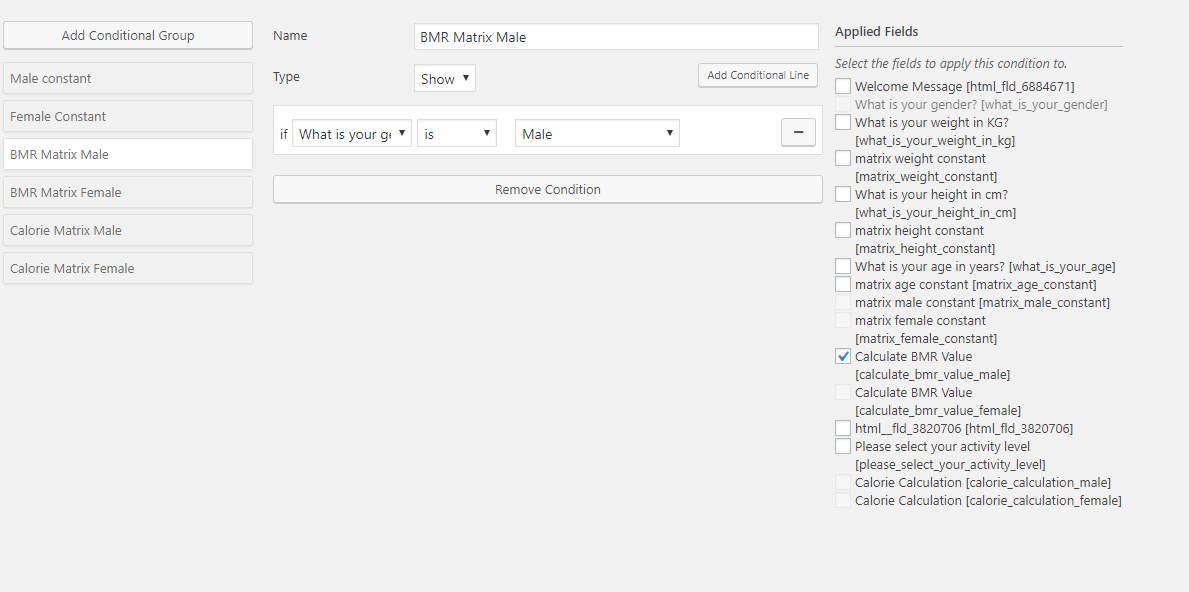
  • Dynamic, conditional Forms – where fields can change based on the user selections
  • Job Application Forms
  • Lead Capture Forms
  • Various types of Calculators
  • Feedback Survey Forms etc.

How it Works?

After creating a Conversation or form, you can show it in the ChatBot in different ways.

  • Add it to the Start menu
  • Invoke the form intent with a system command to start inside ChatBot any time
  • Load the single intent/form inside a ChatBot widget on any page
  • Load the intent/form inside the ChatBot using a Click to Chat button that can be placed anywhere inside your content on any page.

Conversational Form Features

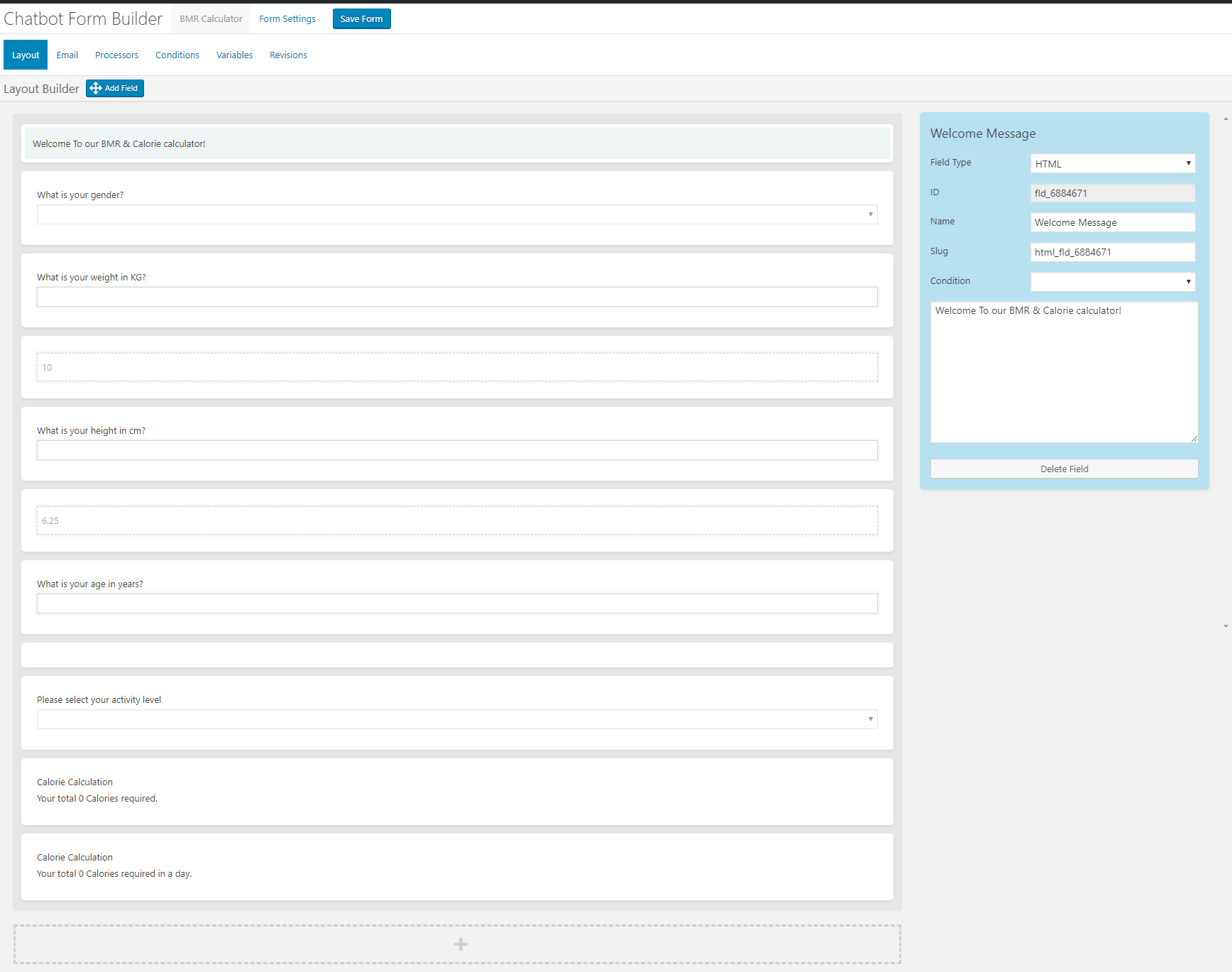
  • Easy to use visual drag and drop conversations and form builder
  • Create conversational form or just conversation using the HTML element
  • Add text fields, single option selection or multiple option selection with checkboxes
  • Add HTML contents inside the conversation forms
  • eMail conversations or forms to the admin at the end of conversation
  • Set different recipient email addresses for different conversation forms
  • Clone form
  • Export/Import Forms
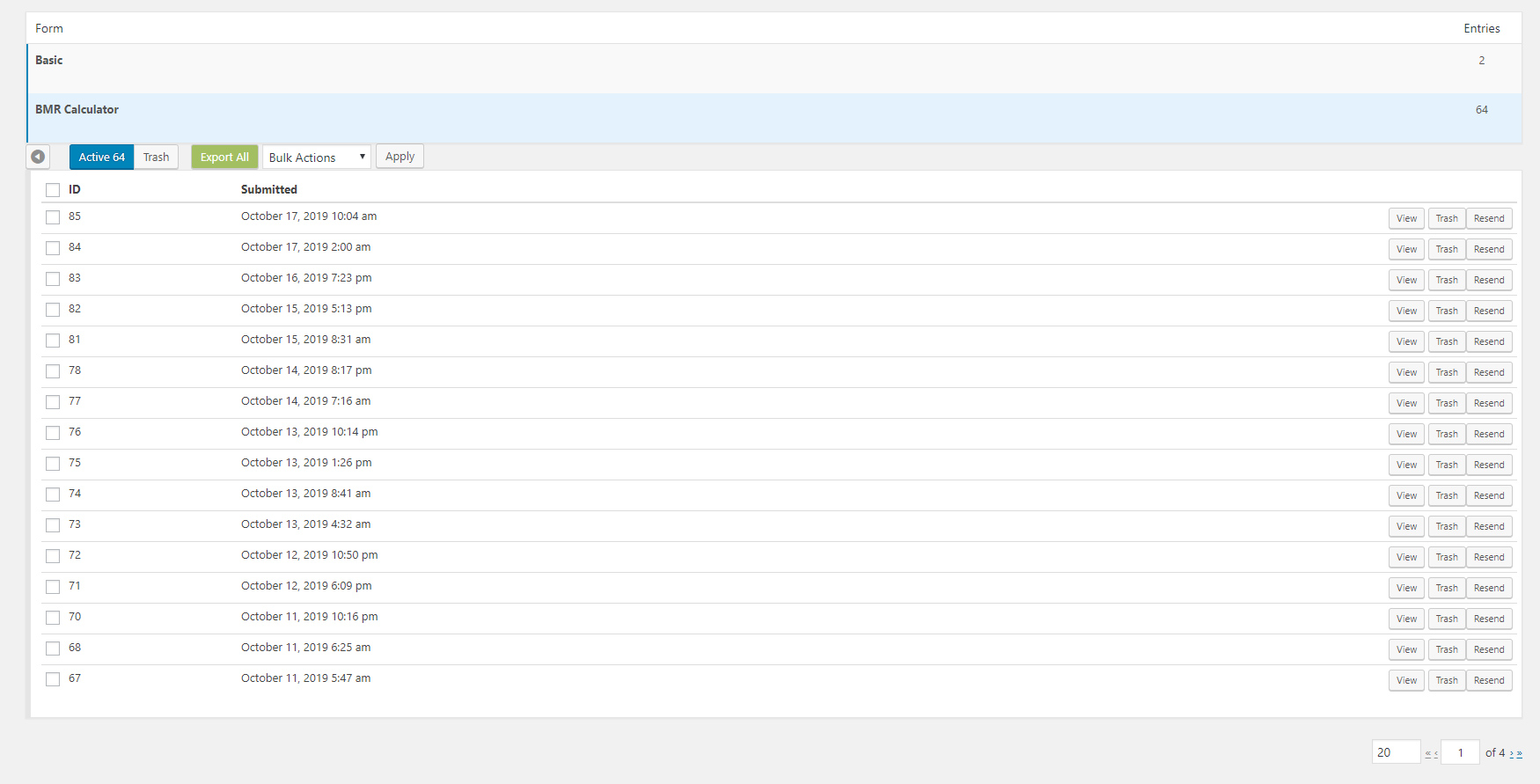
  • Form Entries saved into database
  • Export Form Entries as CSV
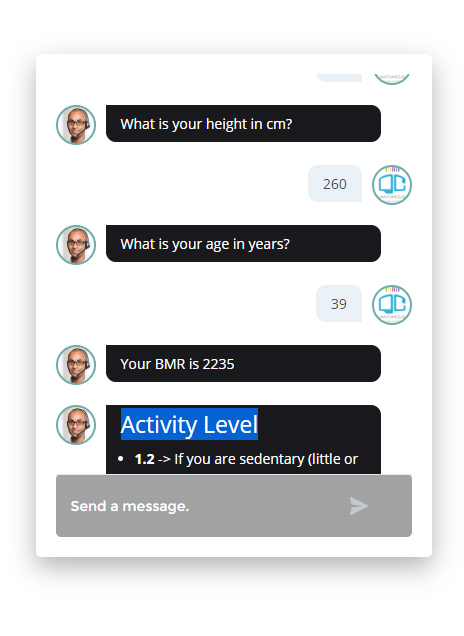
  • 12 Ready Form Templates to Get Started with (Contact Form, Feedback form. Survey Form, BMR Calculator, Appointment Request, Booking Form, Room Area Calculator)
  • 10 Input Fields (Simple Text, Hidden, Email Address, Number, URL, Calculation, Select Option, Checkbox, DateTime Picker, HTML, Image Upload)
  • Processor – Auto Responder – Send an auto response e-mail for form submission
  • Unlimited Conditional Field creation
  • Unlimited Variables creation
  • Form Revisions
  • Create system command to initiate form for ChatBot
  • Add form to Start Menu

Main Features

  • Easy to use visual drag and drop conversations and form builder
  • Create conversational form or just conversation using the HTML element
  • Add text fields, single option selection or multiple option selection with checkboxes
  • Add HTML contents inside the conversation forms
  • eMail conversations or forms to the admin at the end of conversation
  • Set different recipient email addresses for different conversation forms

What is the Bargaining Bot?

Bargaining ChatBot for WoowBot

Say goodbye to the old and boring way of offering discounts for the sake of it. Let your customers haggle for it. Bargaining Bot is the World’s first negotiation bot for WooCommerce. Shoppers are more likely to take advantage of their discount if they have to “work” for it. It makes the shopping experience much more lively and interactive.

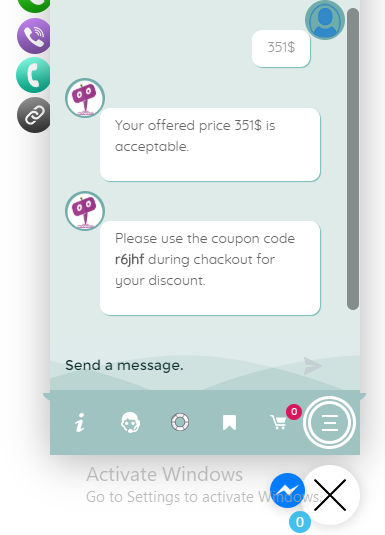
Once a deal is made by the Bargaining Bot, the shopper can complete the checkout with the discounted price.

If no deal is made, the ChatBot offers to email the shopper’s last offered price to the shop admin. Admin can then email the Customer to complete the deal.

Why do I need a Bargaining Bot?

Price is the most important factor in a shopper’s decision to buy, yet most shoppers leave because your fixed price is a few dollars too high. The Bargaining Bot lets you capture more sales because the price is negotiated based on what the customer is willing to pay and the minimum price at which you are willing to sell.

Here is why the Bargain Bot will earn you higher revenue and profit margins:

  • Higher Engagement – the Bot creates a new engagement point for shoppers to interact with your products instead of leaving
  • Capture the WooCommerce shoppers while they have a high intent to purchase. This addon helps keep them on your site to finalize a price deal
  • Higher conversions – shoppers love to feel like they are getting a great deal – this addon allows them to pay less than the listed price and therefore convert to a sale
  • All offers are responded to in seconds based on a minimum price point that you set
  • Super easy to install – no coding necessary
  • Super easy to configure – apply the addon in seconds
  • Bargain bot automatically pops up if a user wants to close the browser window from your product single page.
  • Offers do NOT require shoppers to enter their email address to make an offer so you get many more offers made, more offers accepted, and more sales
  • Once shoppers buy one thing using this method, they want to buy more items the same way

HOW IT WORKS FOR THE SHOPPERS?

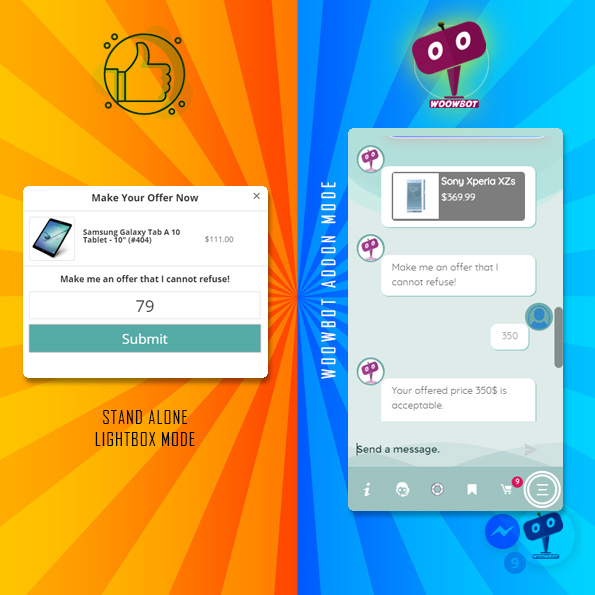
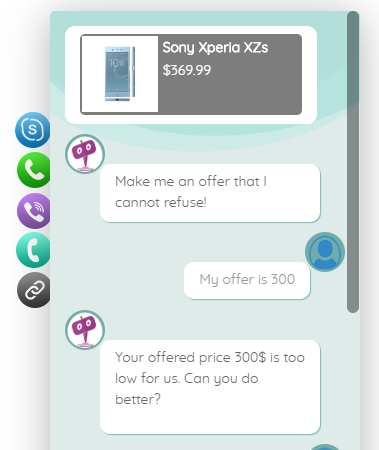
In addition to your Add to Cart button, the Bargaining Bot enables a Make Your Offer Now button. After clicking this button, shoppers can enter an Offer Price. If their Offer Price is at or above your Minimum Acceptable price, then the Bargaining Bot accepts the offer.

If the Offer Price is below your minimum acceptable price, the Bot will automatically ask the shopper for a better price. If the price is too low, the Bot will make the last offer at your Minimum Acceptable price. If the shopper accepts it then the Bot will apply a product-specific discount and ask to checkout.

If the shopper denies the offer, Bot will ask for the shopper’s email that will be sent to the shop admin with details about the product and the last offer by the shopper.

HOW IT WORKS FOR MERCHANTS?

Once you install the Bot, you may apply the Make Your Offer Now button to any specific product or all products in your store with just one click. You can set up the Minimum Acceptable price for an individual product or set a Global discount percentage from the Bot settings. When you set a Minimum Acceptable price for the individual product the individual pricing will override the global setting.

With our Bot, price negotiation can happen on any product! The main benefits are increased engagement and conversion because you can allow shoppers to stay on your site, make a Price Offer, and your pricing rules will enable them in many cases to buy when they want to buy – now. Sell more, sell faster, and sell at higher margins with the Bargaining Bot! Also, there is the Exit intent detection feature…

Exit Intent Detection to Activate Bargain Bot

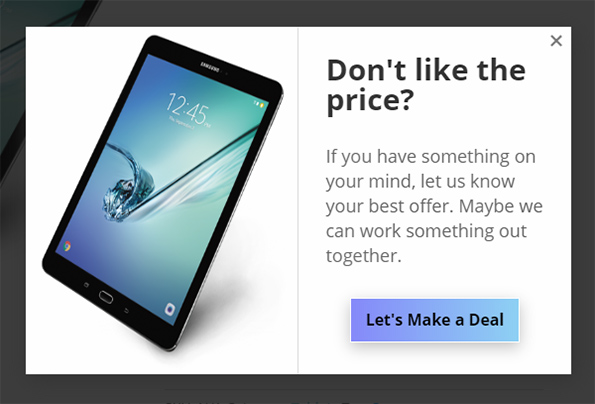
If a shopper is on your product single page and wants to close the browser window or leave your website, Bargain bot will come into action. Bargain Bot will detect the shopper’s exit intent and ask to offer their own price instead of just leaving.

Bargaining ChatBot for WoowBot
  • Enable/Disable Bargaining Bot (hide the make your offer button on the product single page)
  • Exclude sale items (If enabled Bargaining button will not display for products that are already on sale)
  • Enable for specific product/s by adding Minimum Acceptable Prices or enable globally
  • Enable global maximum acceptable discount for all products (one click set up)
  • Exclude categories from Global discount
  • Exclude products on sale
  • Maximum Bargaining Allowed Limit
  • Minimum product quantity required for bargaining
  • Exit Intent Detection to activate bargain bot. Bargain bot comes to action if shopper intends to leave the site or close window.
  • Option to enable the Bargain Bot for only Exit Intent (not show the Make offer button)
  • Option to ask for phone number instead of email in final step
  • Shortcode to show Bargain button on any page of your website
  • Set how many Bargaining is allowed before accepting the admin set minimum price
  • Send final offer set by admin by email
  • Disable sending the final offer by email
  • Change quantity on the Bargain window
  • Allow only logged-in users to Bargain.
  • Option to re-position the Make your offer button
  • Change admin email and subject
  • Custom CSS area to modify button or lightbox design using your own CSS code
  • Define Minimum Acceptable Price under individual product to Override the global discount value.
  • Options to change all languages from the plugin settings (bargaining bot can be used with any language)
  • Supports both woocommerce Simple Products and Variable products.
  • Compatible with with WoowBot Pro

**Product variations set by 3rd party plugins may not work. Woocommerce product variations is supported fully.

Main Features

  • Enable/Disable Bargaining Bot (hide the make your offer button on the product single page)
  • Enable for specific product/s by adding Minimum Acceptable Prices or enable globally
  • Options to change all languages from the plugin settings (bargaining bot can be used with any language)
  • Supports both woocommerce Simple Products and Variable products.
  • Compatible with the WoowBot Lite version
    (Product variations set by 3rd party plugins may not work)