

Turn on the Help Center
The Help Center is off by default. Turn it on once and it appears in the WPBot Pro menu.
- Open WPBot Pro → AI / Settings → Help Center.
- Tick Turn on the Help Center.
- Click Save settings.

The Help Center switch in AI / Settings.
The section then tells you where to work and where visitors find your articles: WPBot Pro → Help Center in the admin, and your site address plus /help/ on the front end.
The same tab explains How the Help Center helps: what it does for customers and how it works with the ChatBot, AI Writer and SEO & AI Search.
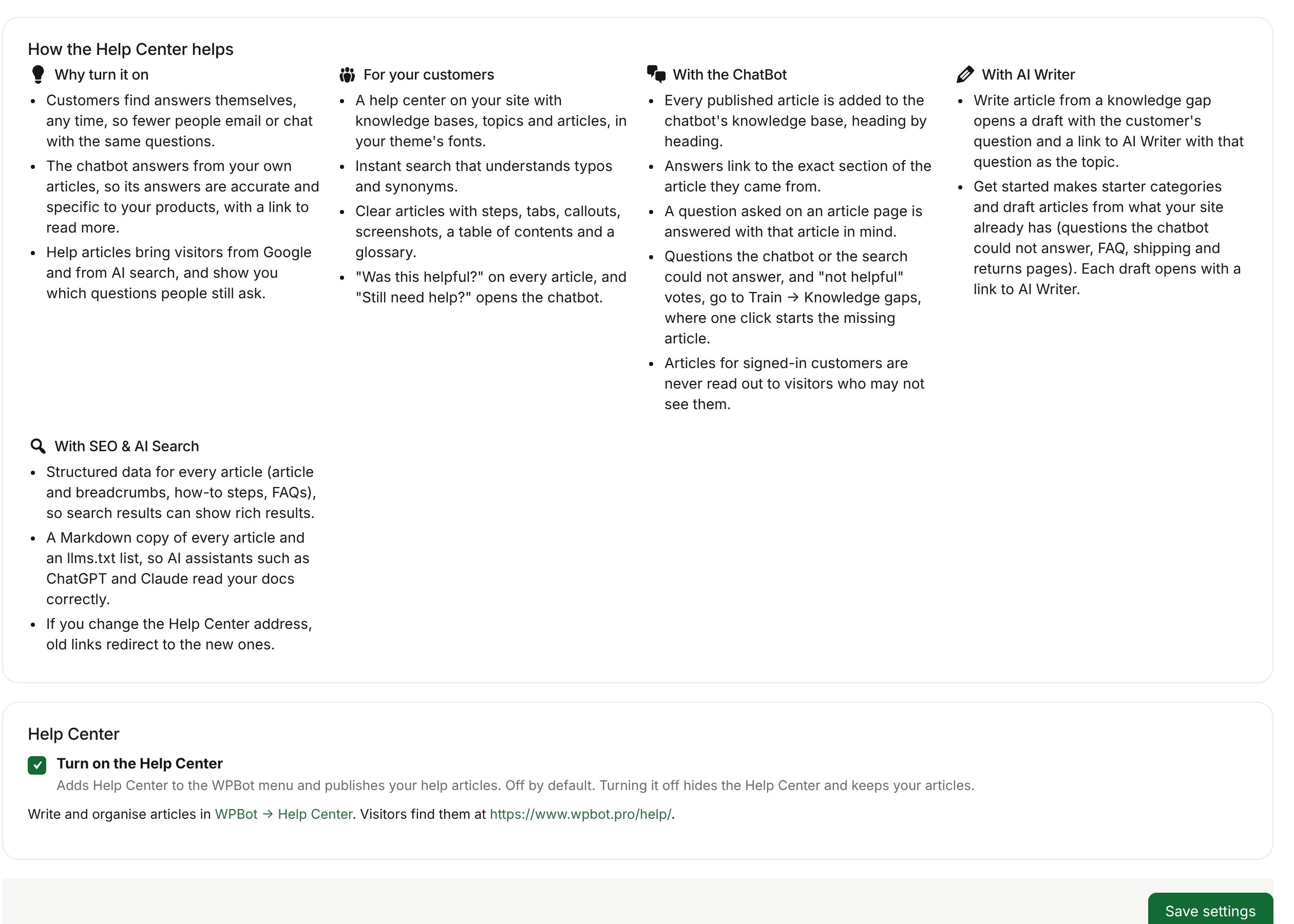
How the Help Center helps, on the AI / Settings tab.
The Help Center screens
WPBot Pro → Help Center has these tabs:
| Tab | What it is for | Guide |
|---|---|---|
| Get started | Make starter categories and drafts from what your site already has | Build your help center from what you already have |
| All Articles, Add Article | Write and manage articles | Write and publish a help article |
| Organize | The order of categories and articles | Organize the order of categories and articles |
| Knowledge Bases, Categories, Tags | The structure | Knowledge bases, categories and tags |
| Glossary | Terms explained in articles | Glossary: explain terms in every article |
| Knowledge Gaps | Questions nobody answered yet | Knowledge gaps: turn unanswered questions into articles |
| Analytics | Views, votes and searches | Help Center analytics |
| AI & GitHub | Let Claude build your docs, and the public docs server | Connect Claude Code or Claude Desktop to your Help Center |
| Settings | Address, glossary, shortcodes (General) and Design | Help Center address and general settings |
Users who cannot open the WPBot Pro menu but may write help articles get a separate Help Center item in the WordPress menu.
What turning it off does
Turning it off hides the Help Center and keeps your articles. The /help/ pages stop working, and the articles leave the chatbot's knowledge base. Turn it on again and everything comes back, and the chatbot learns the articles again.
Note
The Help Center is not in the Module Manager. Its only switch is this one in AI / Settings. See Turn modules on and off in the Module Manager.
Availability
In every edition, including WPBot Free.
Was this article helpful?
Sorry about that. Get help another way:











