

Knowledge gaps: turn unanswered questions into articles
On this page
WPBot Pro → Help Center → Knowledge Gaps opens the chatbot's Train screen: questions your visitors asked that nobody answered yet, most asked first. It is the best list of what to write next.
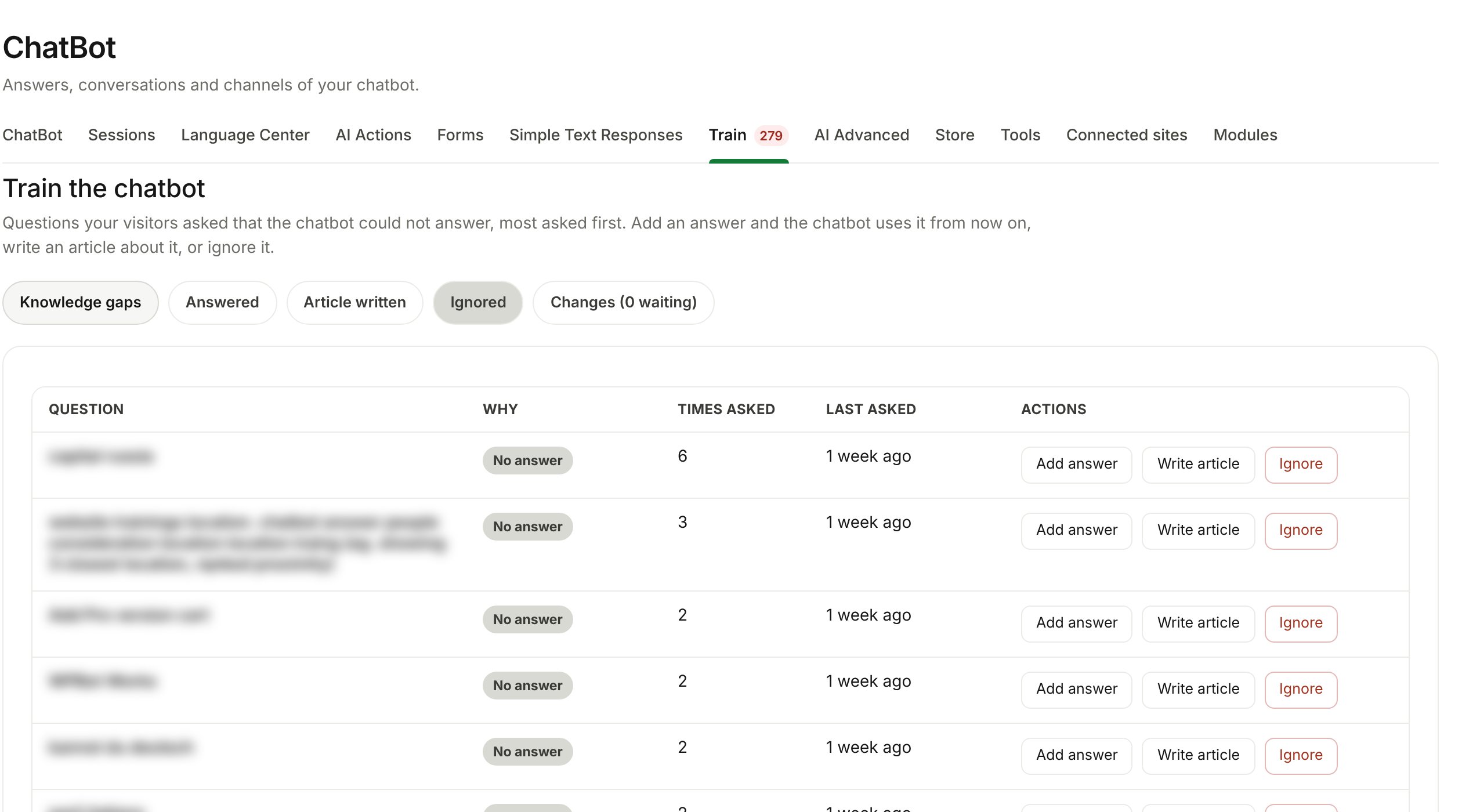
Knowledge Gaps in ChatBot → Train. The questions are blurred here.
Where the questions come from
| WHY | Source |
|---|---|
| No answer and other chatbot reasons | The chatbot could not answer |
| Help Center search found nothing | A search on the Help Center results page found nothing |
| AI assistant found nothing in your docs | A search through the public docs server found nothing |
| Article marked not helpful | A "no" vote, with the visitor's words or the article title |
Each row shows how many times it was asked and when.
Write the article
Click Write article on a question:
- If the question is an article's title (a "not helpful" vote without words), that article opens for editing.
- Otherwise a new help article draft opens, titled with the question, in the category and knowledge base of the closest article.
The editor shows what visitors asked and how often, for example "Visitors asked "…" (6 times) and found no answer. This draft answers it.", with Draft it with AI Writer, which opens AI Writer with the question as the topic.
Publish the article and the chatbot answers that question from now on, with a link to it.
The other buttons: Add answer gives the chatbot a short answer without an article, and Ignore hides questions you will not answer. See Getting started with the ChatBot: set it up for the most leads and sales for the Train screen.
The weekly habit that grows traffic
- Every Monday, take the top three questions.
- Write a short article for each, with the question as the title.
- Publish. The chatbot answers it, the search finds it, and Google and AI assistants can show it.
Questions customers ask your chatbot are the same questions people type into Google. Answering them on public pages is one of the cheapest ways to bring new visitors. This is the Learn → Create turn of the Growth Loop.
Availability
In every edition, including WPBot Free.
Was this article helpful?
Sorry about that. Get help another way:











