

Write and publish a help article
On this page
Open WPBot Pro → Help Center → Add Article. Help articles are written in the WordPress block editor (the classic editor works too).
Write the article
- Title: the question or task, for example "Change your delivery address".
- Excerpt: one or two sentences that answer the question. It shows in lists, search results and llms.txt.
- Body: short paragraphs and
##headings for each part. Add Help Center blocks where they help: callouts, steps, tabs, accordions, screenshots with numbered markers and more. See Help Center blocks for articles. - Parent: articles can sit under another article, for multi-part guides.
Tip
Headings matter more than usual. Each heading gets a stable anchor, and the chatbot links to the exact section an answer came from.
The Help Center panel
In the editor's sidebar, open Help Center.
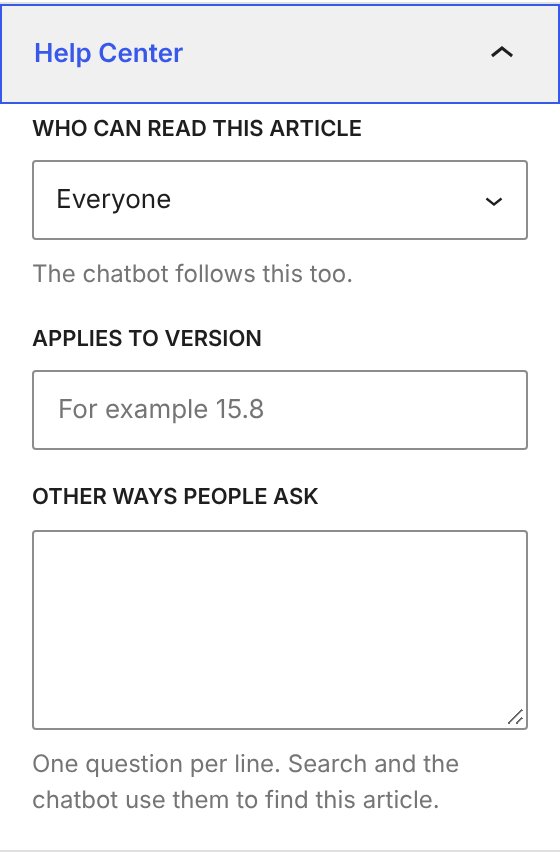
The Help Center panel in the article editor.
| Field | What it does |
|---|---|
| Who can read this article | Everyone or Signed-in visitors. The chatbot follows this too. Only people who may publish can change it; others see "An editor decides who can read it." See Articles for signed-in customers only. |
| Applies to version | For example 15.8. Shown as "Applies to 15.8" on the article. |
| Other ways people ask | One question per line. Search and the chatbot use them to find this article. |
File it
In the sidebar choose one or more Knowledge Bases, Categories and Tags. See Knowledge bases, categories and tags.
Publish
- Publish makes it live at once on your Help Center, and the chatbot learns it.
- Save draft keeps it private. People who may write but not publish submit articles for review.
- In All Articles, Bulk actions → Publish publishes several drafts and articles pending review at once, with your own publishing rights.
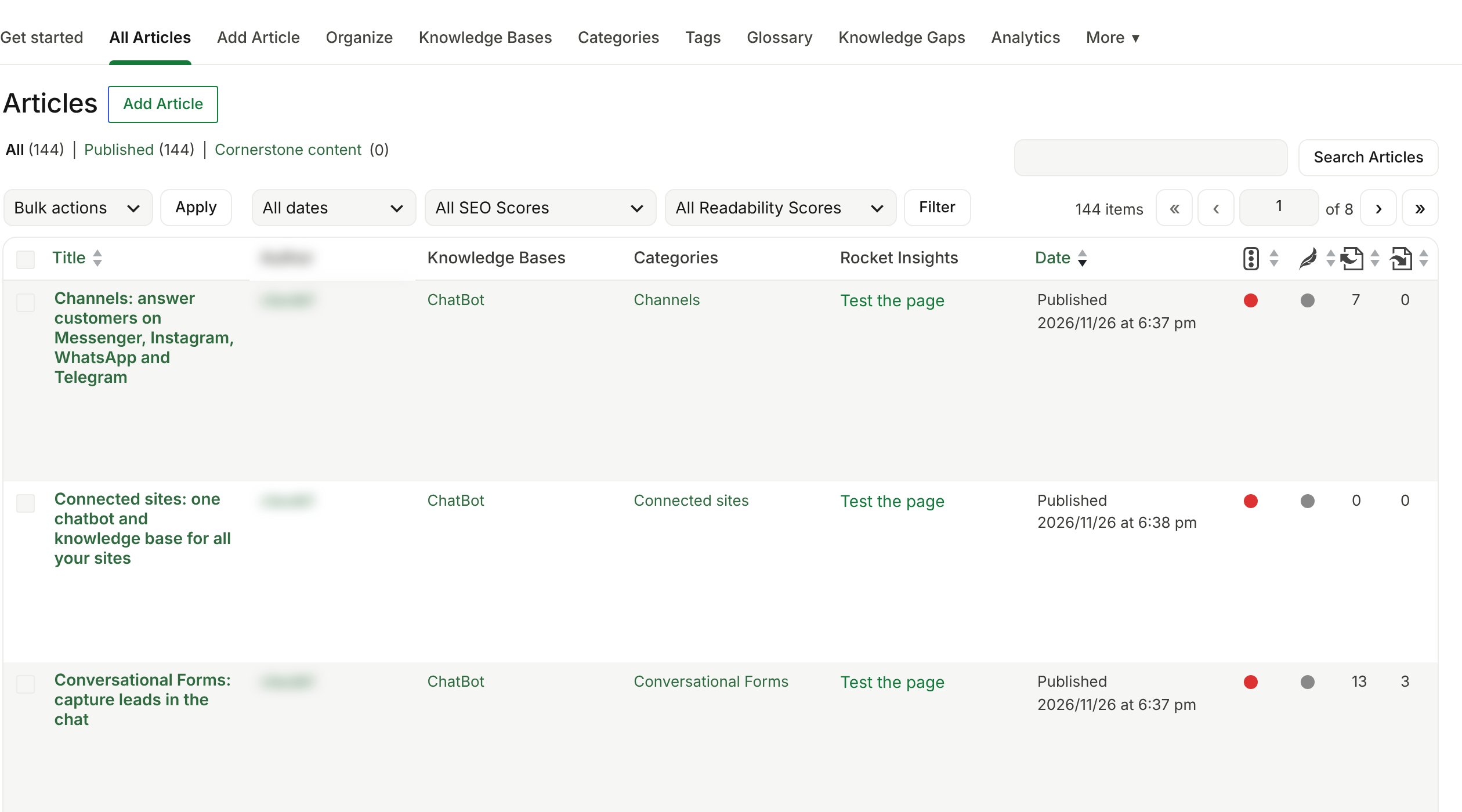
All Articles: the article list with knowledge bases and categories.
Improve an article with AI
In All Articles, Improve with AI under an article opens it in AI Writer. Drafts made from knowledge gaps show what visitors asked, with Draft it with AI Writer.
A good help article
- Answers the question in the first two sentences.
- Uses numbered steps with the exact button names.
- Has one screenshot per screen, with numbered markers.
- Ends with what to do next or a related article.
- Lists two or three Other ways people ask, in your customers' words.
Availability
In every edition, including WPBot Free.
Was this article helpful?
Sorry about that. Get help another way:











