

Build the chatbot FAQ
The FAQ is a list of questions visitors can click in the chat. Each click shows your answer. Open WPBot Pro → ChatBot → FAQ (under Answers).
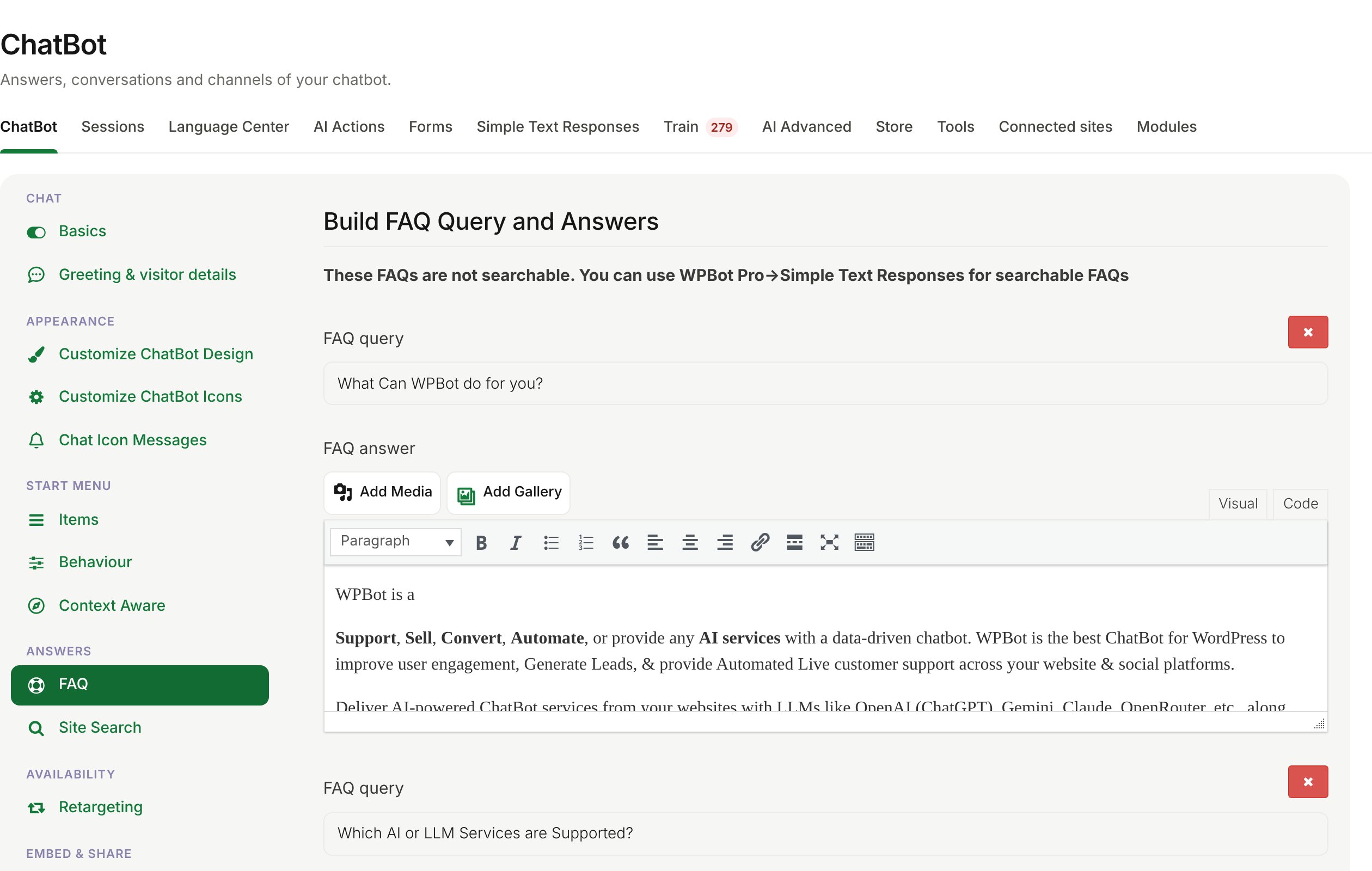
Build FAQ Query and Answers.
Add questions
- Type the FAQ query: the question as visitors would ask it.
- Write the FAQ answer in the editor. Use Add Media for pictures, add links, or paste a YouTube link to show the video in the chat.
- Click Add More Questions and Answers for the next one.
- Click Save Settings.
The FAQ opens when a visitor clicks the FAQ button in the start menu, a Chat Icon Message or a Click to Chat button set to the FAQ intent, or types the FAQ keyword from the Language Center: change every text the chatbot says. The texts around it ("Welcome to FAQ Section" and others) are on the Language Center's FAQ tab.
FAQ, Simple Text Responses or the knowledge base?
| FAQ | Simple Text Responses | Knowledge base | |
|---|---|---|---|
| How visitors get the answer | Click a question in a list | Type a question; it is matched | Type a question; AI answers |
| Searchable by typing | No | Yes | Yes |
| Exact wording | Yes | Yes | AI writes it |
The FAQ list itself is not searched when visitors type. To make the same answers available to typed questions:
- tick FAQ (ChatBot Settings > FAQ) under Sources to include in the knowledge base, so the AI answers from them (The knowledge base: what the chatbot learns from), or
- add them as Simple Text Responses: your own exact answers for exact answers.
Tip
Keep the FAQ short: five to ten questions that come up before a purchase (delivery, returns, prices, guarantees). End each answer with a link to the page where the visitor can act: the product, the booking page or the contact form.
Availability
In every edition, including WPBot Free.
Was this article helpful?
Sorry about that. Get help another way:











