

Season planner, cross-sells and retention emails
On this page
Open WPBot Pro → ChatBot → Store → Season planner: what to sell, when, and at what price, from your own sales history. Estimates are labelled with their confidence, and nothing runs until you turn it on.
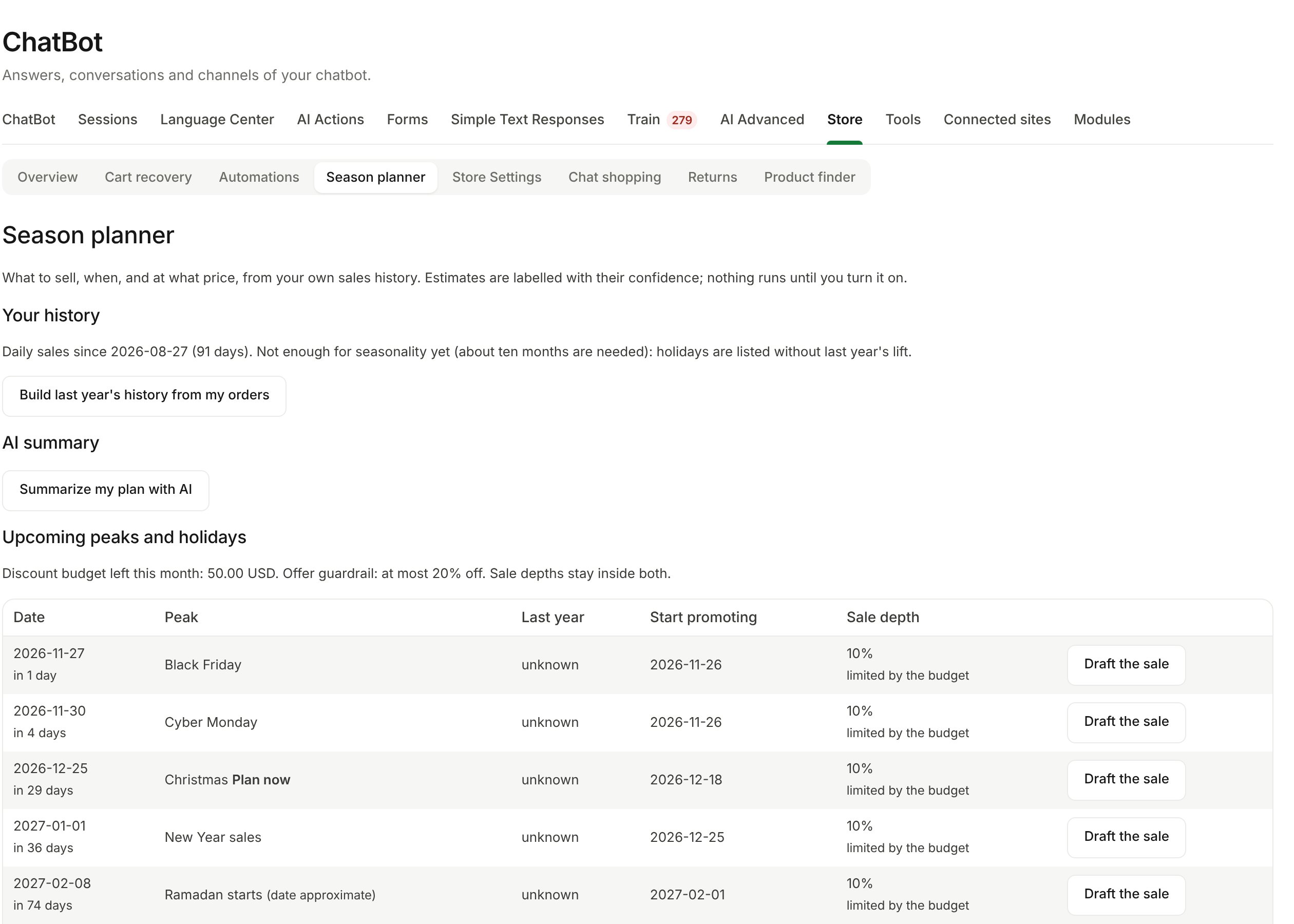
Season planner: your history and the upcoming peaks and holidays.
What the planner shows
- Your history: how many days of daily sales exist. Seasonality needs about ten months; Build last year's history from my orders fills it from past orders.
- AI summary: Summarize my plan with AI writes a short plan (uses your AI provider).
- Upcoming peaks and holidays: each peak with last year's result, when to Start promoting, and a Sale depth that stays inside your discount budget and offer guardrail. Draft the sale prepares it.
- Your seasons, Stock ahead (best sellers that may run out, using your supplier lead time), Price estimates (after a clear price change) and Slow movers to clear.
- Retention and back-in-stock: how many messages were due, emailed, shown in the chat or skipped in the last 90 days.
Settings
In the chat:
- Suggest cross-sells, upsells and related products after an add to cart in the chat
- Compare 2-3 products (AI tool and table card)
- Back-in-stock signup for out-of-stock products
- Remind returning visitors of their saved cart in the chat (needs cart recovery on)
- Wishlist in the chat (YITH or TI WooCommerce Wishlist)
Retention emails (off by default; every email has an unsubscribe link):
- Ask for consent at checkout (an unticked box): emails go only to customers who tick it.
- Thank-you with how-to tips after the order is completed, Review request, Replenishment reminder for consumables, Win-back for lapsed customers (no coupon; offers only in the chat) and VIP recognition (top customers, once a year).
- The days for each email, and Least days between two emails to the same customer.
Planning: Supplier lead time in days (stock ahead), Selling regions (holidays) and Your own dates (one per line: MM-DD every year or YYYY-MM-DD once, and a name). Black Friday, Cyber Monday, Christmas, Valentine's and New Year are always included.
In the chat, retention messages run as automation templates: thank-you, review, replenishment, win-back and VIP (see Automations and offers: the right message at the right moment).
Tip
Start promoting before the peak, not on the day. The planner's Start promoting date gives AI Writer, Social and AI Marketing time to prepare articles, posts and emails for the sale.
Availability
In Master and Professional, with the WooCommerce module. Not in Starter or WPBot Free.
Was this article helpful?
Sorry about that. Get help another way:











