

Automations and offers: the right message at the right moment
Open WPBot Pro → ChatBot → Store → Automations (on a site without a store, the Tools tab lists it). The tabs are Rules, Templates, Results and Offers & budget.
Automations replace the old retargeting triggers: your Retargeting settings (exit intent, scroll, open after X seconds, returning visitor, inactivity) are imported as rules, and saving the Retargeting page updates them (see Retargeting: open the chat at the right moment).
Rules
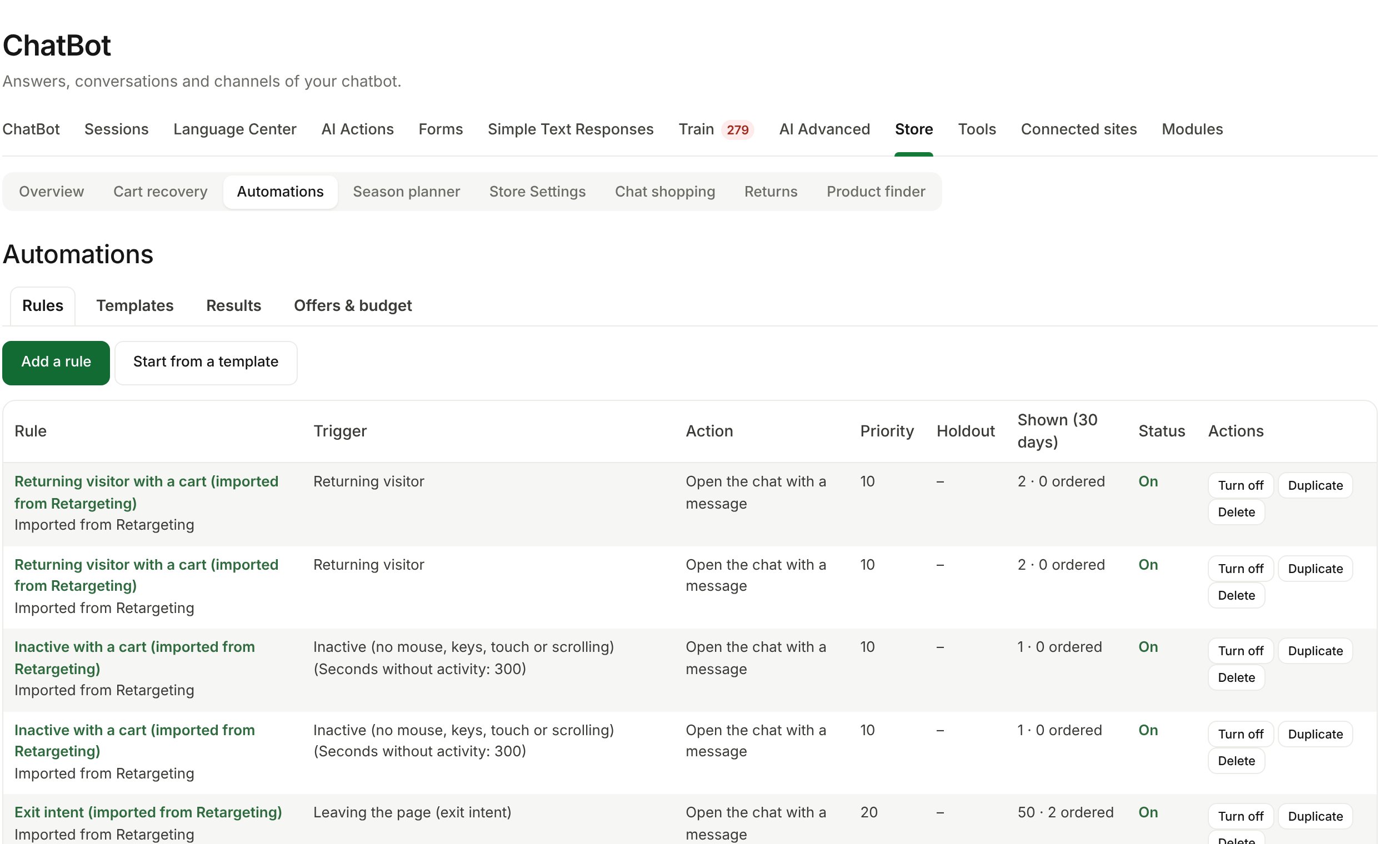
Rules with their trigger, action, priority, holdout and results.
Each rule shows its Trigger, Action, Priority, Holdout, Shown (30 days) with the orders that followed, and Status. Turn off, Duplicate or Delete a rule, or click its name to edit it.
Build a rule
Click Add a rule, or Start from a template.
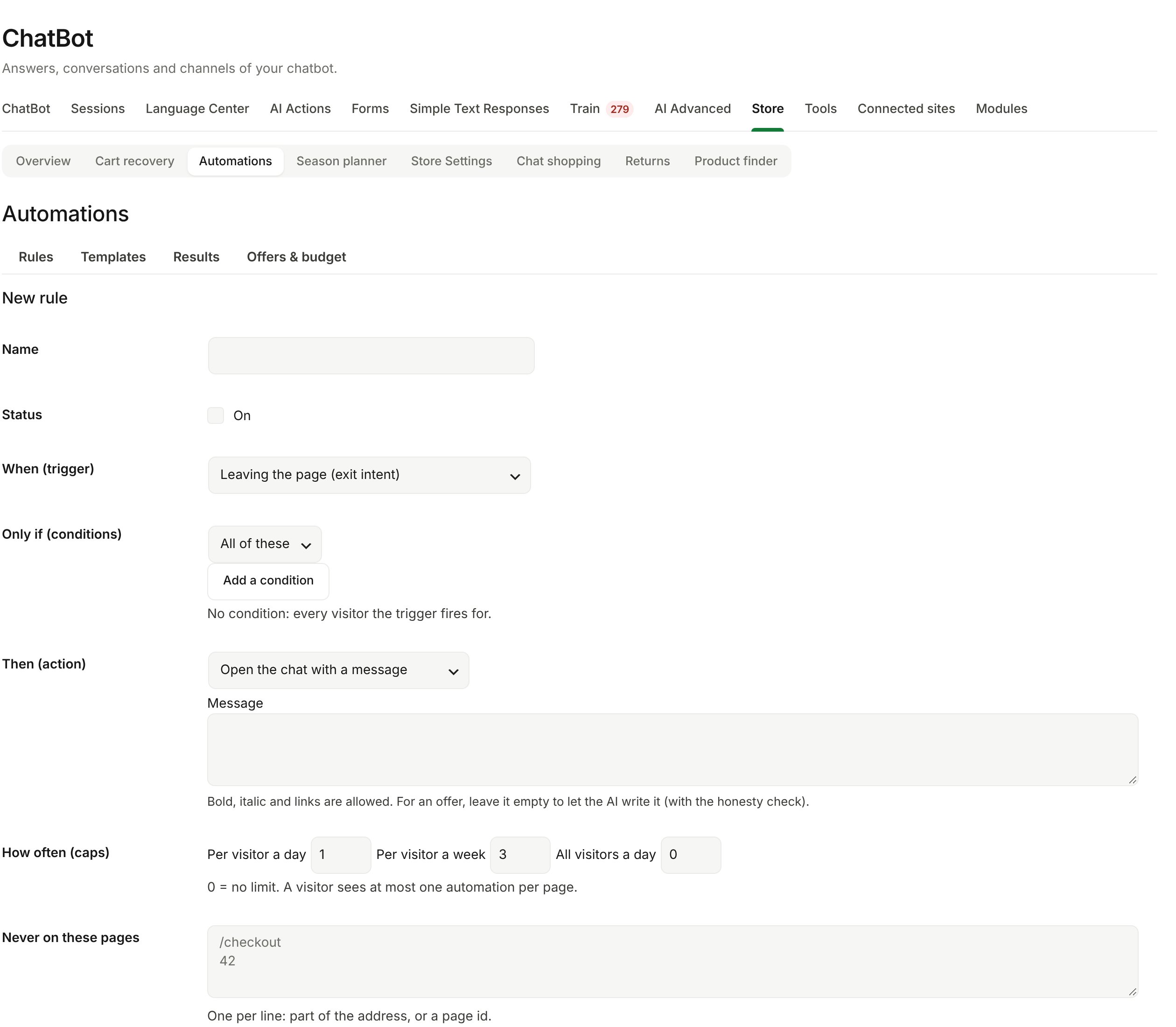
A new rule: trigger, conditions, action, caps, pages, dates, priority and holdout.
| Part | Options |
|---|---|
| When (trigger) | Leaving the page (exit intent), Scrolled down the page, Time on the page, Inactive (no mouse, keys, touch or scrolling), Opened a page, Returning visitor, Arrived from a campaign or another site, A site search found nothing, Frustration signal (Site Insight), Product viewed several times, Long time on a product page, Cart value over an amount, Cart left idle, Checkout error or failed payment. |
| Only if (conditions) | All of these or Any of these; Add a condition. No condition: every visitor the trigger fires for. |
| Then (action) | Open the chat with a message, Ask a question with answer buttons, Start an intent or AI Action, Show a lead form, Notify a live chat agent, Show products, Show an offer, Thank-you and tips for the last order, Ask for a review of a bought product, Replenishment reminder. |
| Message | Bold, italic and links are allowed. For an offer, leave it empty to let the AI write it, with the honesty check. |
| How often (caps) | Per visitor a day, per visitor a week, all visitors a day (0 = no limit). A visitor sees at most one automation per page. |
| Never on these pages | Part of the address or a page id, one per line. |
| Dates | From and Until, for a sale or a season. |
| Priority | 1 is tried first; the first rule that applies runs. |
| Holdout group | This share of visitors never sees the rule (always the same visitors), so the results show the real lift. 10% is a good start. |
Store triggers and actions (cart, products, offers) appear when a store is active.
Templates
Each template becomes a rule that is off until you turn it on. Examples: Leaving with a cart, Third view of a product, Price-sensitive shopper on a product page, Zero-result search → help, Returning customer → new arrivals, Checkout error → help, Inactive visitor → offer help, Campaign welcome, Leaving → keep in touch, the retention templates (replenishment, review request, thank-you), Lapsed customer → win-back offer and VIP customer → early access.
Results
Visitors shown, Held out, Ordered after (orders within 7 days), Their revenue, Coupon cost and Incremental revenue, per rule with Conversion shown, Conversion held out and Lift. Lift becomes reliable with at least 100 visitors in each group and a clear difference.
Offers & budget
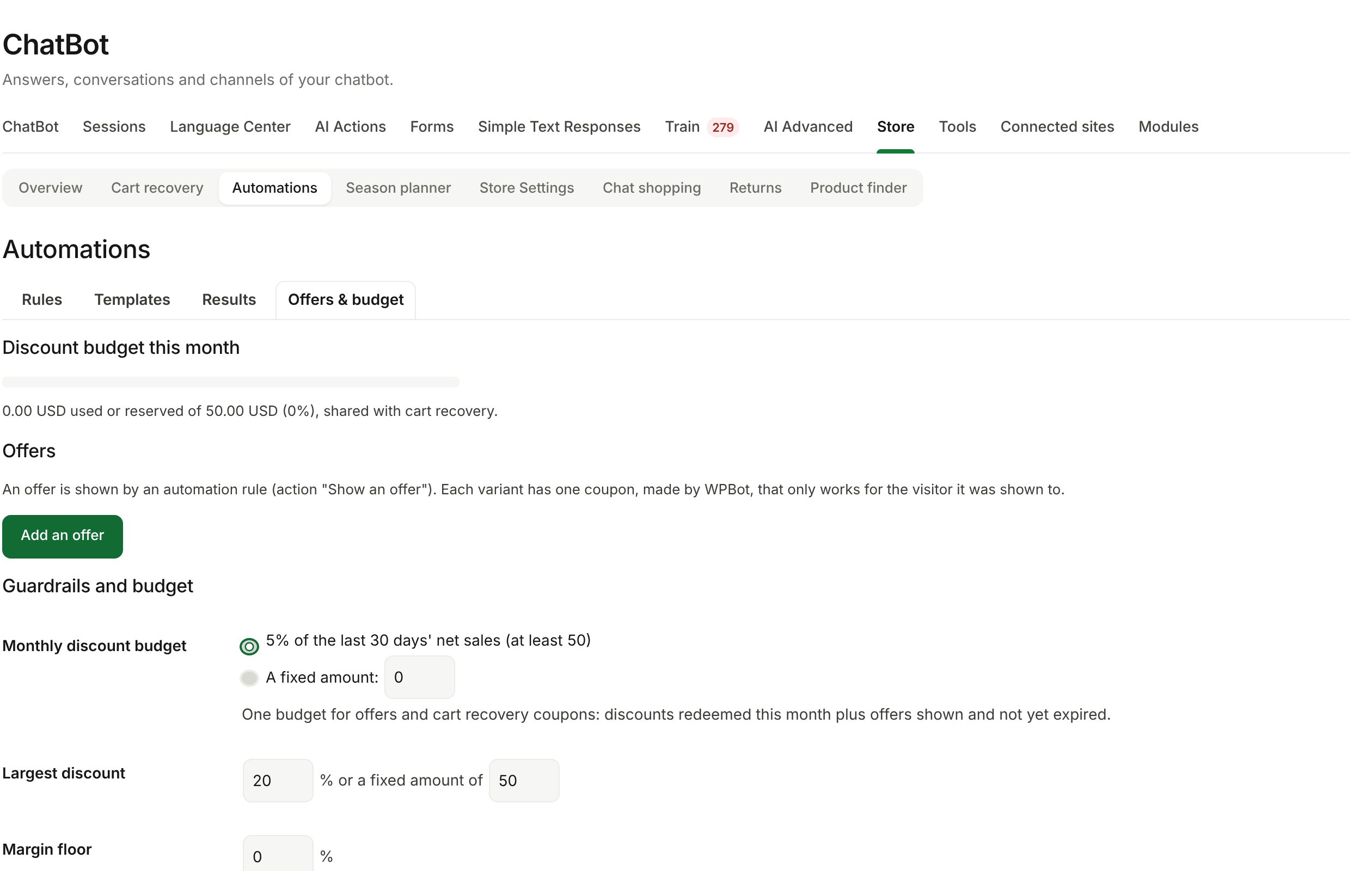
Offers and the discount budget shared with cart recovery.
An offer is shown by a rule with the action Show an offer. Each variant has one coupon made by WPBot that only works for the visitor it was shown to. Click Add an offer.
Guardrails and budget:
- Monthly discount budget: 5% of the last 30 days' net sales (at least 50), or a fixed amount. One budget for offers and cart recovery coupons.
- Largest discount and Margin floor (no offer when the margin after the discount would fall below it; uses WooCommerce cost of goods when set).
- Limits: Not on sale items, Never to shoppers who are ready to buy (cart and checkout started), and at most one offer per visitor every so many days. Offers never stack with cart recovery coupons.
- Copy: Let the AI write the offer message when none is set (no fake urgency or scarcity, only the real validity), and a Coupon code prefix.
Tip
Start with help, not discounts: "Leaving with a cart" and "Checkout error → help" offer help without a coupon. Add offers later, with a holdout group, and keep only those with a real lift.
Availability
Automations run in every WPBot Pro edition. Store triggers, store actions, offers and the Store menu need the WooCommerce module, in Master and Professional. Frustration signal (Site Insight) needs Site Insight. WPBot Free does not include Automations.
Was this article helpful?
Sorry about that. Get help another way:











