

WooCommerce store: sell more in the chat
On this page
With the WooCommerce module, the chatbot becomes a shop assistant. It finds products, answers questions about them, adds them to the cart, checks out in the chat, checks order status, wins back abandoned carts and handles returns. It works with WooCommerce and Easy Digital Downloads.
Switch it on in ChatBot → Modules → WooCommerce (it needs WooCommerce or Easy Digital Downloads). Then open WPBot Pro → ChatBot → Store.
What is in the Store menu
| Page | What it does | Guide |
|---|---|---|
| Overview | Sales, chat-assisted sales, alerts, opportunities and Ask your store. | This article |
| Chat shopping and Store Settings | Product search, lists, cart and checkout in the chat. | Chat shopping and Store Settings: search, cart and checkout in the chat |
| Product finder | Guided questions that recommend the right product. | Product finder: guide shoppers to the right product |
| Cart recovery | Reminder emails, with coupons only when needed. | Cart recovery: win back abandoned carts |
| Returns | Return and refund requests with a policy. | Returns and refunds |
| Season planner | Peaks and holidays, stock ahead, retention emails. | Season planner, cross-sells and retention emails |
| Automations | Rules that open the chat with a message, products or an offer. | Automations and offers: the right message at the right moment |
Store overview
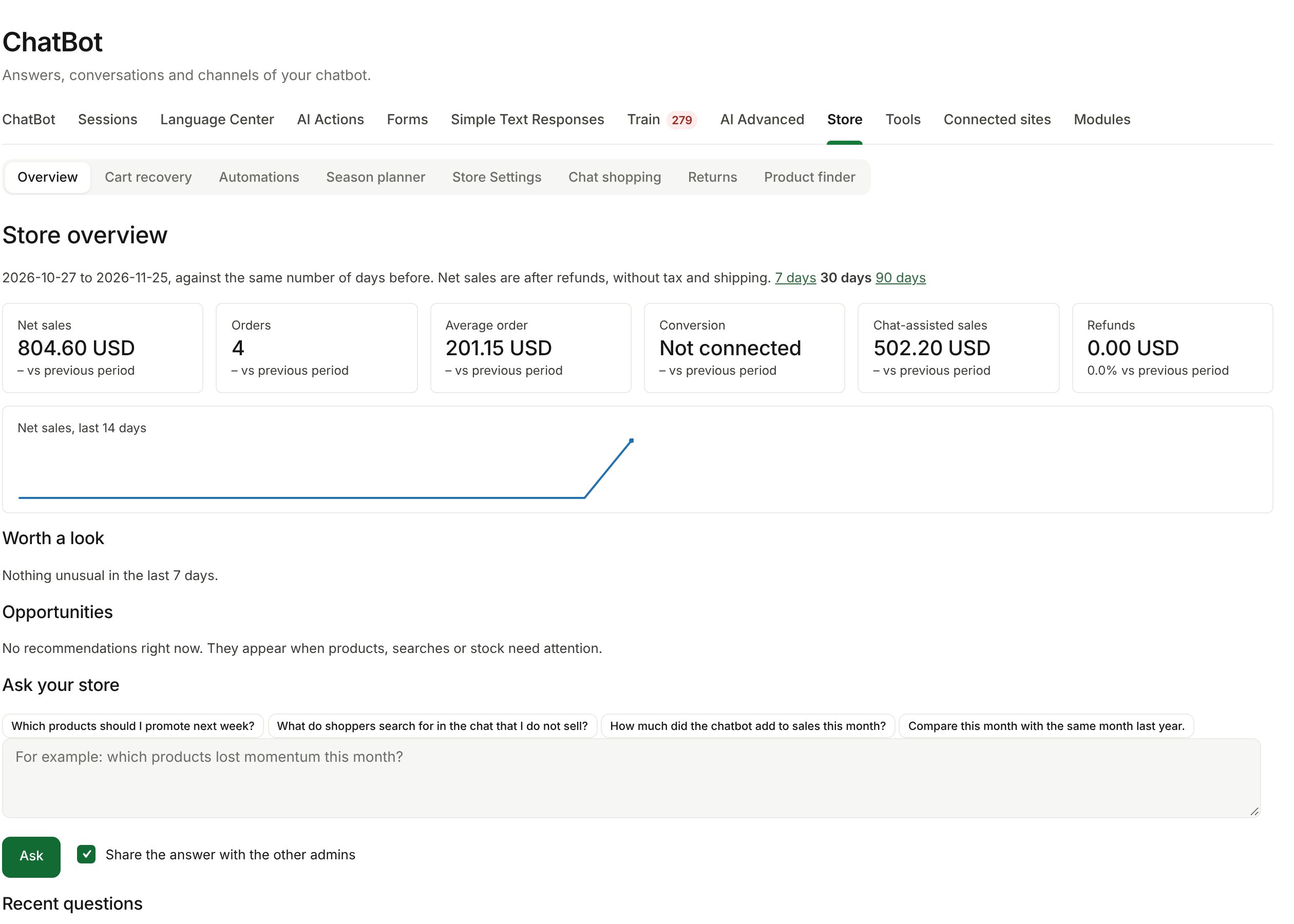
Store overview: sales against the previous period, chat-assisted sales and Ask your store.
- Net sales, Orders, Average order, Conversion, Chat-assisted sales and Refunds for 7 days, 30 days or 90 days, against the same number of days before. Net sales are after refunds, without tax and shipping.
- Chat-assisted sales are orders from visitors who used the chat: they talked to the bot, saw an automation offer, talked to a person or used the product finder.
- Worth a look lists unusual changes in the last 7 days; Opportunities appear when products, searches or stock need attention.
- Ask your store: ask a question in plain words, such as "Which products should I promote next week?" or "What do shoppers search for in the chat that I do not sell?". The answer uses your AI provider. Tick Share the answer with the other admins to keep it in Recent questions for everyone.
- Google data: with Google connected, Google Analytics 4 adds sessions, channels, devices and Conversion, and Search Console adds clicks and rankings for product and category pages. Without Google, everything else still works from your store data.
- Dashboard widget and briefing email: Show "Your store" on the WordPress dashboard for the roles you choose, and Email me what changed, what stands out and three recommended actions, Weekly, on Mondays or Daily. Nothing is sent for a period without orders.
Set it up in this order
- Let the chatbot know your products. Include products in the knowledge base so AI answers can recommend them (see Knowledge base).
- Chat shopping: choose checkout inside the chat and the search fields.
- Cart recovery: turn it on with the consent notice.
- Automations: add the "Leaving with a cart" and "Zero-result search → help" templates.
- Product finder: build one for your biggest category.
- Returns: set your policy, so return questions are handled the same way every time.
- Season planner: check the coming peaks and plan your sales.
Use it for the most sales
- Answer product questions on product pages. With Use the current page on (see Control how the chatbot answers), "Is this waterproof?" gets an answer about that product.
- Check out in the chat. Every step a shopper does not have to take is a sale you keep.
- Recover carts without giving margin away. Coupons go only to price-sensitive or high-value carts, inside one discount budget.
- Measure. Compare Chat-assisted sales with net sales each week, and check Automations → Results.
The store in the Growth Loop
The store tools are Convert and Sell in the Growth Loop. Shoppers arrive from articles (AI Writer), search (SEO & AI Search) and posts (Social); the chatbot turns them into orders; AI Marketing brings them back; and Site Insight shows what led to each sale.
Availability
The WooCommerce module and the Store pages are in Master and Professional. Starter and WPBot Free do not include them; WPBot Free's knowledge base still knows product prices and stock.
Was this article helpful?
Sorry about that. Get help another way:











