

Recording, storage and retention settings
On this page
Open Site Insight → Settings. Changes are saved together with Save settings at the bottom; the bar says You have unsaved changes. until you do.
Recording
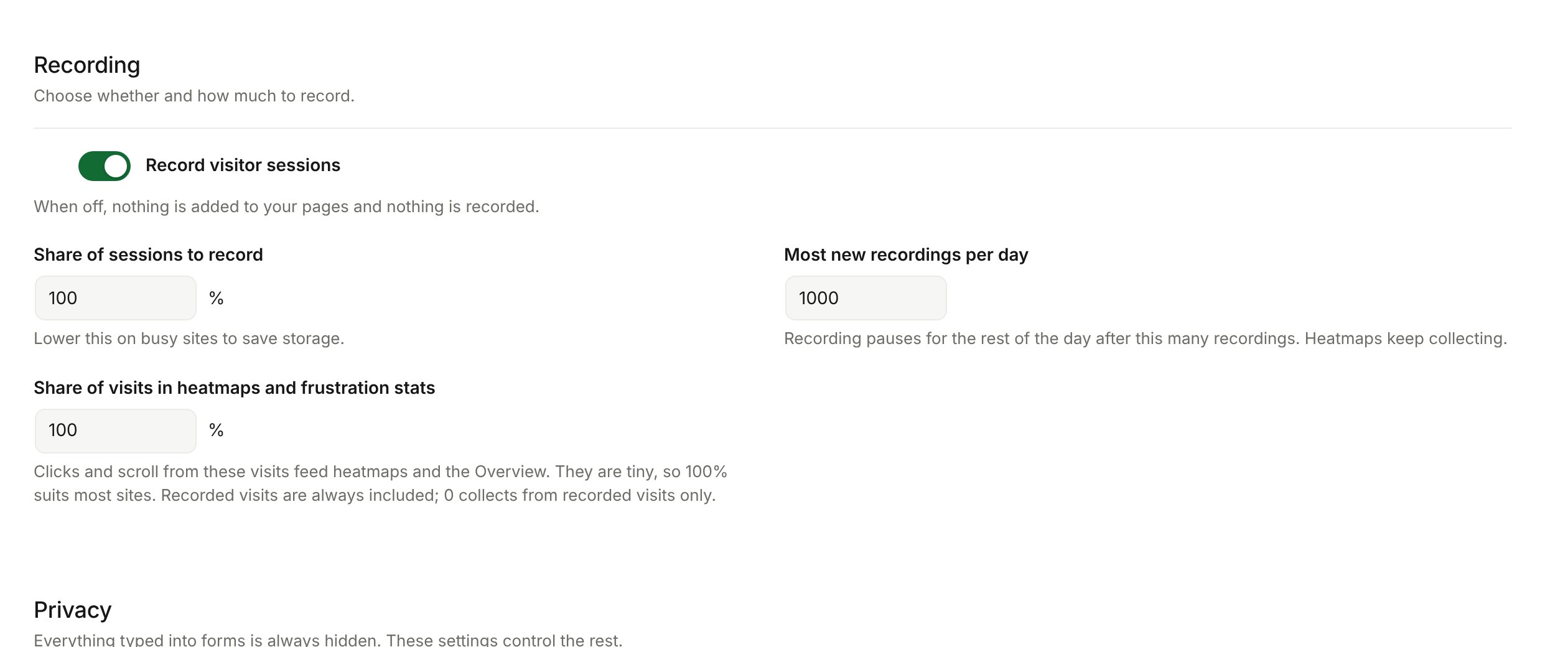
Recording: whether and how much to record.
| Setting | Default | What it does |
|---|---|---|
| Record visitor sessions | On after you turn on recording | When off, nothing is added to your pages and nothing is recorded |
| Share of sessions to record | 100% | Lower it on busy sites to save storage |
| Most new recordings per day | 1,000 | Recording pauses for the rest of the day after this many recordings. Heatmaps keep collecting. |
| Share of visits in heatmaps and frustration stats | 100% | Clicks and scroll from these visits feed heatmaps and the Overview. Recorded visits are always included; 0 collects from recorded visits only. |
Who and what to skip
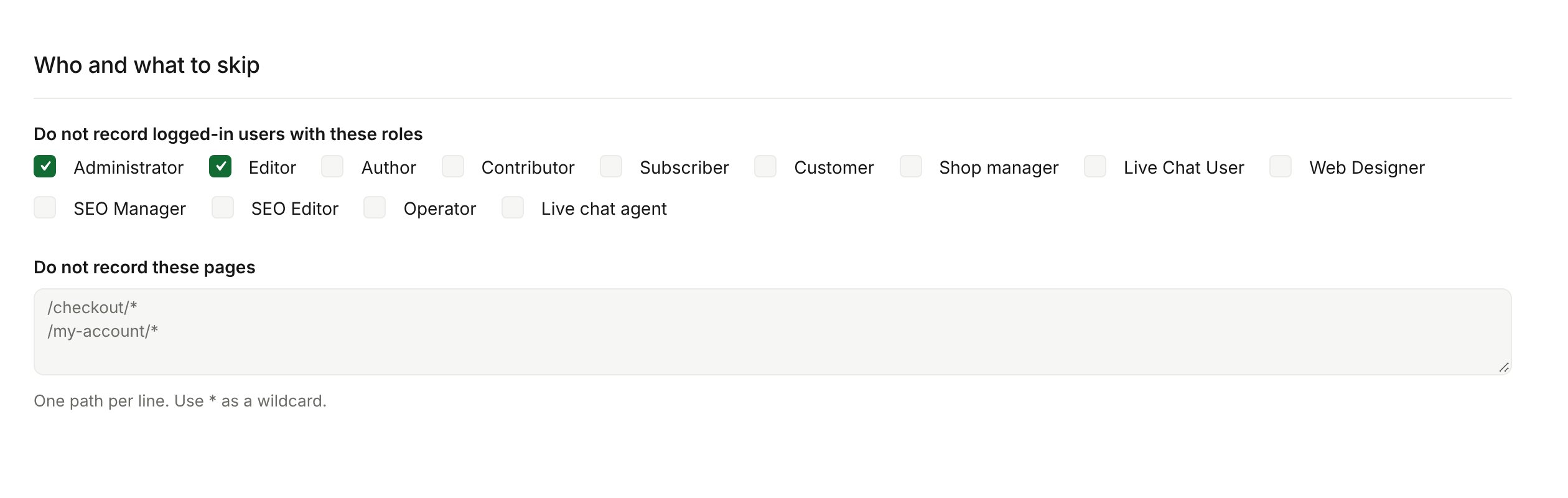
Roles and pages that are never recorded.
- Do not record logged-in users with these roles: Administrator and Editor are ticked by default, so your own visits do not fill the list. Tick shop managers, live chat agents and other staff roles too.
- Do not record these pages: one path per line; use
*as a wildcard, for example/checkout/*or/my-account/*.
Storage
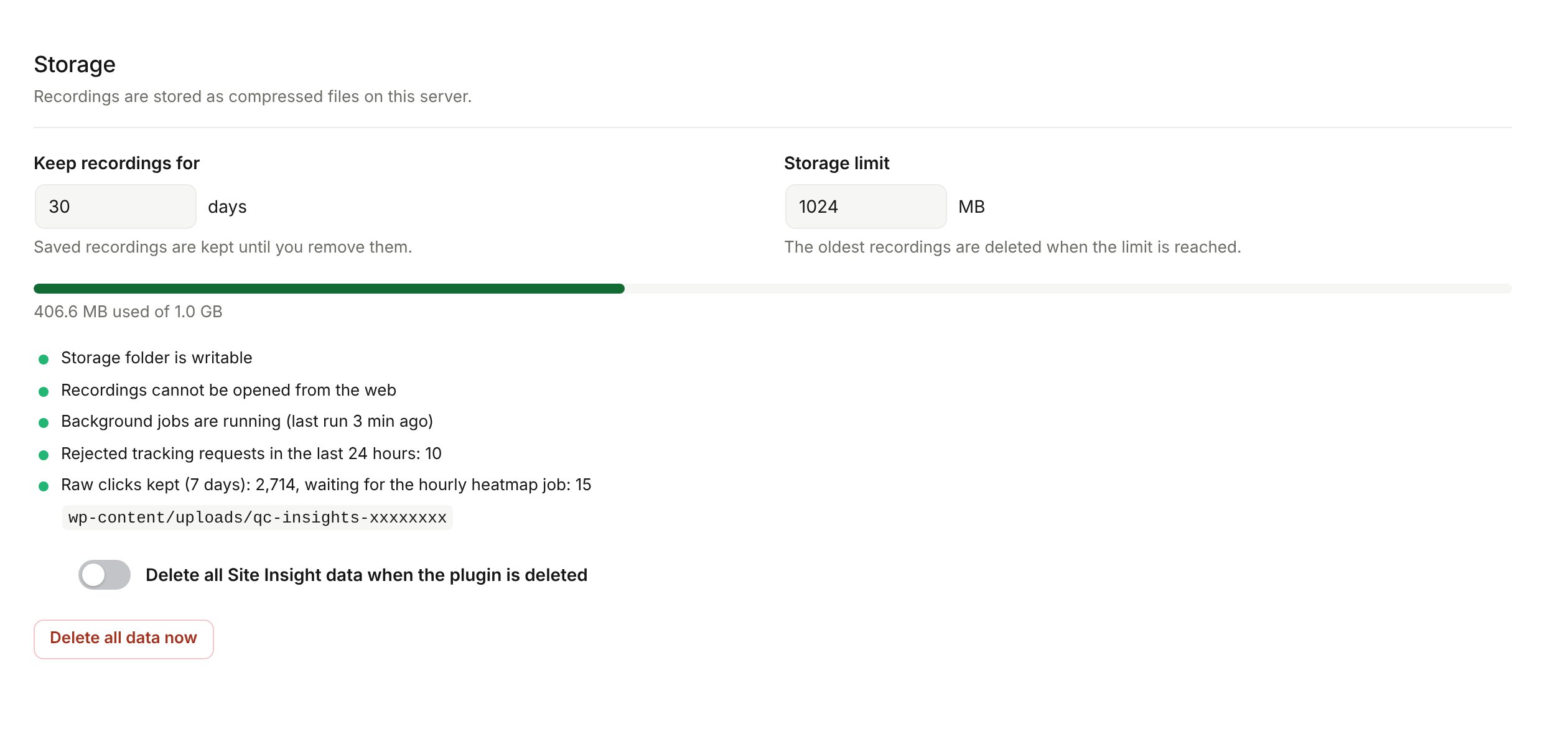
Retention, storage limit and the health checks.
| Setting | Default | What it does |
|---|---|---|
| Keep recordings for | 30 days | Older recordings are deleted every day. Saved recordings are kept until you remove them. |
| Storage limit | 1024 MB | The oldest recordings are deleted when the limit is reached |
Recordings are stored as compressed files on this server, in a protected folder in wp-content/uploads. The bar shows how much is used. A visit usually takes tens to a few hundred kilobytes.
Health checks
Under the storage bar, Site Insight checks itself:
- Storage folder is writable: recordings can be saved.
- Recordings cannot be opened from the web: the folder is protected. If it says they can, ask your host to block access to the folder (on nginx, a "deny all" rule).
- Background jobs are running: sessions are closed and old data is cleaned up. WP-Cron runs only when the site gets visits; on quiet sites ask your host for a real cron job.
- Rejected tracking requests in the last 24 hours: requests the site refused, such as bots or wrong origins. A few are normal.
- Raw clicks kept: detailed clicks waiting for the hourly heatmap job.
Delete data
- Delete all Site Insight data when the plugin is deleted: off by default, so your data survives reinstalling. See Deactivate or uninstall WPBot, and what happens to your data.
- Delete all data now removes all recordings, heatmaps and statistics after you confirm. This cannot be undone. Saved segments, funnels and goals are kept.
Suggested settings
| Site | Share recorded | Keep for | Storage limit |
|---|---|---|---|
| Small site or shop | 100% | 30 days | 1024 MB |
| Busy blog | 10–20% | 30 days | 1024–2048 MB |
| Busy shop | 25–50% | 60 days | as your hosting allows, or external storage |
Keep heatmaps at 100% in every case. To keep months of recordings without filling your server, move them to your own bucket or cloud drive. See Keep recordings in your own bucket or cloud drive.
Availability
In every edition, including WPBot Free. External storage needs Site Insight Pro (Professional or Master).
Was this article helpful?
Sorry about that. Get help another way:











