

Connect X
On this page
X connects through your own X developer app. Open WPBot Pro → Social → Accounts and click Connect on the X card.
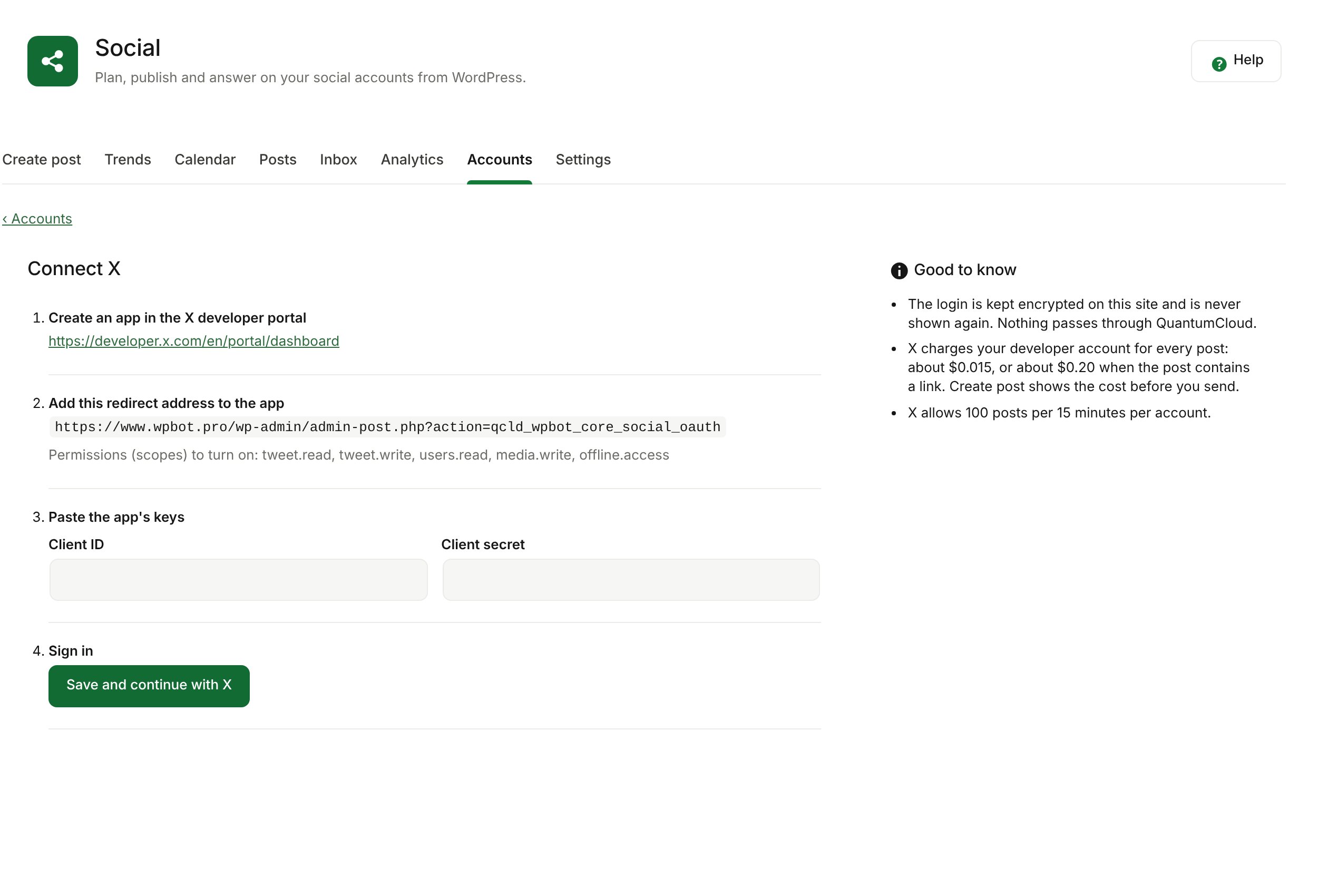
Connect X with your own X developer app.
Steps
- Create an app in the X developer portal (developer.x.com).
- Add the redirect address shown on the screen to the app.
- Turn on these permissions (scopes):
tweet.read,tweet.write,users.read,media.write,offline.access. - Paste the app's keys: Client ID and Client secret.
- Click Save and continue with X and sign in.
What X costs
Warning
X charges your developer account for every post: about $0.015, or about $0.20 when the post contains a link (X's prices at the time of writing). Create post shows the cost before you send.
Good to know
- X allows 100 posts per 15 minutes per account.
- X refuses the same text twice. Evergreen re-shares to X are reworded with AI by default; see Queue slots and evergreen re-sharing.
- Analytics does not read X numbers, because each read costs money. Visits, leads and sales from your tracked links are counted.
Availability
Master only.
Was this article helpful?
Sorry about that. Get help another way:











