

Queue slots and evergreen re-sharing
On this page
Open WPBot Pro → Social → Settings → Queue & evergreen.
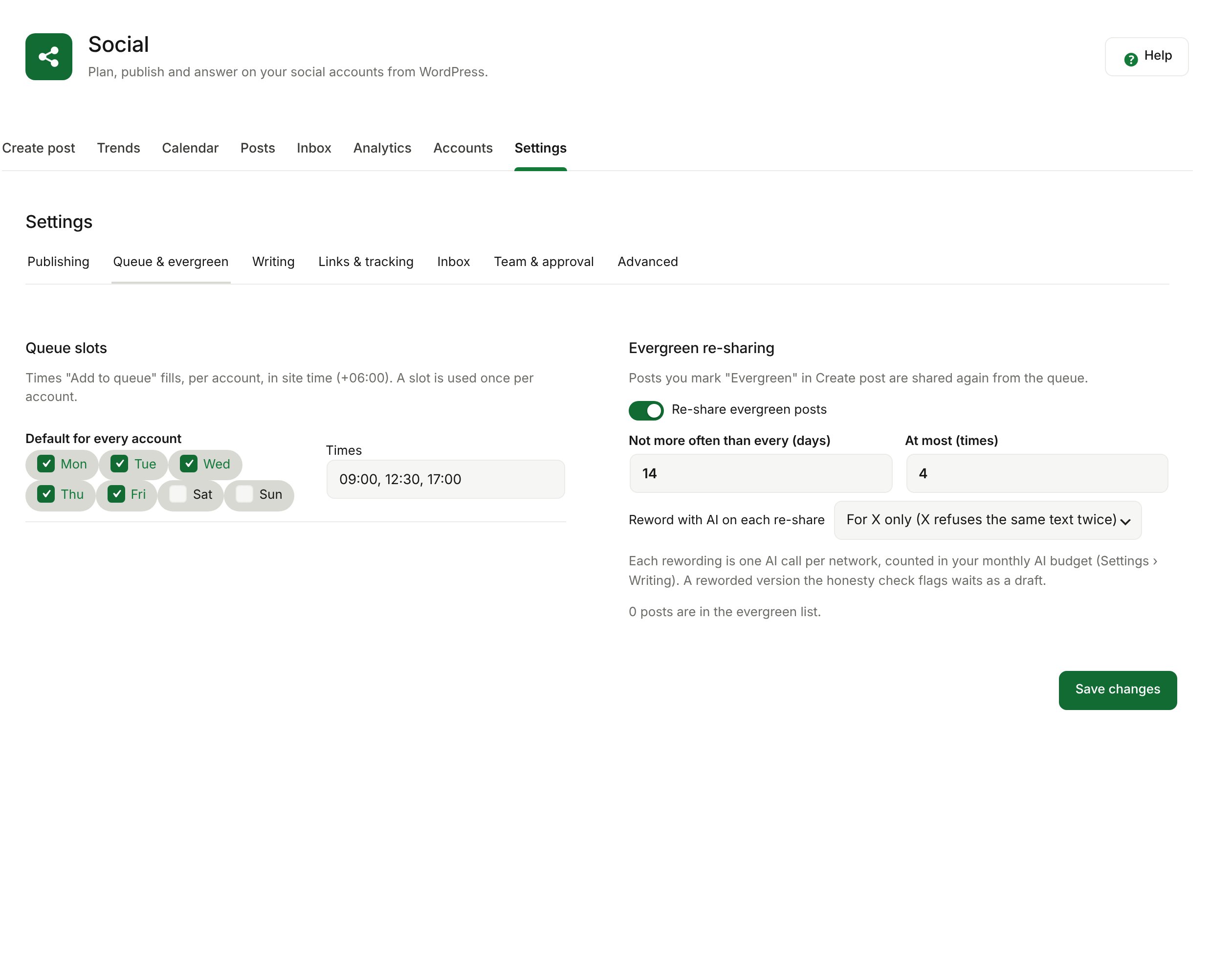
Queue slots and evergreen re-sharing.
Queue slots
Queue slots are the weekly times that Add to queue fills, per account, in site time. A slot is used once per account.
- Default for every account: the days (Mon to Fri by default) and Times (09:00, 12:30 and 17:00 by default).
- Each account can have its own times. Leave the times empty to use the default slots.
In Create post, choose Add to queue under When: the post takes the next slot that none of the chosen accounts has used yet.
Tip
Put your slots at the hours your audience is online. Analytics → Content shows which days and times worked best for you.
Evergreen re-sharing
Posts you mark Evergreen in Create post are shared again from the queue.
| Setting | Default |
|---|---|
| Re-share evergreen posts | On |
| Not more often than every (days) | 14 |
| At most (times) | 4 |
| Reword with AI on each re-share | For X only (X refuses the same text twice); or For every network, or Never |
Each re-share is a new post that goes through the same checks, approval and publishing as any other. Each rewording is one AI call per network, counted in your monthly AI budget (Settings → Writing). A reworded version the honesty check flags waits as a draft.
Tip
Mark how-to articles, best sellers and your lead magnet Evergreen. They keep bringing new visitors long after the first post, without new work.
Availability
Master only.
Was this article helpful?
Sorry about that. Get help another way:











