

Connect Pinterest
On this page
Pinterest connects through your own Pinterest app. Each board becomes an account in WPBot. Open WPBot Pro → Social → Accounts and click Connect on the Pinterest card.
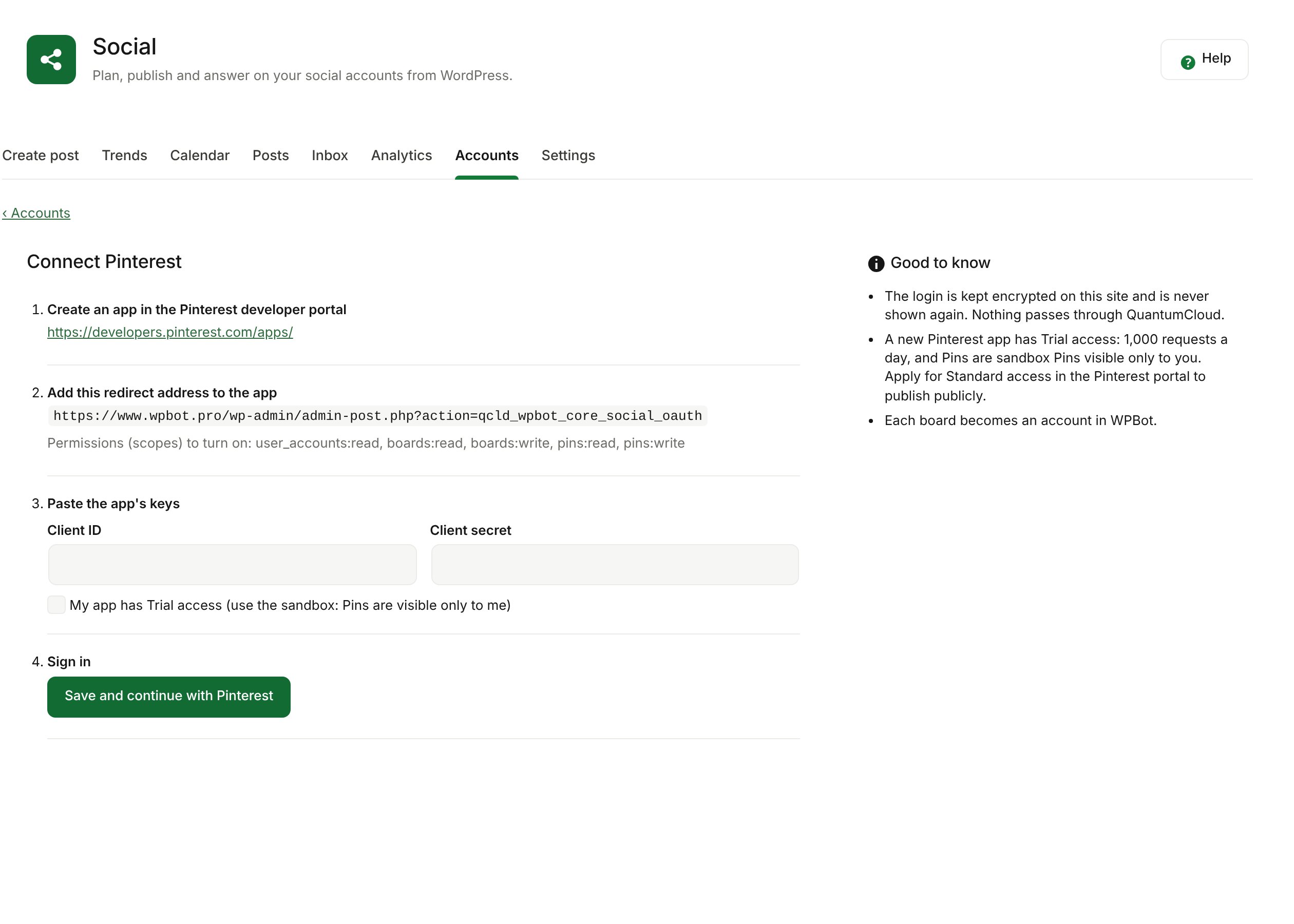
Connect Pinterest with your own Pinterest app.
Steps
- Create an app in the Pinterest developer portal (developers.pinterest.com/apps).
- Add the redirect address shown on the screen to the app.
- Turn on these permissions (scopes):
user_accounts:read,boards:read,boards:write,pins:read,pins:write. - Paste the app's keys: Client ID and Client secret.
- If your app is new, tick My app has Trial access (use the sandbox: Pins are visible only to me).
- Click Save and continue with Pinterest and sign in.
Note
A new Pinterest app has Trial access: 1,000 requests a day, and Pins are sandbox Pins visible only to you. Apply for Standard access in the Pinterest portal to publish publicly, then untick the sandbox option.
Good to know
- Every Pin needs an image and links to your page. Write with AI writes a short description and a Pin title.
- Pinterest gives WPBot no post numbers, so Analytics shows "—" for reach. Visits, leads and sales from your tracked links are counted.
Availability
Master only.
Was this article helpful?
Sorry about that. Get help another way:











