

The Site Insight Overview
On this page
Site Insight → Overview summarises all tracked visits, recorded or not. Choose the Date range at the top right: Last 24 hours, Last 7 days, Last 30 days or Last 90 days. With Site Insight Pro, a segment menu next to it limits every figure to one group of visitors (see Segments and plain-language search).
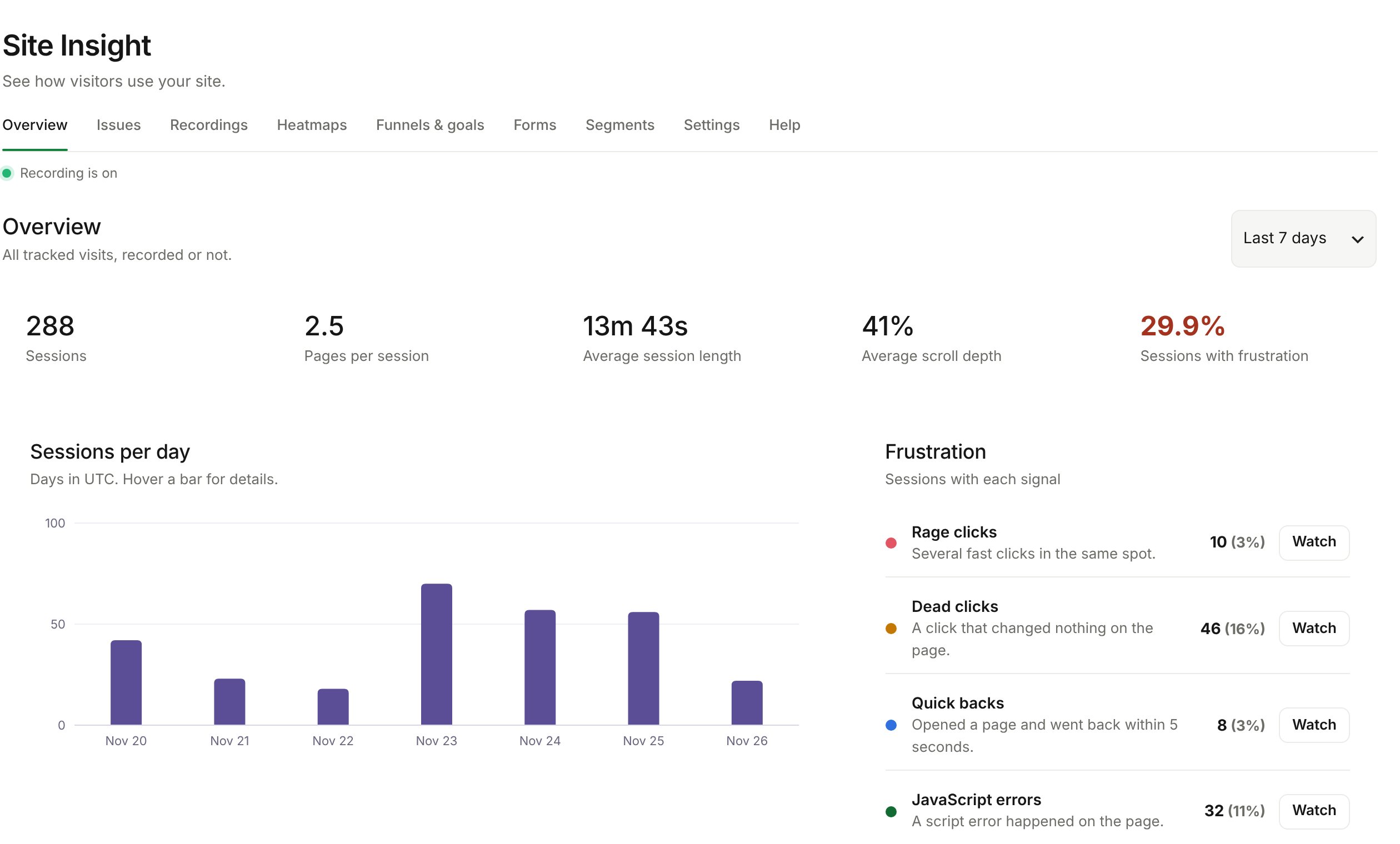
The Overview with the main figures, sessions per day and frustration.
The main figures
| Figure | What it means |
|---|---|
| Sessions | Tracked visits in the period |
| Pages per session | Average pages viewed in one visit |
| Average session length | How long a visit lasts on average |
| Average scroll depth | How far down the page visitors scroll, on average |
| Sessions with frustration | Share of visits with at least one frustration signal |
Sessions per day shows the trend as bars (days in UTC). Hover a bar for details.
Frustration
The Frustration card lists how many sessions had each signal, with a Watch button that opens the matching recordings.
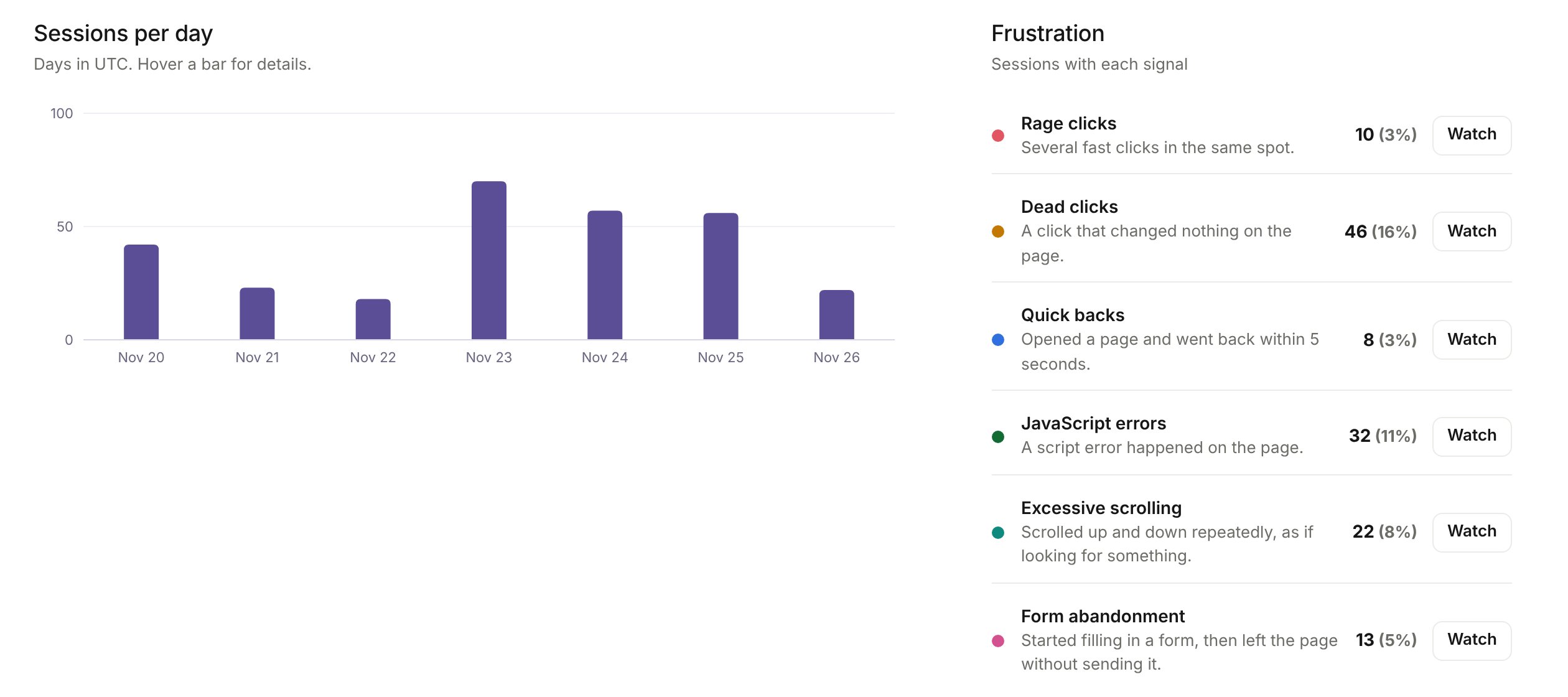
Each frustration signal with its count, share and a Watch link.
Read what each signal means in Frustration signals: rage clicks, dead clicks and more.
Note
Frustration counts include visits that were not recorded. Watch can only show the recorded ones, so the list of recordings can be shorter than the count.
Top pages
Top pages lists the most viewed pages with Views, Average time and Average scroll. Heatmap opens the page's heatmap.
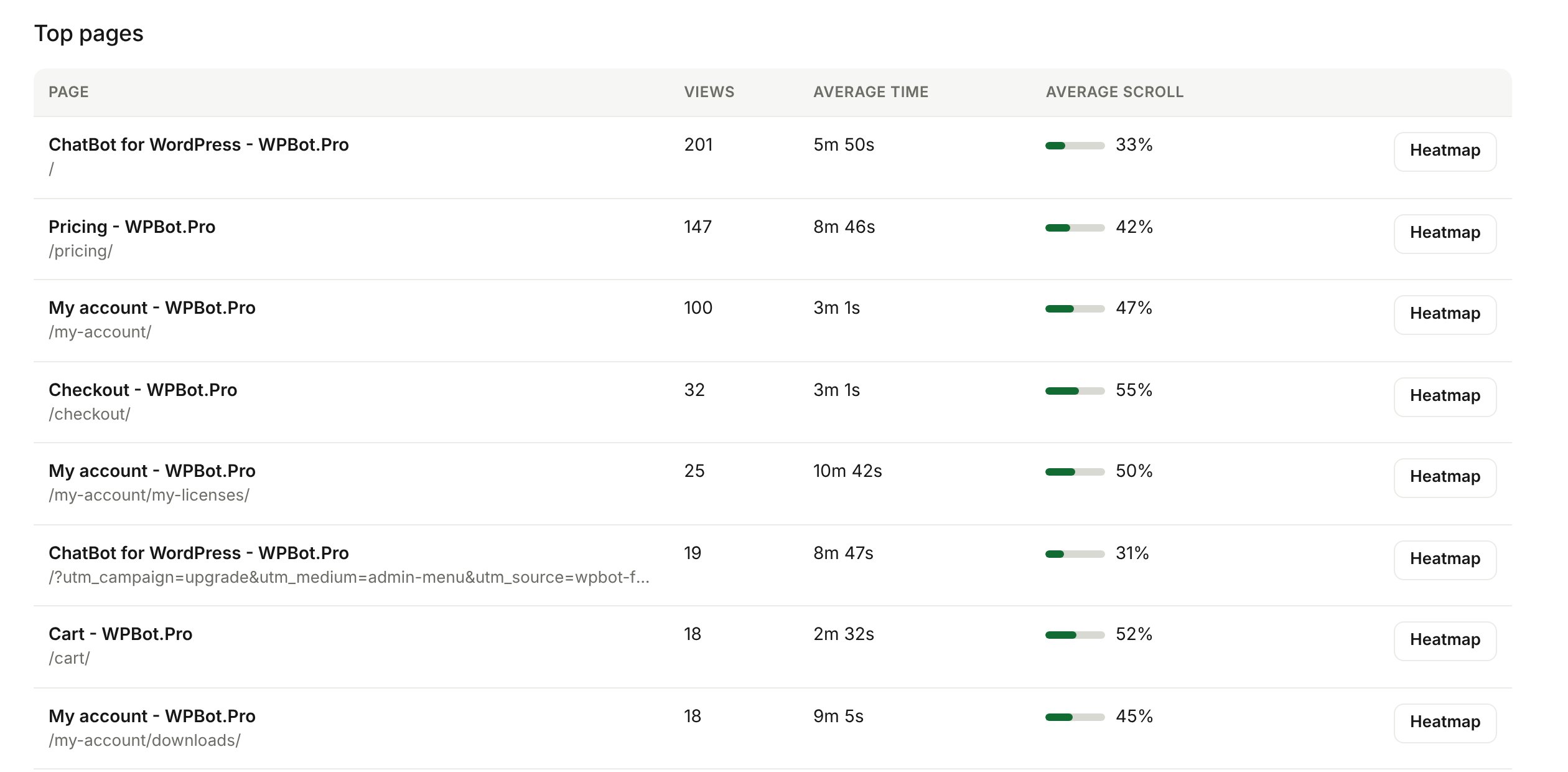
Top pages with views, time on page, scroll depth and a Heatmap link.
A page with many views but low scroll depth is a good first candidate for a better opening or a clearer call to action.
Most common JavaScript errors
Errors in visitors' browsers can break buttons and forms. Each error shows the file and line, how many times it happened and in how many sessions. Watch sessions opens the affected recordings. Send these to your developer: the recording shows exactly what the visitor did before the error.
Goals and Shop (Site Insight Pro)
- Goals shows the visits that reached each goal you set up. See Funnels, goals and custom events.
- Shop (with WooCommerce) shows orders, order value, visits with an order, carts left behind, checkouts not finished and the products most often left in carts. Each figure links to the matching recordings. See WooCommerce insights: carts, checkouts and orders.
- The Issues card shows the top issues found by AI. See Issues: let AI find problems and suggest fixes.
Availability
The Overview is in every edition, including WPBot Free. The segment menu, the Excessive scrolling and Form abandonment signals, and the Goals, Shop and Issues cards need Site Insight Pro (Professional or Master).
Was this article helpful?
Sorry about that. Get help another way:











