

Issues: let AI find problems and suggest fixes
On this page
Open Site Insight → Issues: problems visitors ran into in the last 7 days, grouped by AI, with a likely cause and a fix to try.
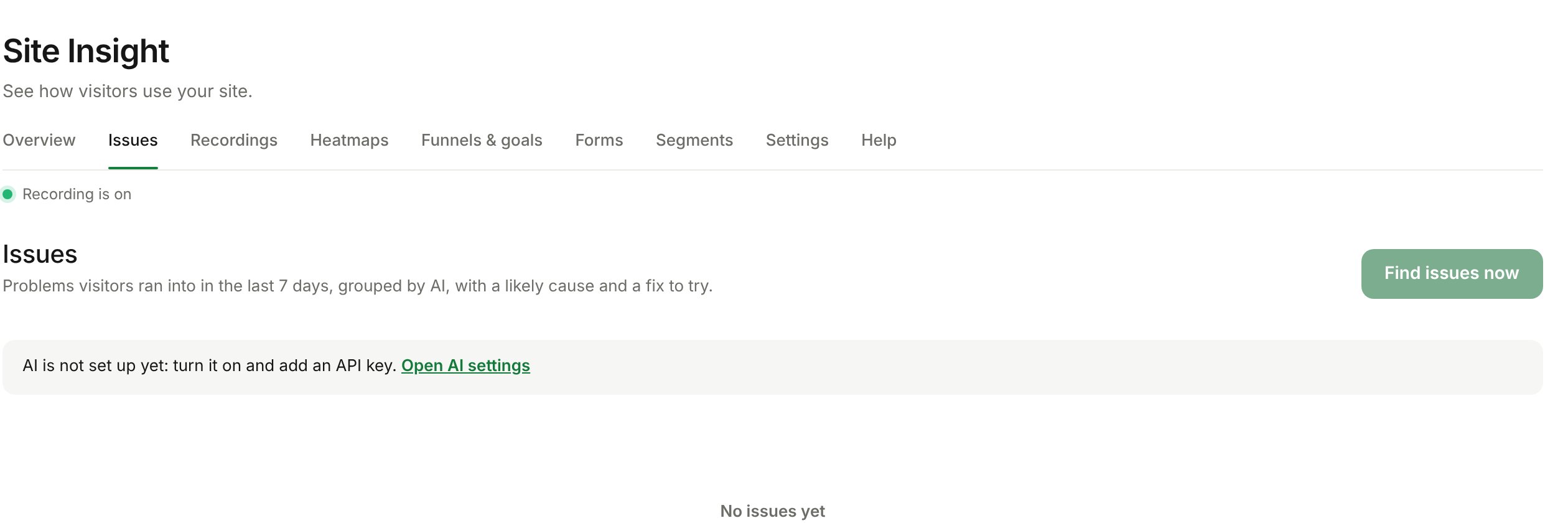
The Issues screen. Here AI is not set up yet, so the screen links to the AI settings.
How it works
- Every night (at about 3:00 site time), and when you click Find issues now, Site Insight counts the rage clicks, dead clicks, errors, form drop-offs and quick backs of the last 7 days.
- AI groups these patterns into issues.
- Each issue shows a severity (High, Medium or Low), when it was last seen, a Likely cause: and a Suggested fix:.
The screen also shows when it last ran and when the next automatic run is.
AI receives counts, page addresses, element selectors and up to 3 short visit descriptions. It never receives what visitors typed; emails and phone numbers are removed.
Work through the list
- Watch recordings opens the visits behind an issue. Watch two or three before you change anything.
- Mark fixed hides the issue. If it shows up again in new visits, it opens again, so you know the fix did not work.
- Ignore hides it for good, for example for a problem you accept.
- Fixed, ignored and no longer seen lists closed issues. Open again brings one back.
The Overview shows the Top issues card, and the email report lists open issues.
Warning
AI answers can be wrong. Check each suggestion against the recordings and numbers before you change your site.
If you see "AI is not set up yet"
The Issues screen needs AI. Click Open AI settings, turn on Enable AI features and make sure Issues: find problems and suggest fixes is on. See Site Insight AI settings: keys, features and cost limits.
If the screen says No issues yet, the first run has not happened: press Find issues now or wait for the nightly run. No open issues means nothing needs your attention.
Turn issues into growth
- Fix High issues on your pricing, contact and checkout pages first; they cost you leads and orders.
- An issue about visitors not finding something is a content topic: answer it on the page, in a help article or in a new post.
- Tag the recordings of an issue (for example
checkout-bug) so your developer finds them.
Availability
The Issues screen needs Site Insight Pro: Professional and Master, and an AI provider. Starter and WPBot Free do not have it.
Was this article helpful?
Sorry about that. Get help another way:











