

Scheduled scans and alerts
Problems are cheapest to fix the day they appear. Scheduled scans and alerts watch your site for you.
Open WPBot Pro → SEO & AI Search → Technical SEO → Schedule & alerts.
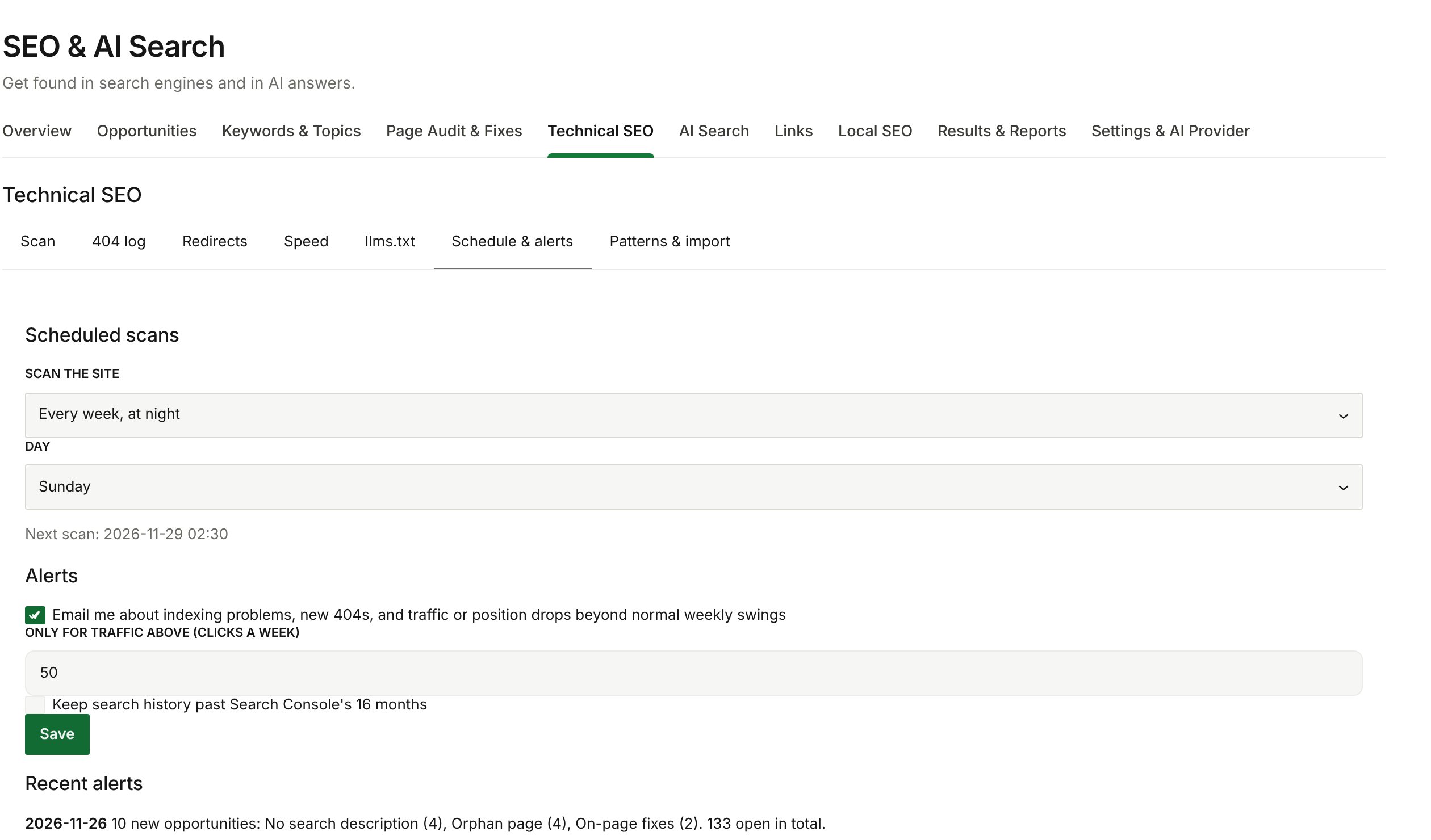
Scheduled scans and alerts.
Scheduled scans
- SCAN THE SITE: Only when I click Scan now, Every night, Every week, at night or Every month.
- DAY: the weekday for weekly scans.
- Next scan shows when the next one runs.
Alerts
- Email me about indexing problems, new 404s, and traffic or position drops beyond normal weekly swings.
- ONLY FOR TRAFFIC ABOVE (CLICKS A WEEK): ignore drops on pages with little traffic.
- Keep search history past Search Console's 16 months: keeps your daily search data for long-term comparisons.
Click Save. Recent alerts lists what was sent, for example new opportunities or a new 404 "Add a redirect in Technical SEO."
Other Pro features send their alerts here too: lost or changed links and broken link exchanges (Links), llms.txt link changes, and new low-star reviews on Google (Local SEO).
Tip
Choose Every week, at night for most sites. Set the traffic threshold so you are told about drops that matter, not about every small swing.
The weekly email
Separately from alerts, the weekly summary email reports what changed. See Results & Reports: what each change did.
Availability
Scheduled scans and alerts are SEO & AI Search Pro, in Professional and Master. Starter and WPBot Free scan when you click Scan now.
Was this article helpful?
Sorry about that. Get help another way:











