

Results & Reports: what each change did
On this page
SEO takes weeks to show results, so it is easy to forget what worked. Results & Reports logs every change and measures it later.
Open WPBot Pro → SEO & AI Search → Results & Reports.
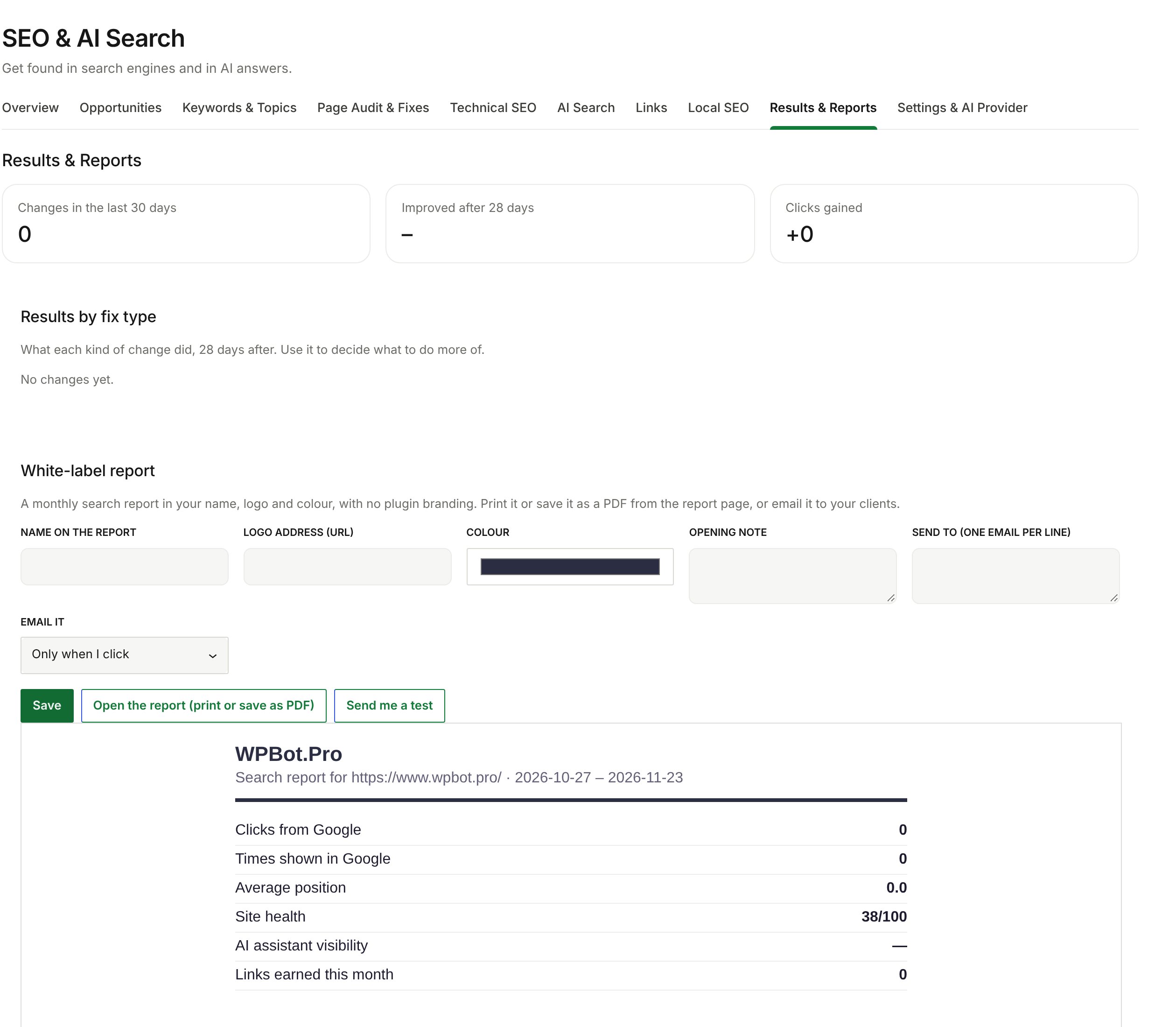
Results & Reports: changes, results by fix type and the white-label report.
Changes and their results
At the top: Changes in the last 30 days, how many Improved after 28 days, and the Clicks gained.
The list of changes covers fixes to search titles and descriptions, internal links, redirects and posts on other sites (from Get cited by AI). Filter with SHOW. Each change shows the page's on-page score before and after it. With Search Console, it is also compared with the same number of days before it (clicks and position; conversions when Google Analytics is connected).
When results are measured is set in Settings & AI Provider → Email & results (MEASURE RESULTS AFTER (DAYS, ONE PER LINE)).
Results by fix type (Pro)
What each kind of change did, 28 days after: Kind of change, Changes, Improved / measured and Clicks per change. Use it to decide what to do more of.
White-label report (Pro)
A monthly search report in your name, logo and colour, with no plugin branding. Print it or save it as a PDF from the report page, or email it to your clients.
| Field | What to enter |
|---|---|
| NAME ON THE REPORT | Your agency or business name. |
| LOGO ADDRESS (URL) | The address of your logo image. |
| COLOUR | Your brand colour. |
| OPENING NOTE | A short note at the top. |
| SEND TO (ONE EMAIL PER LINE) | Who receives it. |
| EMAIL IT | Only when I click or On the 1st of every month. |
Click Save. Open the report (print or save as PDF) opens it; Send me a test emails it to you. The Report preview shows clicks from Google, times shown in Google, average position, site health, AI assistant visibility and links earned this month.
Weekly email
A short summary each week, sent only when there is news. Preview this week's email shows it; Send me a test email sends it to you. Change the day and recipients in Settings & AI Provider → Email & results. See SEO & AI Search settings.
Availability
The list of changes with before-and-after results and the weekly email are in every edition, including WPBot Free. Results by fix type and the white-label report are SEO & AI Search Pro (Professional and Master).
Was this article helpful?
Sorry about that. Get help another way:











