

Bulk fixes and autolinking
Open WPBot Pro → SEO & AI Search → Page Audit & Fixes and scroll down.
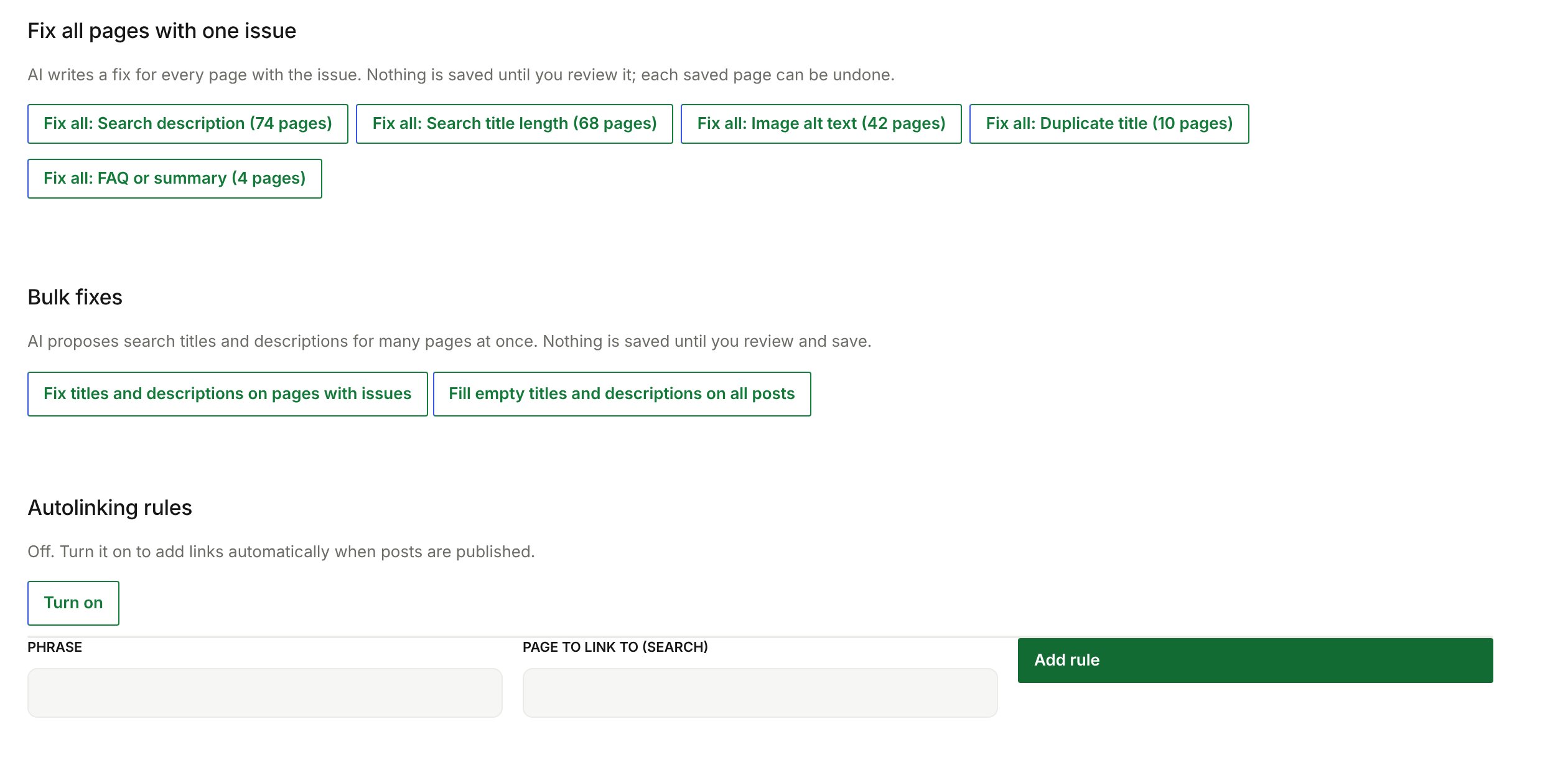
Fix all pages with one issue, bulk fixes and autolinking rules.
Fix all pages with one issue
AI writes a fix for every page with the issue. Nothing is saved until you review it; each saved page can be undone.
Buttons such as Fix all: Search description (94 pages) appear for the issues AI can fix: search description, search title length, image alt text, duplicate title, and FAQ or summary.
- Click Fix all: …. AI writes the fixes as a background job.
- Under Review before saving, compare Now with Proposed, untick what you do not want and edit what you like.
- Click Save selected. Each change can be undone under Recent changes on the page.
Saving needs the Publish permission.
Bulk fixes
AI proposes search titles and descriptions for many pages at once. Nothing is saved until you review and save.
- Fix titles and descriptions on pages with issues
- Fill empty titles and descriptions on all posts
Autolinking rules
Internal links help visitors and Google find your pages. Autolinking adds them for you.
- Click Turn on.
- Enter a PHRASE and choose the PAGE TO LINK TO (SEARCH). Suggested from your searches proposes rules from your Search Console data.
- Click Add rule.
When a post is published or updated, the first matching phrase becomes a link, with a limit per post, never in headings, links or shortcodes. Each rule shows how many links it made; you can Pause, Resume or Remove its links. Apply the rules to existing posts adds the links to posts you already published.
Tip
Use autolinking for your most important pages: your main product or service pages and your pillar guides. Choose phrases people really use, and keep one rule per target page.
Availability
Fix all, bulk fixes and autolinking are SEO & AI Search Pro, in Professional and Master. Starter and WPBot Free fix pages one at a time in Page Audit & Fixes.
Was this article helpful?
Sorry about that. Get help another way:











