

Redirects and the 404 log
When a page moves or is deleted, visitors and links still arrive at the old address. A redirect sends them to the right page and keeps the value of links pointing there.
Open WPBot Pro → SEO & AI Search → Technical SEO.
404 log
404 log lists addresses visitors asked for that do not exist, with where they came From and the number of Hits. Only the address, the referring site and counts are kept (no IP addresses).
- Add a redirect sends that address to an existing page.
- Remove takes it off the list.
Tip
Redirect addresses that real visitors or other sites use, such as an old product page. Many entries are bots probing for files like /.env or /wp-login.php on other paths: just Remove those, do not redirect them.
Redirects
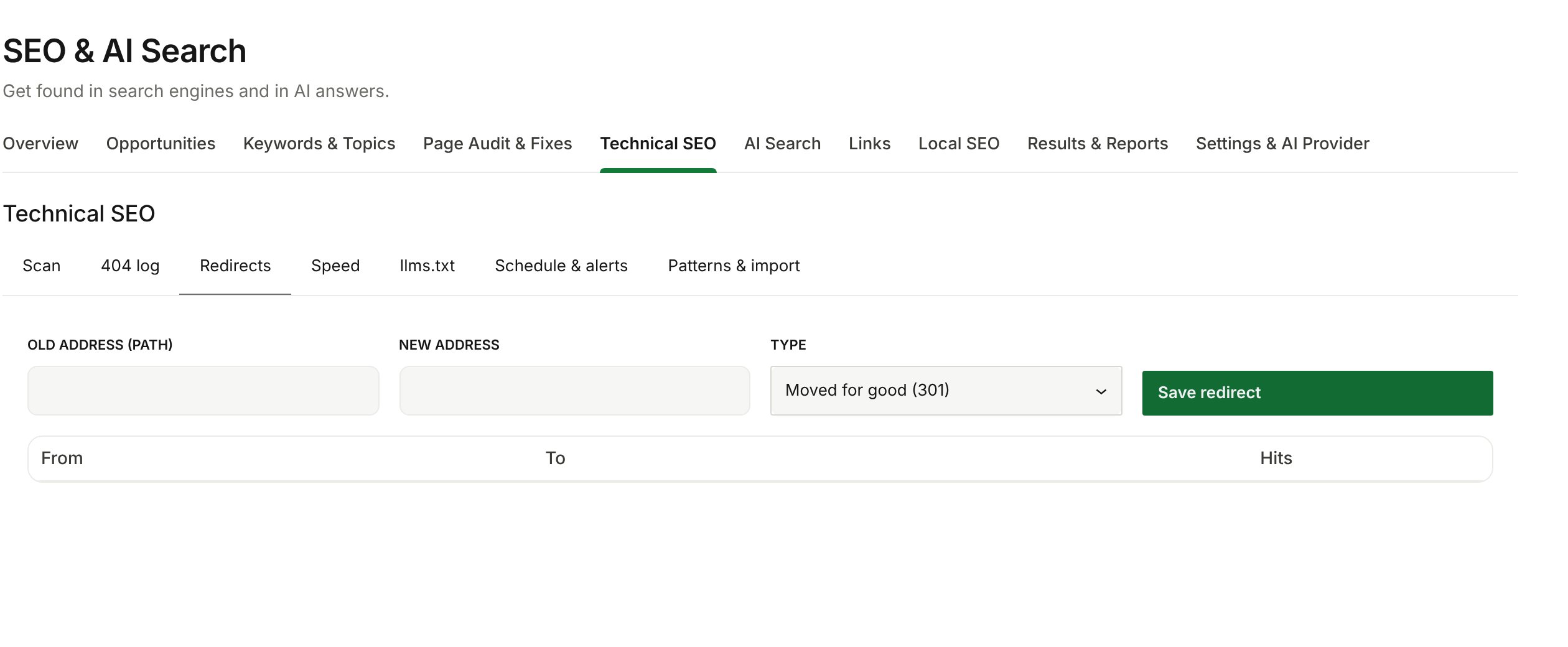
Redirects in Technical SEO.
- Enter the OLD ADDRESS (PATH), for example
/old-page/. - Enter the NEW ADDRESS.
- Choose the TYPE: Moved for good (301), Moved for now (302) or Gone for good (410).
- Click Save redirect.
The list shows each redirect with its Hits; you can Delete one.
If another plugin handles redirects on your site, SEO & AI Search's simple redirects are turned off so they do not compete. Add redirects in that plugin instead.
Pattern redirects and import (Pro)
Open Patterns & import.
- Pattern redirect: use
*for the part that changes, and$1in the new address for what it matched. Example:/blog/*→/news/$1. Enter the OLD ADDRESSES and NEW ADDRESS and click Save pattern. - Import redirects: one per line,
old, new[, code]. Click Import. You see how many were saved and which lines had errors.
Merge and redirect
Keywords & Topics → Competing Pages → Merge and redirect redirects a weaker page to the stronger one and sets the weaker page to draft. See Keyword Map, Competing Pages and Topic Map.
Availability
The 404 log and simple redirects are in every edition, including WPBot Free. Pattern redirects and importing redirects are SEO & AI Search Pro (Professional and Master).
Was this article helpful?
Sorry about that. Get help another way:











