

Help Center blocks for articles
On this page
In the block editor, open the block inserter (+) and scroll to the Help Center category, or type the block name.
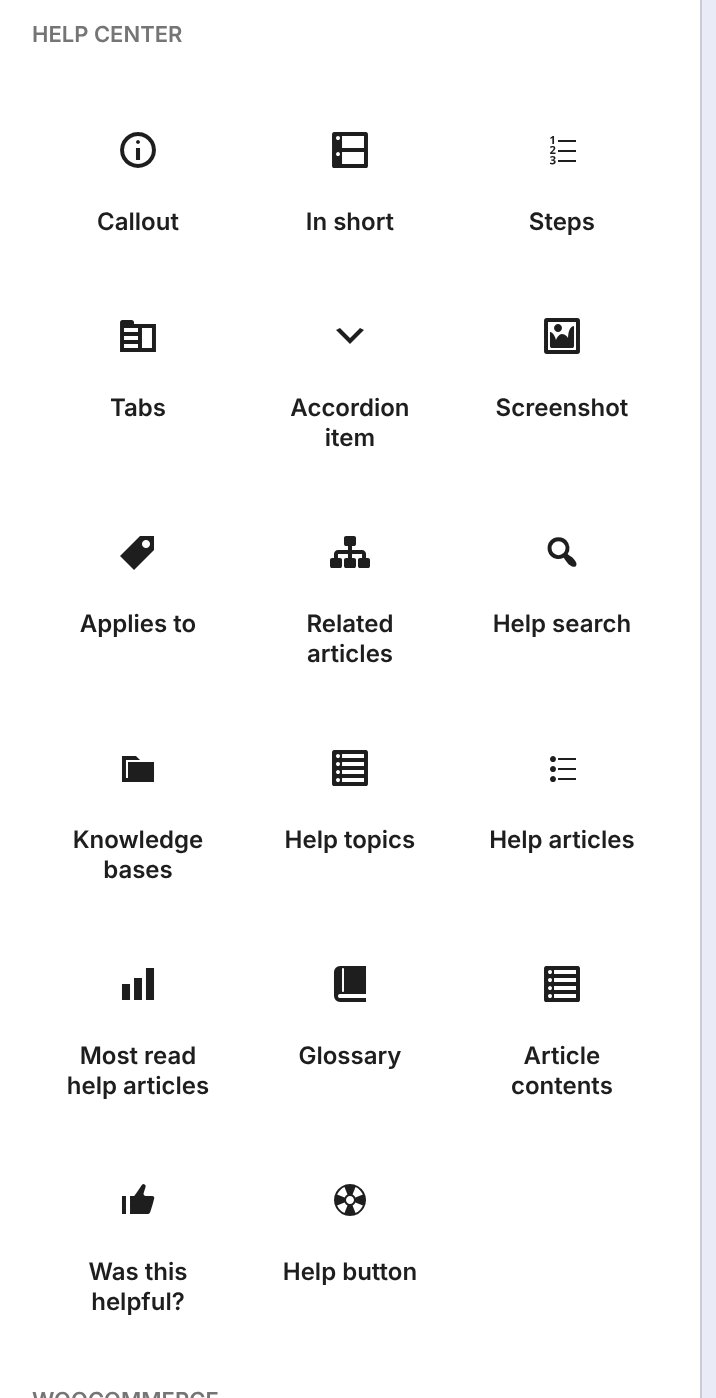
The Help Center blocks in the block inserter.
Blocks for writing articles
| Block | What it is for |
|---|---|
| Callout | A note, tip, warning or important message. Choose the Callout type: Note, Tip, Warning or Important. |
| In short | A short summary at the top of the article. |
| Steps | Numbered steps. Each Step has a title (What to do in this step) that the chatbot can link to. A Steps block also becomes how-to structured data. |
| Tabs | Content in tabs, for example one tab per platform (Tab name, for example Windows). Without JavaScript the tabs read as sections. |
| Accordion item | A question or title that opens to show more. Works without JavaScript. Tick Open when the page loads to show it open. Accordion items also become FAQ structured data. |
| Screenshot | A screenshot with numbered markers and a legend. Upload or pick an image, then click the image to add a marker and say what it points at. Visitors can zoom. Add Alternative text and an optional caption. |
| Applies to | Which product, plan or version the article applies to, for example "WPBot Pro 15.8 and later". |
| Related articles | Other articles in the same category. Set the Number of articles and a Title. |
Code blocks in articles get a copy button automatically.
Tips for each block
- Use Steps for every procedure. Visitors follow them better, and the chatbot can link straight to step 3.
- Put warnings in a Warning callout, not in the middle of a step.
- Use Tabs when instructions differ by platform or plan, instead of writing two articles.
- Use Accordion items for a list of short questions and answers.
- Use the Screenshot markers instead of arrows drawn in an image editor: they stay sharp and readable on phones.
Blocks for showing help anywhere
These blocks show parts of the Help Center on any page or in a theme template:
| Block | Shows |
|---|---|
| Help search | A search box with live suggestions (Placeholder) |
| Knowledge bases | Cards for each knowledge base |
| Help topics | Top-level categories with their first articles (Articles per topic) |
| Help articles | A list from a Category, Knowledge base or Tag, in Help Center order, Recently updated, Title or Most read order |
| Most read help articles | The most read articles |
| Glossary | The glossary from A to Z |
| Article contents | The contents of the help article being viewed, for templates and sidebars |
| Was this helpful? | The vote buttons for the help article being viewed |
| Help button | A button that opens the assistant, or the Help Center when the assistant is not on the page (Label, default "Get help") |
In the editor, a part that has no content yet says it will appear once there is content for it. The same parts exist as shortcodes and Elementor widgets. See Show the Help Center on any page: shortcodes, blocks and Elementor widgets.
Writing in Markdown
Articles written by Claude through AI & GitHub arrive as Markdown and are turned into blocks: headings, lists, code, tables, images, and GitHub alerts such as > [!TIP] become Help Center callouts. See Let Claude build your docs from GitHub: prompt, drafts, suggestions and change log.
Availability
In every edition, including WPBot Free.
Was this article helpful?
Sorry about that. Get help another way:











