

Check what the chatbot knows
On this page
Open WPBot Pro → AI / Settings → What the chatbot knows. This is the list the chatbot's answers come from. When an answer is wrong or missing, check here first.
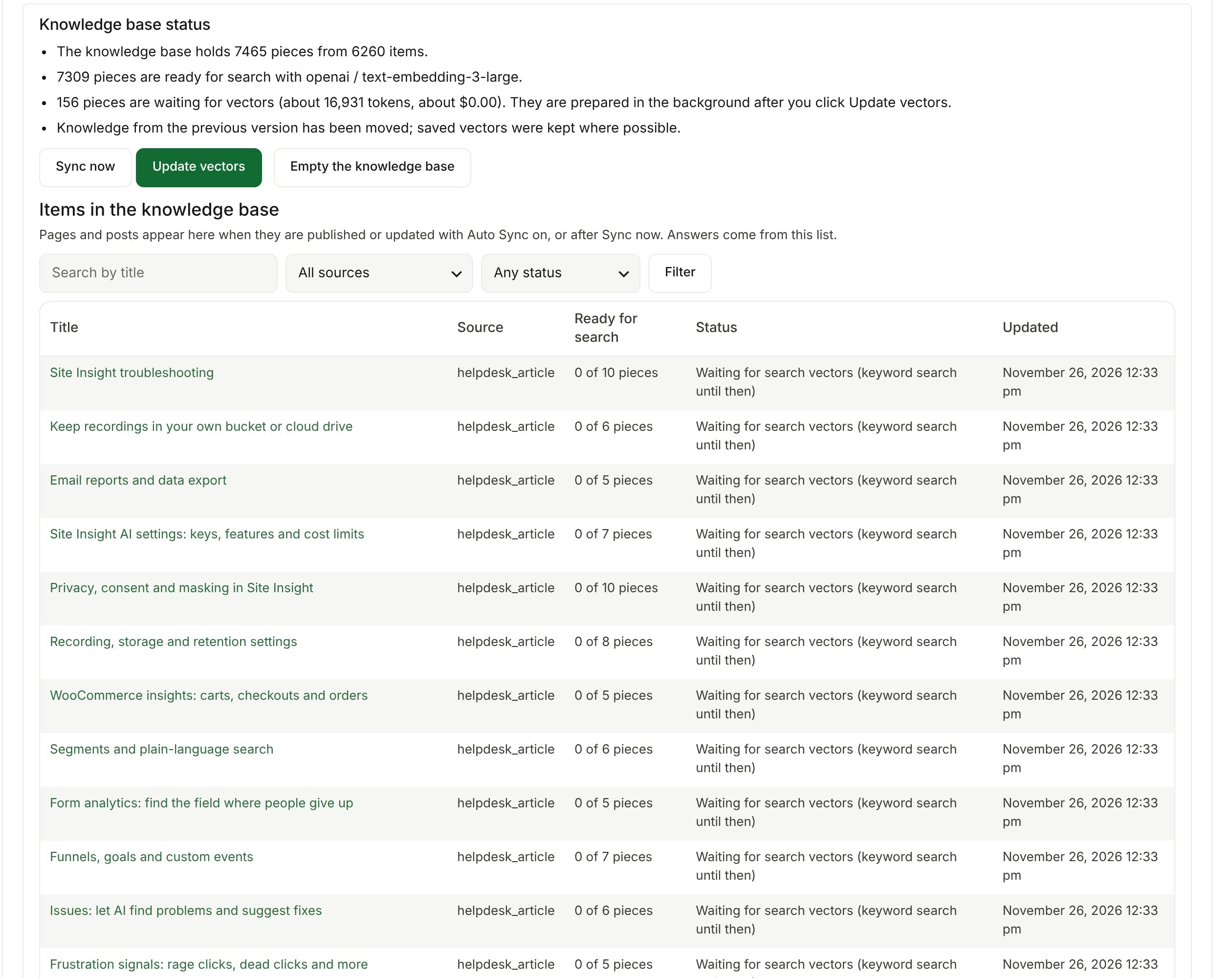
What the chatbot knows: status and the list of items.
Knowledge base status
The first box tells you how many pieces the knowledge base holds, from how many items, and how many are ready for search with which embeddings model. If pieces are waiting for vectors, it shows how many, with an estimate of the tokens and cost.
- Sync now reads your sources again.
- Update vectors prepares the waiting pieces in the background.
- Empty the knowledge base removes everything, for example before you start again with other sources. You then need to sync again.
Items in the knowledge base
Pages and posts appear here when they are published or updated with Auto Sync on, or after Sync now.
- Type in Search the knowledge base to find an item.
- Filter by Source (All sources, Pages, Posts, Products, Simple Text Responses, Uploaded files and others you use) and Status (Any status, Ready, Waiting for vectors), then click Filter.
- Each row shows the Title, Source, how many pieces are Ready for search, the Status and when it was Updated.
An item Waiting for search vectors is found by keyword search until its vectors are ready.
Documents table (previous knowledge base)
Below the list, the documents table shows each stored document with its Title, Content, Source Type, URL/File and Status. Sync reads one document again, Edit changes its text, and Delete removes it. Use Bulk Actions to delete several.
Tip
If the chatbot gives an outdated answer, search for the page here. Update the page itself and save it (with Auto Sync on), or click Sync on the document. Editing the text here changes only the chatbot's copy.
A monthly check
- Filter by Waiting for vectors: anything stuck? Click Update vectors.
- Search for your most important pages (pricing, shipping, returns): are they here and Ready?
- Look for pages that should not be here (old offers, test pages) and delete them, or untick their source.
Availability
In every edition, including WPBot Free.
Was this article helpful?
Sorry about that. Get help another way:











