

Read the AI Usage report
Open WPBot Pro → AI / Settings → AI Usage, or click AI Usage report under the spend summary at the top of any AI / Settings tab. All figures are estimates from the providers' list prices.
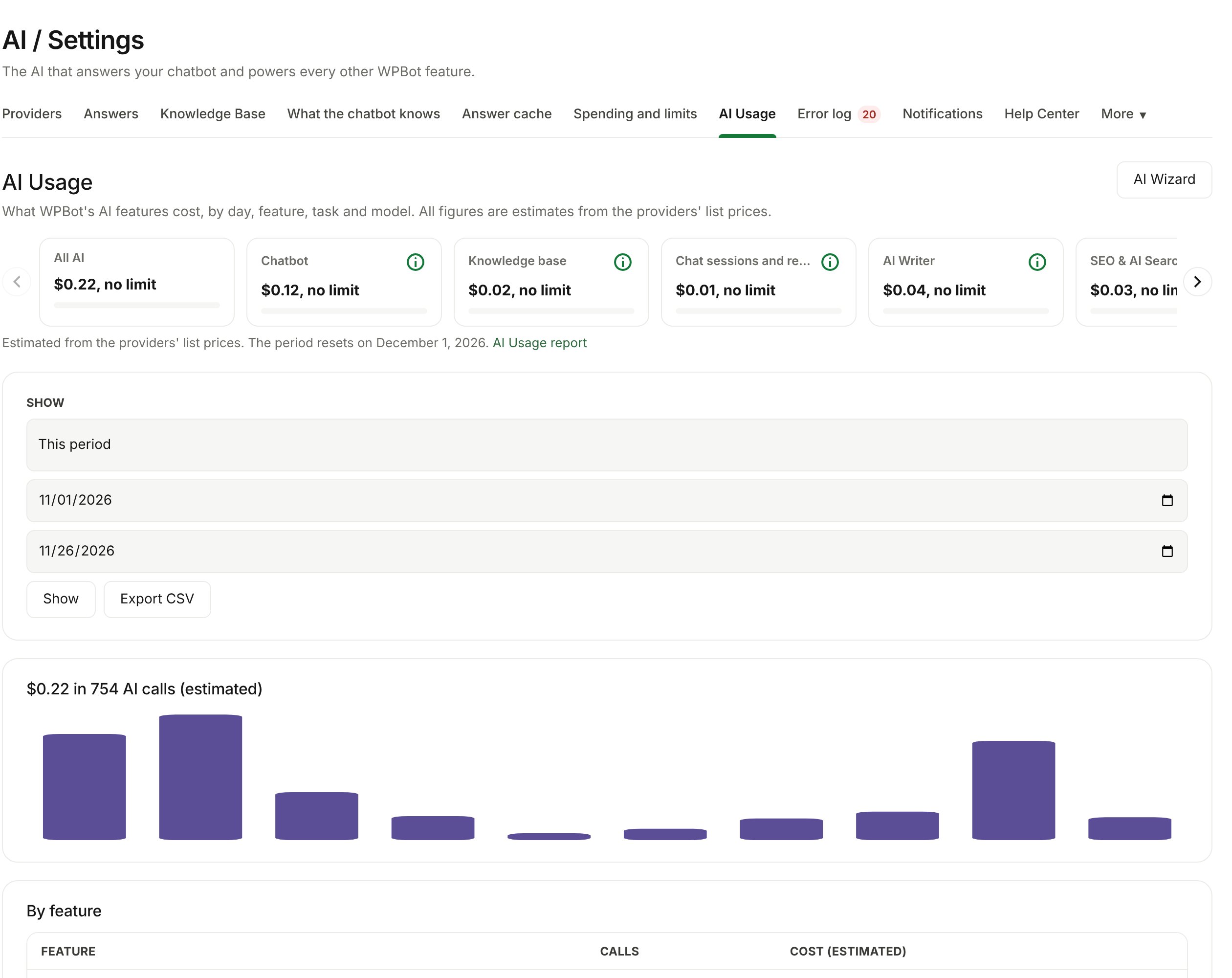
Cost by feature, task, model, provider and channel.
Choose the period
SHOW: This period, Last period, Last 7 days, Last 30 days, Last 90 days or Custom dates. Click Show. The headline gives the total, for example "$0.22 in 754 AI calls (estimated)".
The tables
| Table | Tells you |
|---|---|
| By feature | Chatbot, Knowledge base, AI Writer, SEO & AI Search, Chat sessions and reports and more: which tool spends |
| By task | What the AI did: Chat, Embed (preparing content for search), Query, Web research, Topic ideas, Lead score… |
| By model | Calls, tokens in and out, and cost for each model |
| By provider | Calls and cost per provider |
| By channel | Where chatbot conversations happened: the website, Messenger, WhatsApp, Telegram… |
Export CSV downloads the report for your spreadsheet or accountant.
How to use it
- Knowledge base high? Embedding runs when content is added or changed. A large first sync is normal; after that, Auto Sync only updates what changed.
- Chatbot high? Turn on the Answer cache: free, instant answers to repeated questions and a Use a cheaper model for short questions.
- Compare cost with results: if AI Writer costs $5 a month and its articles bring visitors and leads (see Site Insight), it is money well spent. This is the "Learn" step of the Growth Loop.
Availability
The report is in every edition, including WPBot Free. By channel, By provider and Export CSV need Professional or Master.
Was this article helpful?
Sorry about that. Get help another way:











