

Business Profile: your Persuasion Kit and customer words
On this page
Proof sells: a real review, a guarantee, the number of customers you served. But invented proof destroys trust and can break consumer law. The Business Profile is where you keep your real proof. AI Writer uses only what is here, and flags any proof it cannot find here.
Open WPBot Pro → AI Writer → Brand & Business → Business Profile.
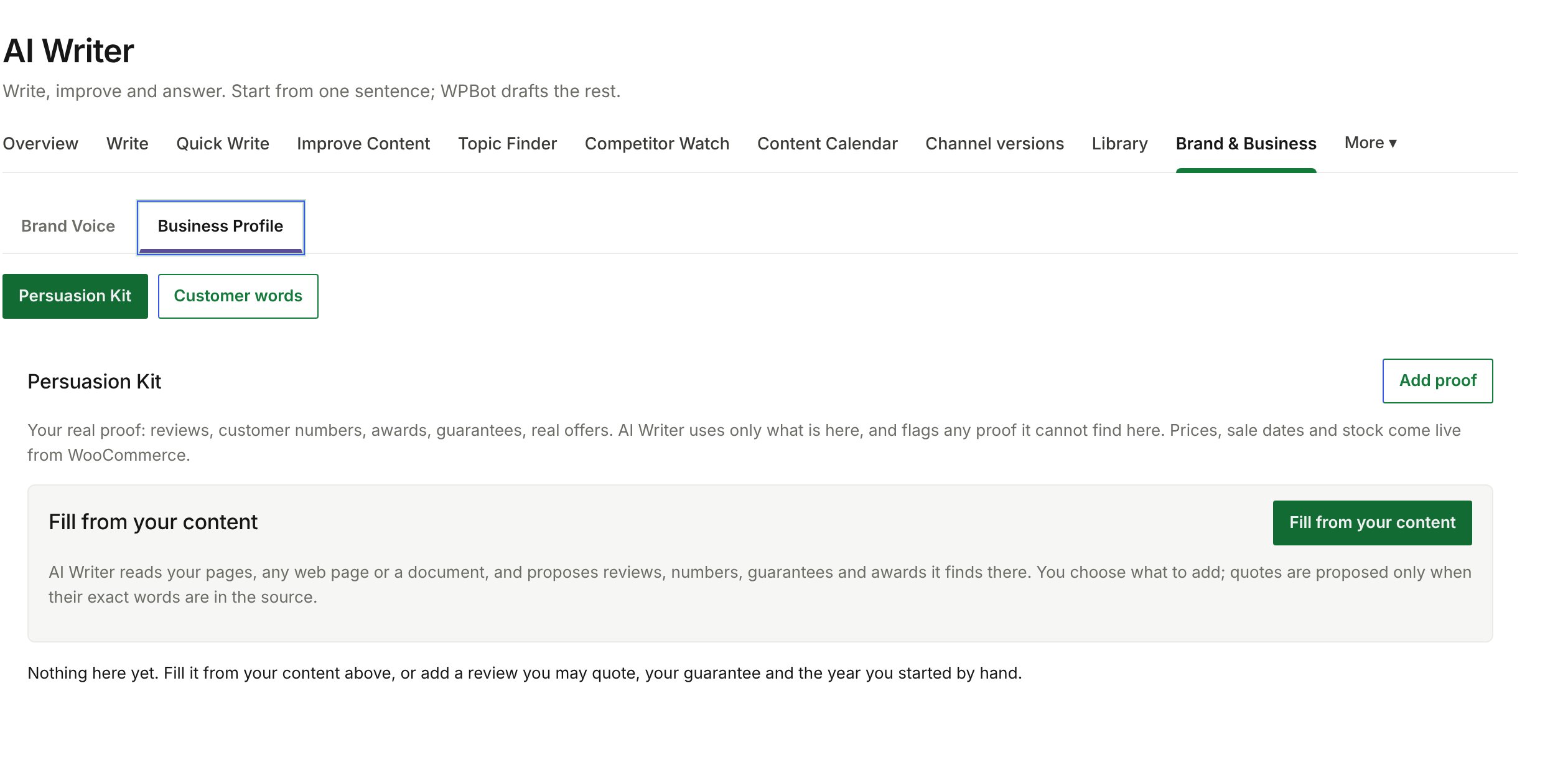
The Persuasion Kit with Fill from your content.
Persuasion Kit
Your real proof: reviews, customer numbers, awards, guarantees, real offers. Prices, sale dates and stock come live from WooCommerce, so you do not add them here.
Fill from your content
AI Writer reads your pages, any web page or a document, and proposes reviews, numbers, guarantees and awards it finds there. You choose what to add; quotes are proposed only when their exact words are in the source.
- Click Fill from your content.
- Choose Pages of your site, add Web addresses (one per line), or Upload a document (Word, PDF, text or CSV, up to 10 MB; the file is read and then deleted).
- Click Show the cost, then Find items.
- Tick the proposals to keep and click Add selected.
How many pages one import reads is set by PAGES TO READ PER IMPORT in Settings & AI Provider (1 to 100; 0 uses the default of 50). If your AI provider cannot read PDF files, save the document as Word or text, or use OpenAI, Claude, Gemini or OpenRouter.
Add proof by hand
Click Add proof and choose What kind of proof:
Review, Testimonial, Number of customers, Case study or result, Certification or award, Media mention, Years in business, Free offer, Guarantee or return policy, Offer or deadline, Founder story, Values, Local identity.
Fill in The proof, in full, Where it comes from and an optional Link. Offers need an End date; other proof can have Stop using it after. After its date, proof is never used in writing.
Warning
Tick Permission to quote only when the customer agreed that you may publish their words. Without permission, AI Writer uses the words only as wording ideas, never as a quote. Each item shows May be quoted or Wording only.
Customer words
The words your customers actually use. AI Writer uses them for headlines and problems, as wording, never as quotes. Names, emails, phone numbers and addresses are removed before anything is saved.
- Read customer words (free) reads your reviews, your kit and your site search log.
- Fill from your content proposes the phrases customers use on your pages, any web page or a document (exact words only).
- Group by topic with AI sorts the phrases by topic (the cost is shown first).
Why it matters
- The persuasion techniques Show real proof near the claim and Use your customers' own words draw on this page.
- Compare techniques shows which proof each version used ("Proof used: …").
- The honesty checks flag proof that is not in your kit, fake urgency and made-up prices.
Keep the facts here consistent with Business Context, which every WPBot tool reads.
Availability
The Business Profile, the Persuasion Kit, Fill from your content and Customer words are in every edition, including WPBot Free.
Was this article helpful?
Sorry about that. Get help another way:











