

Technical SEO: scan your site and check its speed
Technical problems stop pages from being found at all: a page Google cannot index gets no traffic, however good it is. The technical scan checks every page and gives your site a Health score.
Open WPBot Pro → SEO & AI Search → Technical SEO → Scan.
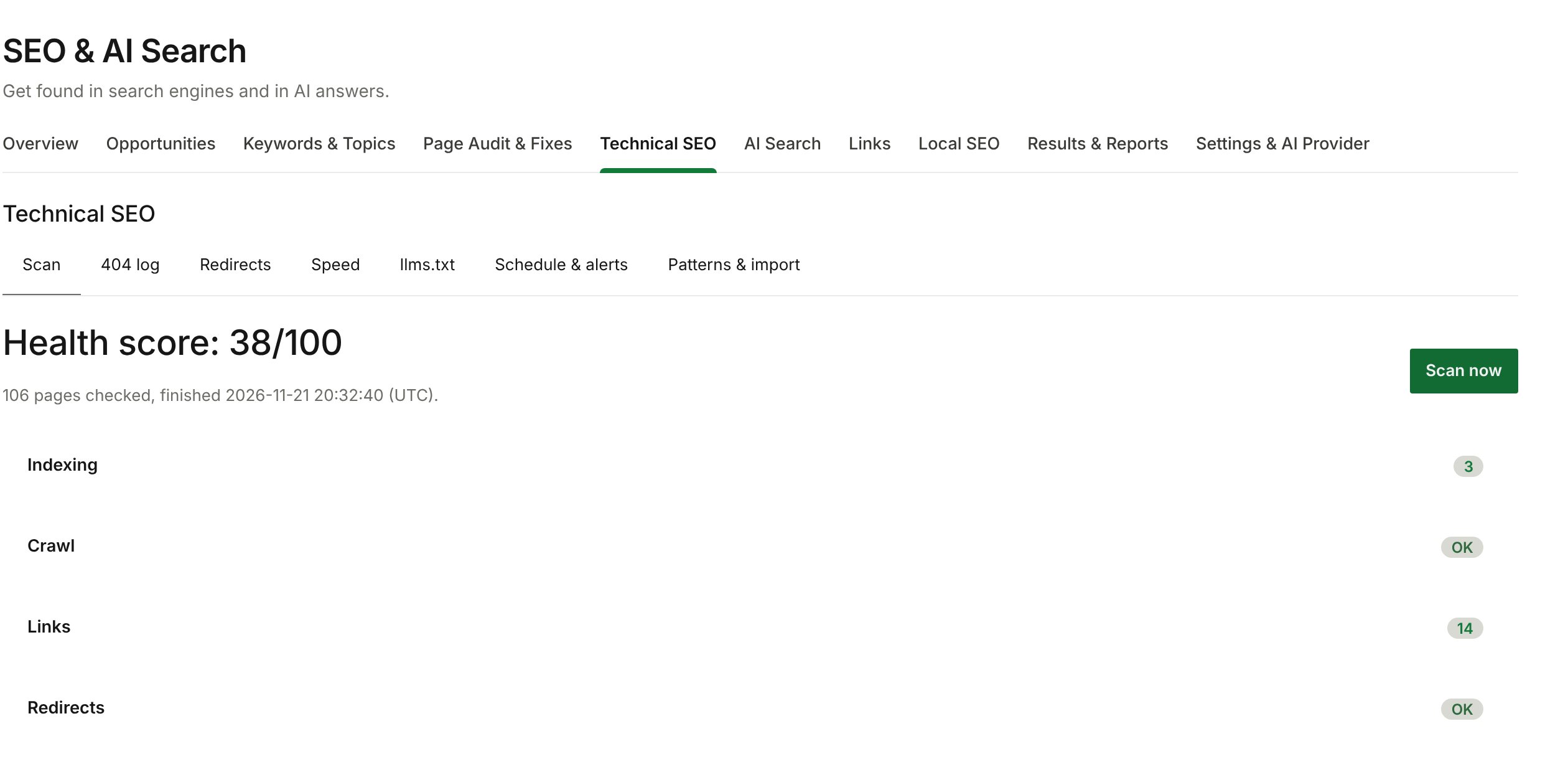
The technical scan with the health score and issues by category.
Run a scan
Click Scan now. The scan runs in small steps in the background, so it suits shared hosting: it lists your pages, checks them in batches, checks robots.txt, sitemaps, HTTPS and indexing, checks links to other sites and builds the report. When it finishes, you see "… pages checked, finished … (UTC)."
If your host does not allow the site to fetch its own pages, the scan reads them from the database. Click Check pages from this browser for full results (status codes, head tags, structured data).
What it checks
| Category | Examples of issues |
|---|---|
| Indexing | Pages set to noindex; pages Google has not indexed (with Search Console) |
| Crawl | robots.txt blocking the whole site; a missing sitemap, sitemap errors, a sitemap not submitted to Google |
| Links | Broken links to your own pages and to other sites |
| Redirects | HTTP not redirected to HTTPS; redirect chains |
| Duplicates | Missing canonical tags; canonical tags pointing elsewhere |
| Structure | Orphan pages (no page links to them); pages many clicks deep |
| Structured data | Pages without structured data, and structured data missing required fields |
| Speed and mobile | Slow pages; poor Core Web Vitals |
| Security | No HTTPS; mixed content |
Click a category to see its issues, with examples and a fix. Actions include Edit, Remove noindex and Add a redirect. When you fix an issue: "Fixed. It is gone from the next scan."
The health score drops most for high-severity issues. One widespread problem counts only a limited number of times, so it cannot sink the score alone.
Fix in this order
- Indexing and Crawl: nothing else matters if Google cannot crawl and index the page.
- Security and Redirects: HTTPS for every page, no chains.
- Links: broken internal links waste visits; fix or redirect them.
- Structure: link orphan pages from related pages.
- Speed and mobile, Duplicates and Structured data.
Speed
Open Technical SEO → Speed. Enter a PAGE ADDRESS and click Check speed. You get Google PageSpeed Insights' lab score, and Core Web Vitals from real Chrome visitors when Google has enough data. Fixes for speed are in Site Insight.
Speed checks work without a key at a low daily limit; a free PAGESPEED INSIGHTS API KEY in Settings & AI Provider → Connections raises it to 25,000 checks a day.
More in Technical SEO
- 404 log and Redirects: see Redirects and the 404 log.
- llms.txt: see llms.txt: an index of your pages for AI tools.
- Schedule & alerts and Patterns & import: see Scheduled scans and alerts and Redirects and the 404 log.
Scan settings (pages per scan step, paths to leave out) are in Settings & AI Provider → Data & scans. See SEO & AI Search settings.
Availability
The technical scan, health score and speed checks are in every edition, including WPBot Free. Scheduled scans and alerts are SEO & AI Search Pro (Professional and Master).
Was this article helpful?
Sorry about that. Get help another way:











