

How it persuades: reader stage, frameworks and Compare techniques
Good copy meets readers where they are. A visitor who has never heard of the problem needs a different page than one who is ready to buy. How it persuades lets you choose this for each piece. You find it on the brief in Write, in Quick Write, and in Channel versions.
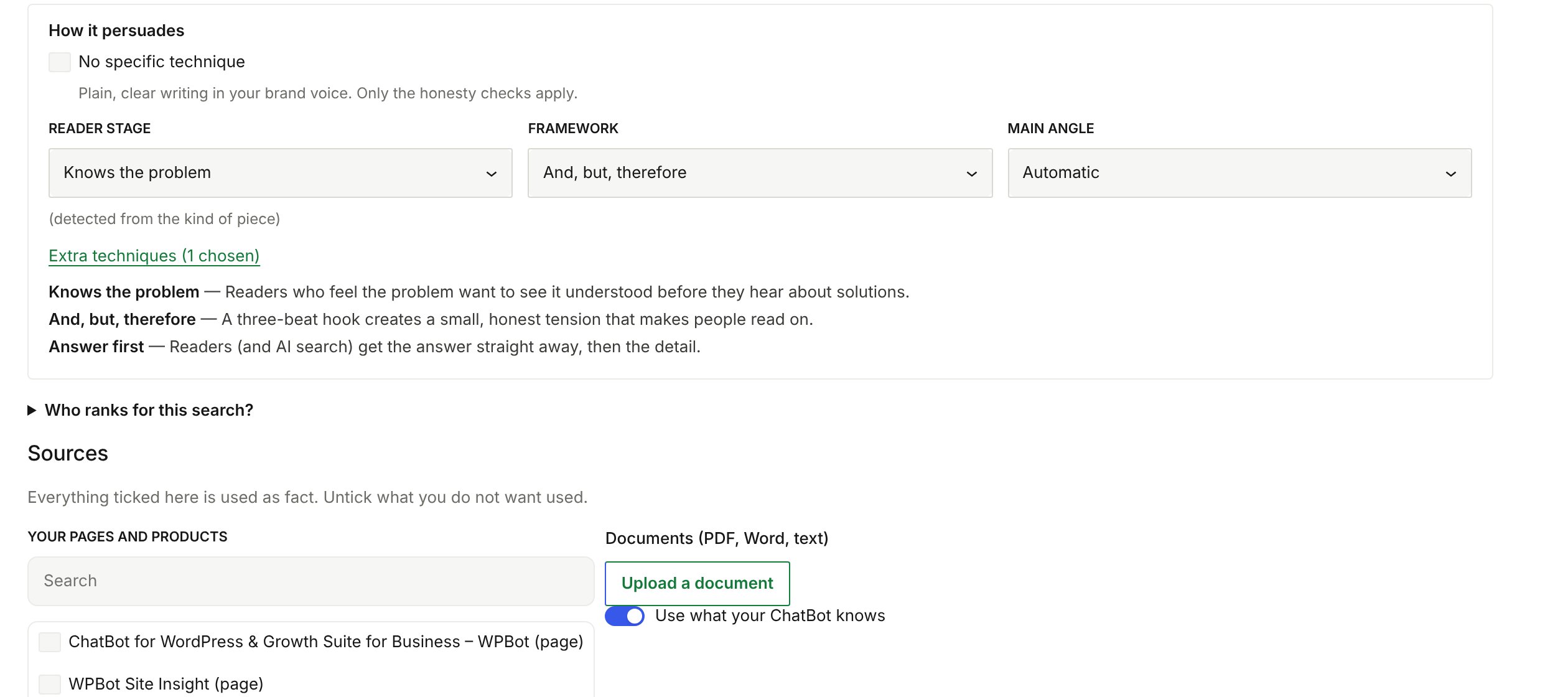
How it persuades on the brief.
AI Writer chooses for you from the search intent, where the idea came from and the kind of piece ("detected from the kind of piece"). Change it only when you know better. The choice is kept with the piece, never site-wide.
The choices
| Setting | Options |
|---|---|
| READER STAGE | Does not know about the problem yet, Knows the problem, Knows the solutions, Knows your offer, Ready to act |
| FRAMEWORK | No framework, Attention to action, And, but, therefore, Before, after, bridge, Customer as the hero, Feature to benefit, Lead with a new insight, Problem, then solution, Ask about their situation |
| MAIN ANGLE | Automatic, Gain angle (what they win), Loss angle (what they risk) |
| Extra techniques | Add techniques such as Answer first, Be specific, Show real proof near the claim or Use your customers' own words. Each chosen technique is listed with why it works. |
Tick No specific technique for plain, clear writing in your brand voice. Only the honesty checks apply then.
Tip
Answer first suits help articles and FAQ pages: readers, and AI search, get the answer straight away, then the detail.
Honesty checks
Whatever you choose, AI Writer checks the copy for invented proof, fake urgency and made-up prices. Proof comes only from your Persuasion Kit (see Business Profile: your Persuasion Kit and customer words); prices, sale dates and stock come live from WooCommerce. The editor checklist shows "Honest: no invented proof, urgency or prices" when a draft passes.
Compare techniques
Compare techniques writes the same copy with different techniques side by side, so you can pick what reads best. It is in Quick Write, the editor's Title and excerpt and Search appearance panels, the WooCommerce product panel and Channel versions.
- Choose the techniques, or click Suggest the best to let AI Writer pick for this reader.
- Click Show the cost, then Write the versions. All versions come from one AI call.
- Each version shows its label, why it works, reading level and the proof it used. Click Use this.
Techniques that need real data first (for example real deadlines and stock) are left out and listed.
On a published page, Send to an A/B test turns the versions into a test that measures which one works. See Results, headline tests and A/B tests.
Headline lab
Headline lab writes labelled headline variations for each technique you choose. Untick the ones you do not want and click one to use it as the title. Write → Headline lab does the same for up to 10 posts at once (see Write many articles, interview mode and the Headline lab).
Availability
How it persuades, the honesty checks, Compare techniques with two versions and the Headline lab in the editor are in every edition, including WPBot Free. AI Writer Pro (Starter, Professional and Master) compares up to four versions, adds Mix parts to combine the best parts of several versions, more headline variations, the Headline lab for several posts, and A/B tests.
Was this article helpful?
Sorry about that. Get help another way:











