

Chat Icon Messages: invite visitors to chat
Chat Icon Messages are the short invitations that pop up next to the chat button, such as "Questions about delivery? Ask me!". Open WPBot Pro → ChatBot → Chat Icon Messages.
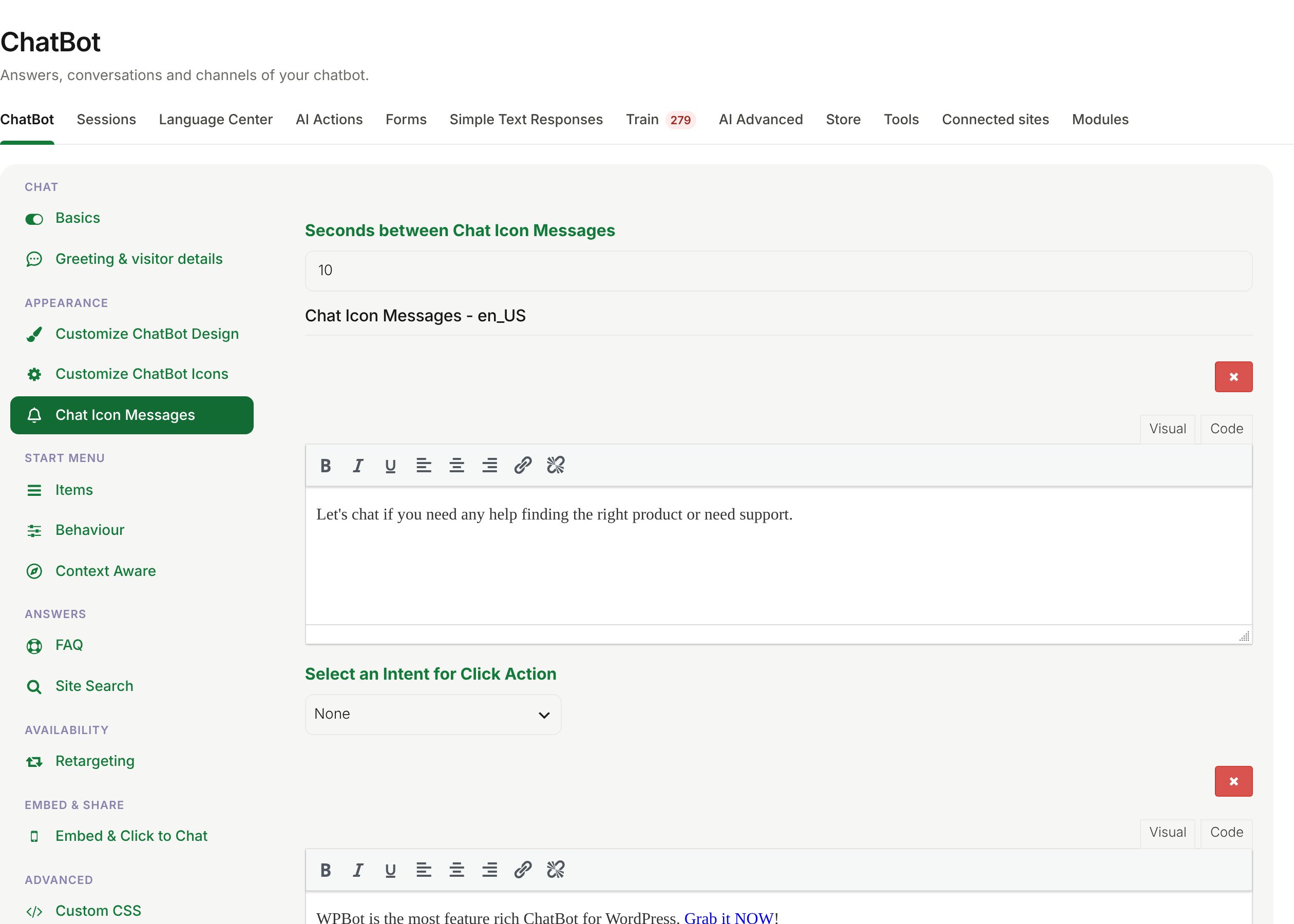
Chat Icon Messages with a click action for each message.
Write the messages
- Type a message in the editor. Add more with Add: the messages take turns.
- For each message, Select an Intent for Click Action: what starts when the visitor clicks the message. Choose a predefined intent (FAQ, Email Subscription, Send Us Email, Leave a Feedback and others), a WooCommerce intent, a Conversational Form, an AI Action, or None to just open the chat.
- Seconds between Chat Icon Messages: how long each message shows before the next one.
Quick menu buttons
Tick Enable Intent Navigation for Chat Icon Messages, then choose in Select Intents for Chat Icon Messages Navigation which intents show as buttons under the message. The list is grouped into predefined, WooCommerce and custom intents.
How the message and its buttons look (chat bubbles, a card, pills, an ask bar) is set in the floating box styles of Design the chat button and floating box. When it appears, and whether it shows on phones, is set in Floating icon, notification box and chat bar.
Messages that start conversations
- Ask a question your visitors already have, not "Hi, how can I help?". Look in Train and Sessions for the most common questions.
- Link a message to the action you want, such as a quote form or an AI Action that qualifies a lead. One click and the visitor is in the conversation.
- Two or three messages are enough. Rotate a support question, a sales question and an offer.
- Add two or three quick menu buttons, for example FAQ and Send Us Email, for visitors who prefer to click.
Availability
In every WPBot Pro edition. The WooCommerce intents need the WooCommerce module (Professional and Master), and Conversational Forms need Professional or Master. WPBot Free does not have Chat Icon Messages.
Was this article helpful?
Sorry about that. Get help another way:











