

Autopilot: one-click setup, modes, guardrails and the kill switch
On this page
Open WPBot Pro → AI Marketing → Autopilot (under More).
Set up AI Marketing in one click
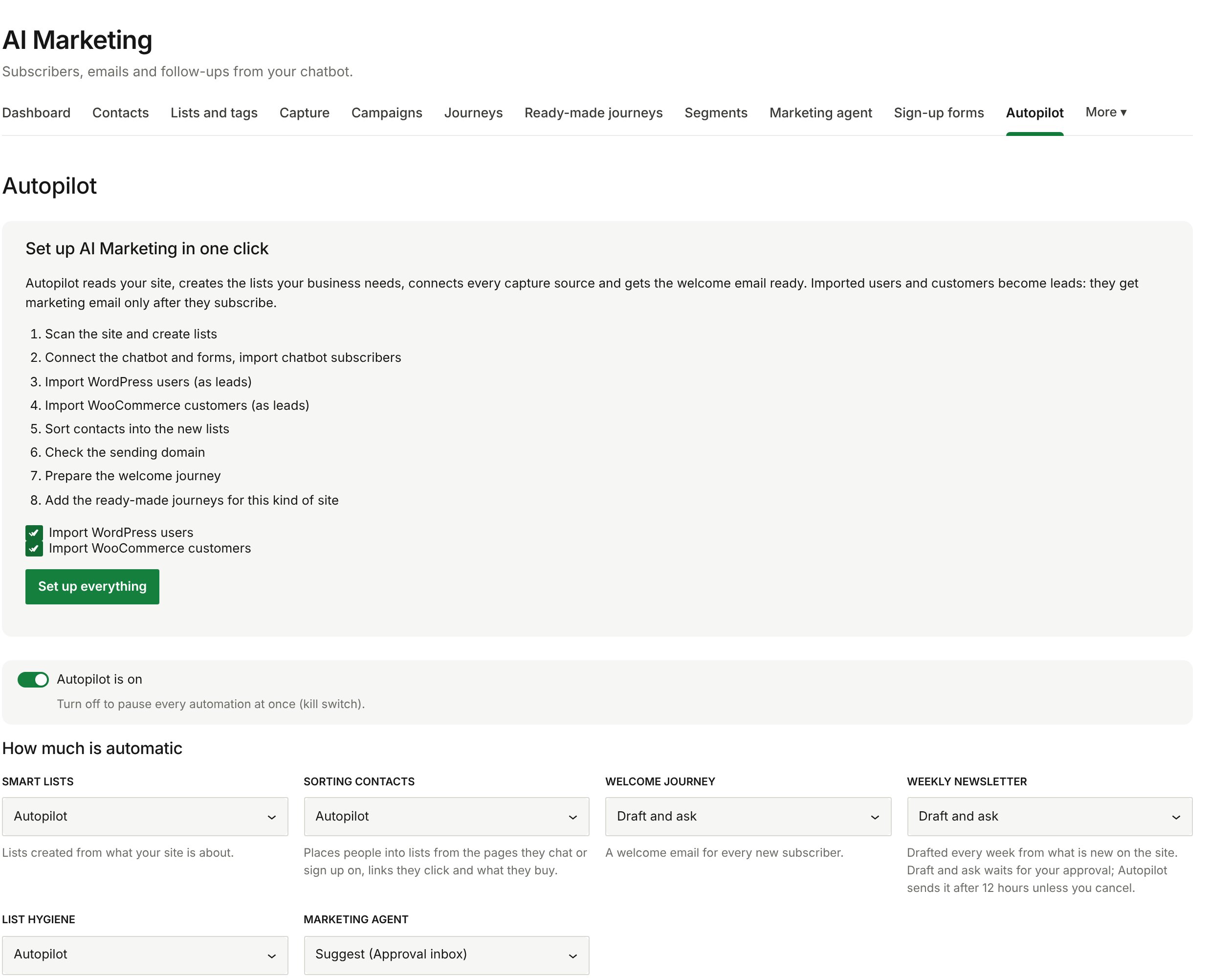
One-click setup and the kill switch.
Set up everything does eight steps:
- Scan the site and create lists
- Connect the chatbot and forms, import chatbot subscribers
- Import WordPress users (as leads)
- Import WooCommerce customers (as leads)
- Sort contacts into the new lists
- Check the sending domain
- Prepare the welcome journey
- Add the ready-made journeys for this kind of site
Untick Import WordPress users or Import WooCommerce customers to skip them. Imported users and customers become leads: they get marketing email only after they subscribe. The welcome email then waits in the Approval inbox for your OK.
The kill switch
Autopilot is on / Autopilot is paused: turn it off to pause every automation at once. Nothing runs automatically: journeys wait and their emails stay in the queue.
How much is automatic
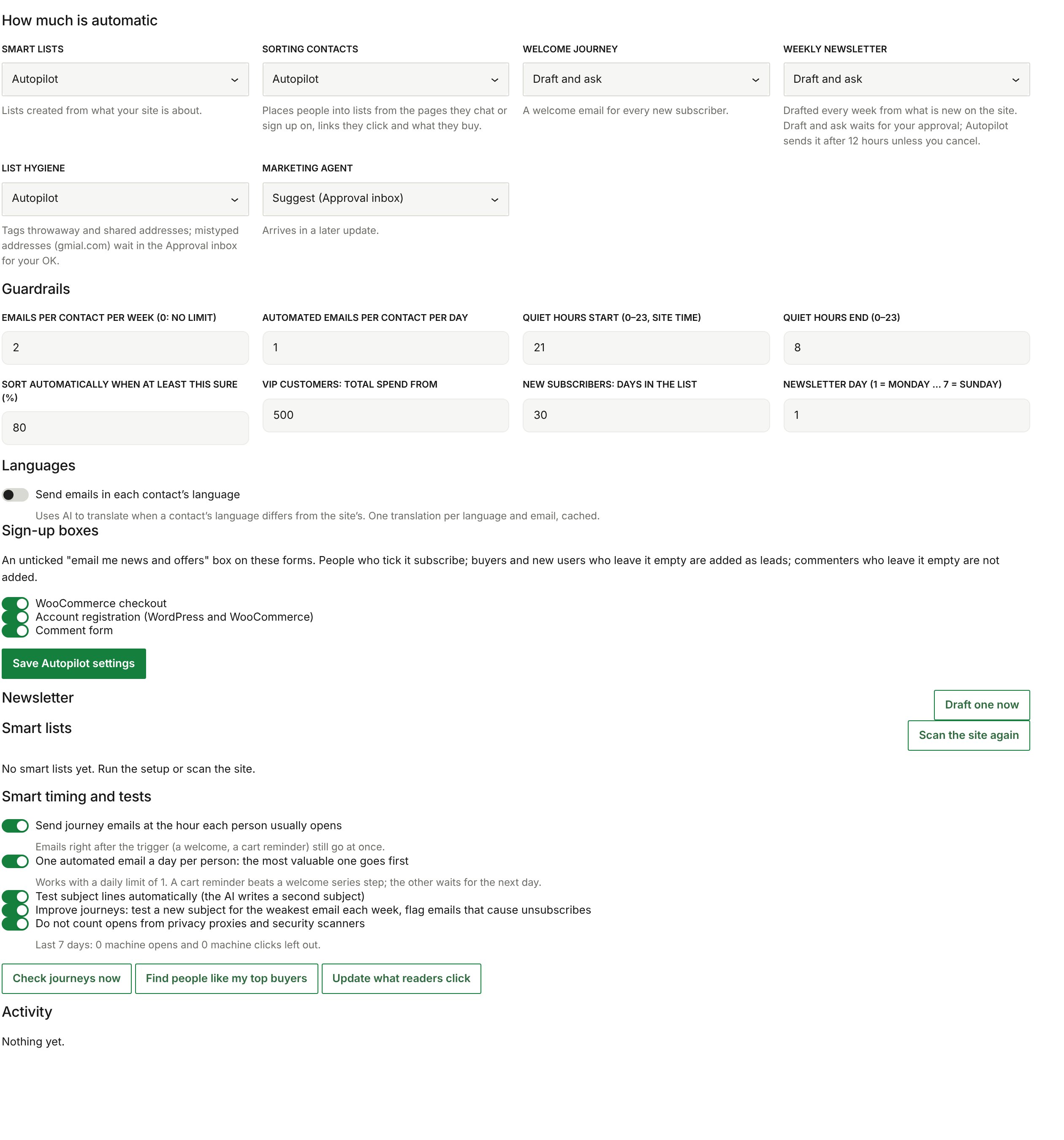
Modes, guardrails, languages, sign-up boxes and smart timing.
Each task has a mode: Off, Suggest (Approval inbox), Draft and ask or Autopilot.
| Task | What it does | Default |
|---|---|---|
| SMART LISTS | Lists created from what your site is about | Autopilot |
| SORTING CONTACTS | Places people into lists from the pages they chat or sign up on, links they click and what they buy | Autopilot |
| WELCOME JOURNEY | A welcome email for every new subscriber | Draft and ask |
| WEEKLY NEWSLETTER | Drafted every week from what is new on the site. Draft and ask waits for your approval; Autopilot sends it after 12 hours unless you cancel | Draft and ask |
| LIST HYGIENE | Tags throwaway and shared addresses; mistyped addresses (gmial.com) wait in the Approval inbox for your OK | Autopilot |
| MARKETING AGENT | The screen says it arrives in a later update | Suggest (Approval inbox) |
Anything you edit by hand, such as a list, an email or a journey step, is never overwritten by automation.
Guardrails
| Setting | Default |
|---|---|
| EMAILS PER CONTACT PER WEEK (0: NO LIMIT) | 2 |
| AUTOMATED EMAILS PER CONTACT PER DAY | 1 |
| QUIET HOURS START (0–23, SITE TIME) / QUIET HOURS END (0–23) | 21 to 8 |
| SORT AUTOMATICALLY WHEN AT LEAST THIS SURE (%) | 80; less sure placements go to the Approval inbox |
| VIP CUSTOMERS: TOTAL SPEND FROM | 500 |
| NEW SUBSCRIBERS: DAYS IN THE LIST | 30 |
| NEWSLETTER DAY (1 = MONDAY … 7 = SUNDAY) | 1 |
Only contacts with marketing consent are emailed. Campaigns you send by hand are not held by these caps.
Languages and sign-up boxes
- Send emails in each contact's language: see Automatic newsletter and campaigns for new products and sales.
- Sign-up boxes: consent boxes on the WooCommerce checkout, Account registration (WordPress and WooCommerce) and the Comment form. See Sign-up form shortcode, WPForms and other sign-up sources.
Click Save Autopilot settings.
Newsletter and smart lists
- Newsletter → Draft one now drafts this week's newsletter.
- Smart lists → Scan the site again re-reads your site; the table shows each list, its members, what it is filled from, and edited by you for lists you changed.
Smart timing and tests
- Send journey emails at the hour each person usually opens. Emails right after the trigger (a welcome, a cart reminder) still go at once.
- One automated email a day per person: the most valuable one goes first. A cart reminder beats a welcome series step; the other waits for the next day.
- Test subject lines automatically (the AI writes a second subject).
- Improve journeys: test a new subject for the weakest email each week, flag emails that cause unsubscribes.
- Do not count opens from privacy proxies and security scanners.
- Check journeys now, Find people like my top buyers and Update what readers click. What your email readers click is shared with AI Writer, SEO & AI Search and Social as content ideas.
Activity lists what Autopilot did.
Tip
A safe start: Autopilot for smart lists, sorting and hygiene; Draft and ask for the welcome journey and the newsletter. Move the welcome journey to Autopilot after you approve the first email.
Availability
Master only. Starter, Professional and WPBot Free show a preview with Upgrade to Master.
Was this article helpful?
Sorry about that. Get help another way:











