

Ready-made journeys for your kind of site
Open WPBot Pro → AI Marketing → Ready-made journeys. AI Marketing looks at your site, for example "This looks like an online store", and ticks the journeys recommended for it. Each email is written and can be changed in Journeys before you switch them on.
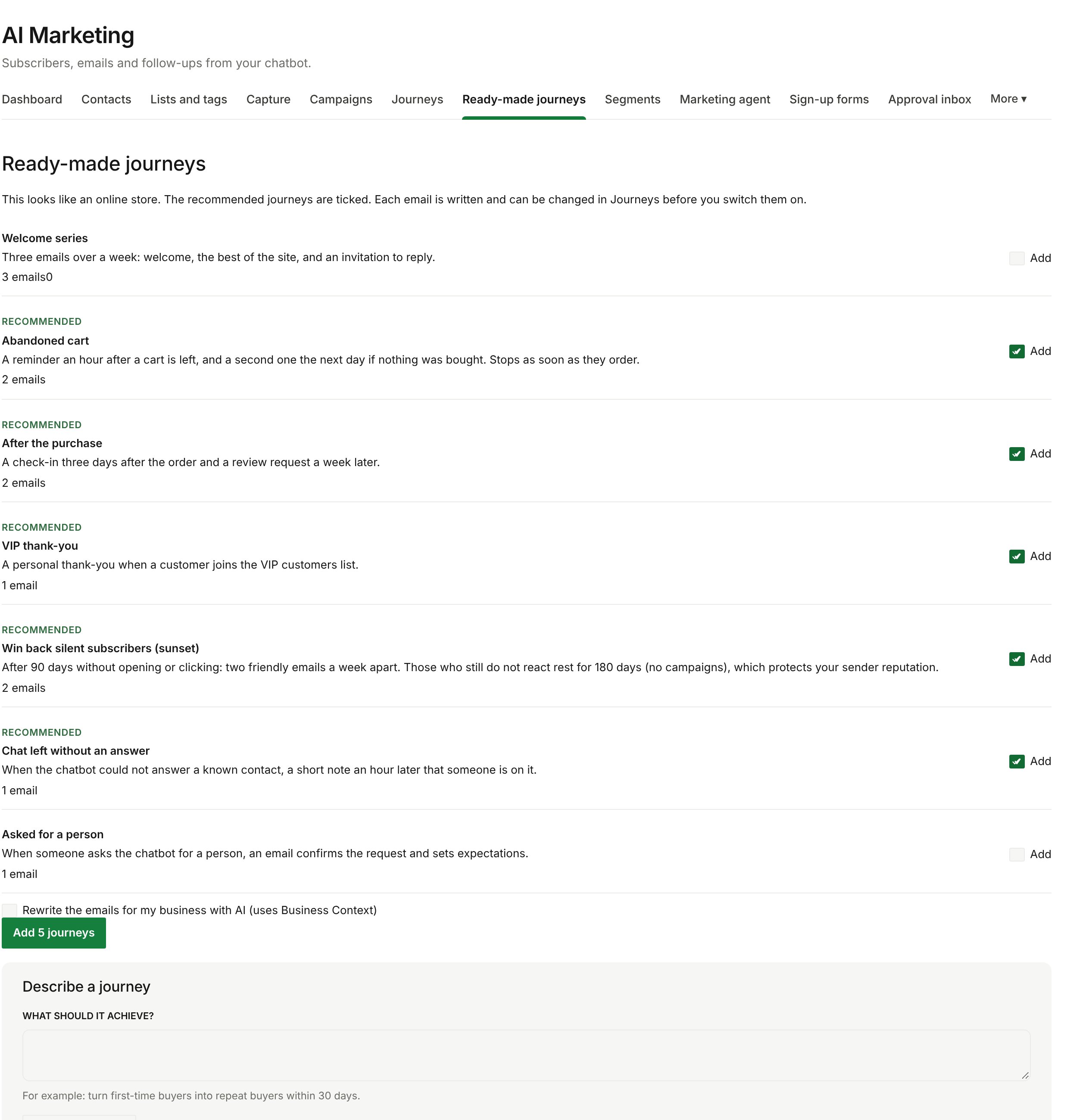
Ready-made journeys recommended for an online store.
The journeys
| Journey | What it does |
|---|---|
| Welcome series | Three emails over a week: welcome, the best of the site, and an invitation to reply |
| Abandoned cart | A reminder an hour after a cart is left, and a second one the next day if nothing was bought. Stops as soon as they order |
| After the purchase | A check-in three days after the order and a review request a week later |
| VIP thank-you | A personal thank-you when a customer joins the VIP customers list |
| Win back silent subscribers (sunset) | After 90 days without opening or clicking: two friendly emails a week apart. Those who still do not react rest for 180 days (no campaigns), which protects your sender reputation |
| Chat left without an answer | When the chatbot could not answer a known contact, a short note an hour later that someone is on it |
| Asked for a person | When someone asks the chatbot for a person, an email confirms the request and sets expectations |
The list depends on your site: shop journeys need WooCommerce.
Add them
- Tick the journeys you want.
- Optionally tick Rewrite the emails for my business with AI (uses Business Context).
- Click Add (for example Add 5 journeys).
Journeys are added switched off and wait for your approval in the The Approval inbox. Approve them there to switch them on.
"We answered your question" emails
When the chatbot could not answer a question and you answer it in ChatBot → Train, everyone who asked it and left an email gets the answer, once. People who opted out, bounced or complained never get it; leads do, because it answers their own question.
Availability
Master only.
Was this article helpful?
Sorry about that. Get help another way:











