

Chat Sessions: read, reply to and export conversations
On this page
Open WPBot Pro → ChatBot → Sessions. Every conversation with the chatbot is saved as a session.
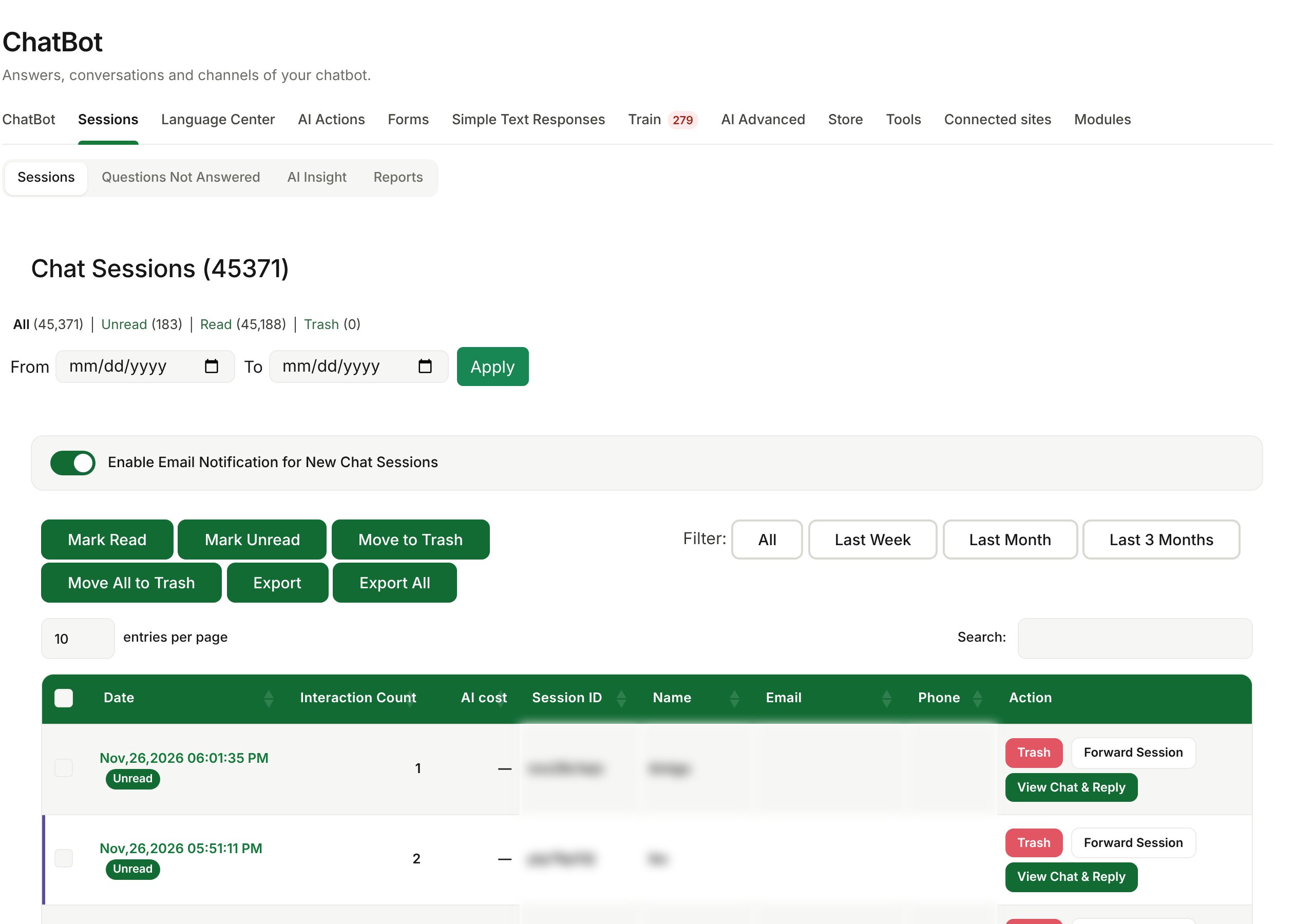
The Chat Sessions list. Names, emails and phone numbers are blurred here.
Find a conversation
- All, Unread, Read and Trash filter by status. New sessions are Unread.
- From and To with Apply show a date range. Filter offers All, Last Week, Last Month and Last 3 Months.
- Search finds a name, email or session ID. Choose how many entries per page to show.
Each row shows the Date, the Interaction Count (messages in the chat), the AI cost, the Session ID and the visitor's Name, Email and Phone when they gave them.
Read a session and reply
Click View Chat & Reply. You see the Session Details and every message.
- AI answers and cost: for each AI answer, the Model, Tokens (in / out), Cost (USD) and Sources and steps, so you can see which pages the answer came from.
- Summarize with AI: a short AI summary of a long conversation. It uses your AI provider.
- Reply via Email: write a Subject and Message and click Send Reply. This works when the visitor left an email address.
- Forward Session: send the whole conversation to a colleague by email.
- Export, Move to Trash, and in the trash Restore or Delete Permanently.
Get an email for every new chat
Switch on Enable Email Notification for New Chat Sessions. WPBot emails you about five minutes after a new session starts, so the email includes the first messages. It goes to the address in Email Setup (see Email Setup: where chatbot emails go and who sends them), or to your notification addresses once you have saved AI / Settings → Notifications (see Notification emails and digests).
Tip
On a busy site, choose a daily digest for this email in AI / Settings → Notifications, and rely on live chat for visitors who need you now.
Bulk actions and export
Tick sessions and click Mark Read, Mark Unread, Move to Trash or Export. Export All exports every session the list shows, with its date filter. Move All to Trash empties the list into the trash.
Visitors can get a copy of the chat
While Chat Sessions are on, the chat window can offer visitors "Email me this chat". Turn it off with Disable email transcript in Email Setup.
Availability
In every edition, including WPBot Free. AI Insight and Reports need a WPBot Pro edition (see AI Insight and chat reports).
Was this article helpful?
Sorry about that. Get help another way:











