

SEO & AI Search settings
On this page
Open WPBot Pro → SEO & AI Search → Settings & AI Provider. The settings are grouped in tabs: Connections, AI, Data & scans, Competitors, Email & results and General. Only administrators can change connections and keys.
Connections
- Google Search Console and Analytics: see Connect Google Search Console and Google Analytics.
- Google Ads API (read only) and Google Keyword Planner (Pro): see Paid searches, Google Ads and Keyword Planner.
- Other services:
- PAGESPEED INSIGHTS API KEY (OPTIONAL): speed checks work without a key at a low daily limit; a free key raises it to 25,000 checks a day.
- BING WEBMASTER TOOLS API KEY (OPTIONAL): adds inbound link counts to Links, and Bing search numbers and trends to keyword research, labelled "Bing (free)". Verify your site in Bing Webmaster Tools, then copy the key from Settings > API access.
- Click Save keys.
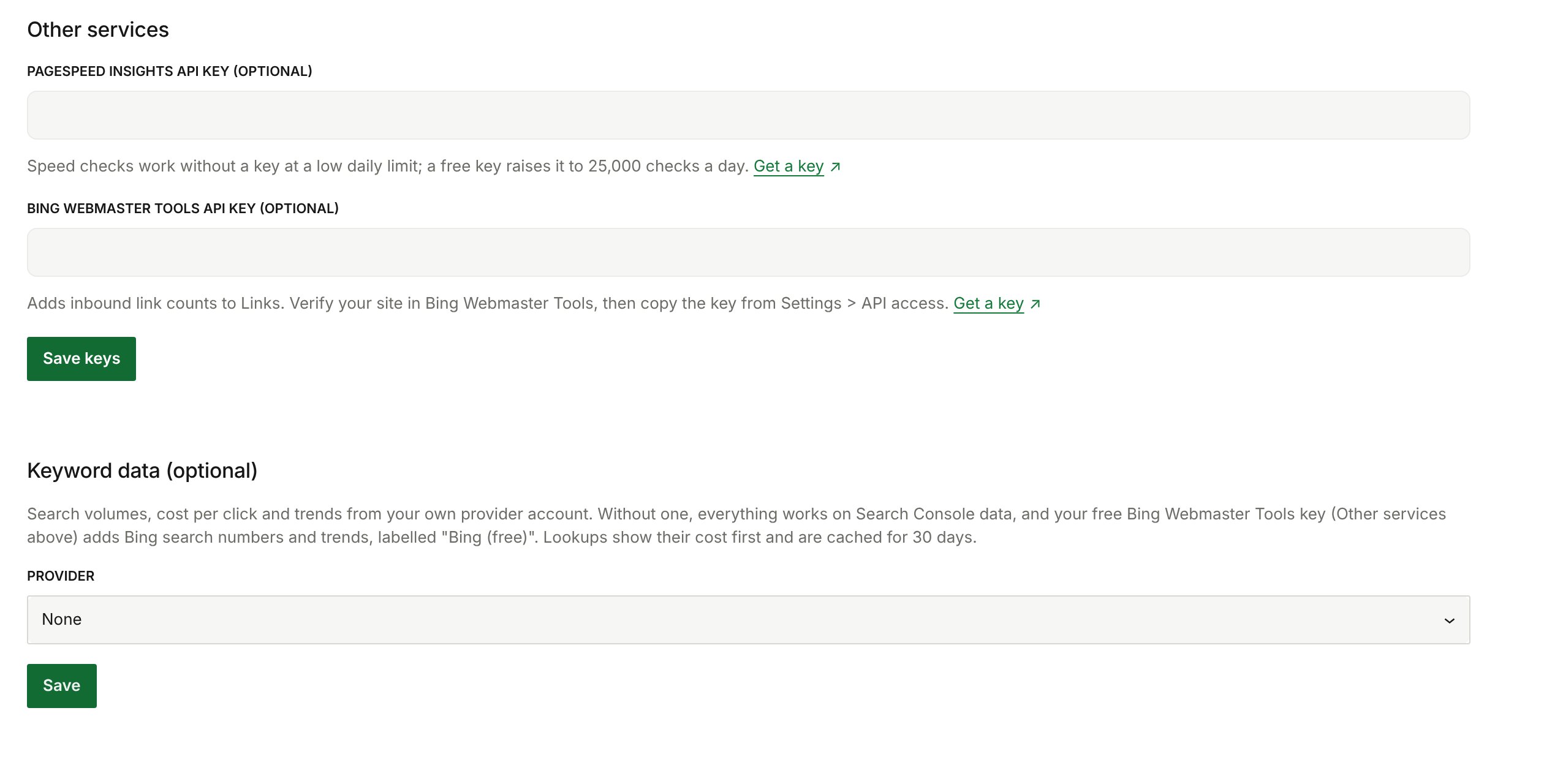
Other services and the keyword data provider.
Keyword data (optional)
Search volumes, cost per click and trends from your own provider account. Without one, everything works on Search Console data (and Bing, if you added its key). Lookups show their cost first and are cached for 30 days.
| PROVIDER | Key |
|---|---|
| DataForSEO | Your API login and API password as login:password (DataForSEO dashboard > API Access). Pay as you go. |
| Keywords Everywhere | Your API key. One credit per keyword. |
| Semrush | Your Semrush API key (Business plan with API units). |
Set a Monthly budget for lookups (empty = no limit). Check the key and balance tests the key. Keys are shown masked; leave the field empty to keep a saved key.
AI
SEO & AI Search uses the keys saved in WPBot Pro → AI / Settings ("Using WPBot Pro > AI Settings"). Use own keys for SEO & AI Search gives it its own provider and keys. Set a MONTHLY BUDGET IN US DOLLARS (0 = NO BUDGET) and click Save AI settings. AI visibility and finding places need a model that can search the web. See Choose your AI provider and add your key.
Data & scans
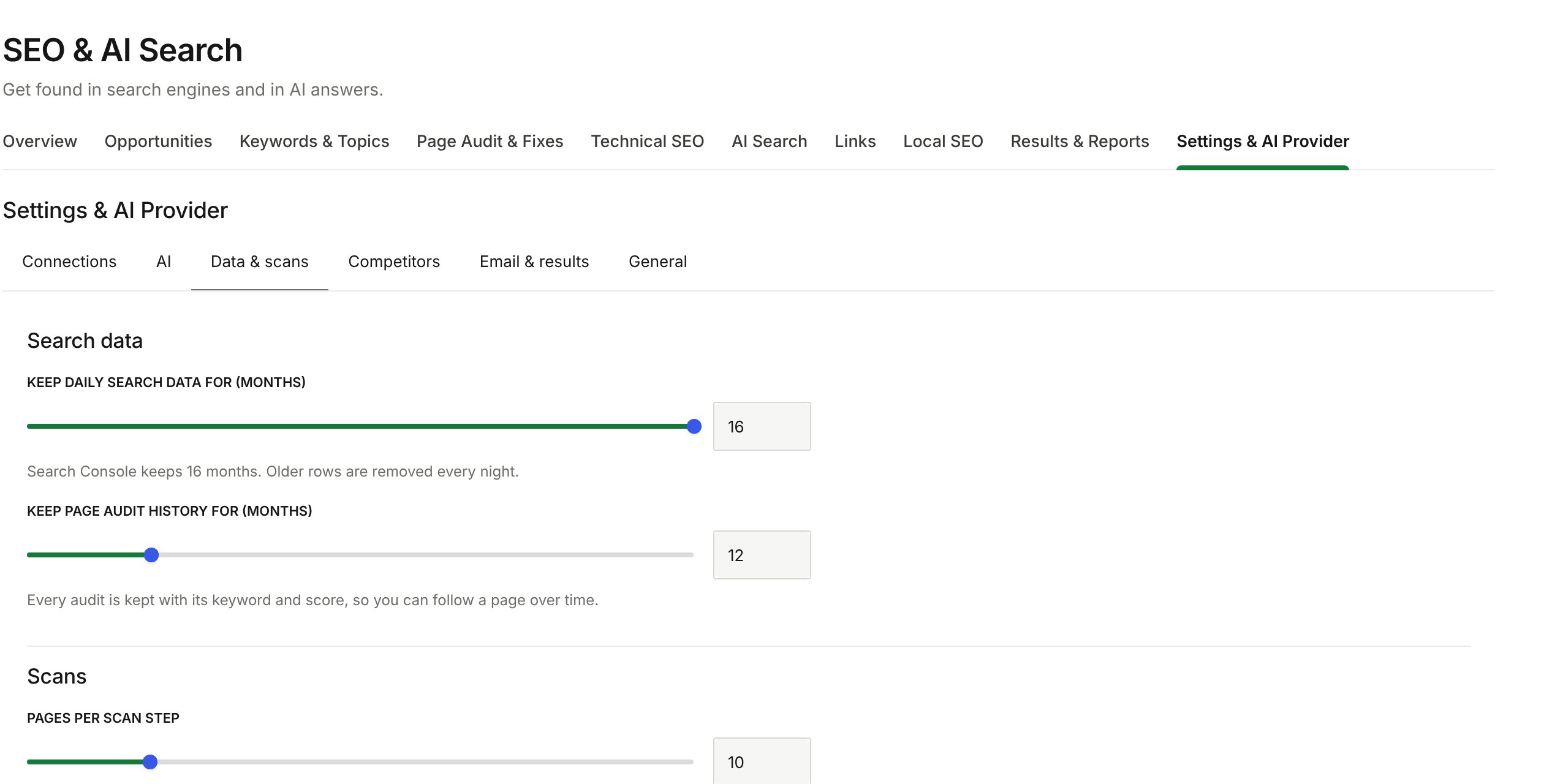
Data and scan settings.
| Setting | What it does |
|---|---|
| KEEP DAILY SEARCH DATA FOR (MONTHS) | Search Console keeps 16 months. Older rows are removed every night. |
| KEEP PAGE AUDIT HISTORY FOR (MONTHS) | Every audit is kept with its keyword and score, so you can follow a page over time. |
| PAGES PER SCAN STEP | Lower this if your host is slow; scans take more steps but each one is shorter. |
| PATHS TO LEAVE OUT OF SCANS (ONE PER LINE, * AS WILDCARD) | For example /members/*. |
| ASK ME BEFORE A RESEARCH RUN THAT COSTS MORE THAN (USD) | Runs below this start straight away. Set 0 to be asked every time. |
Competitors
One competitor list for Competitor gap research, link prospects and AI Writer, up to 20 sites. Add a competitor or Suggest competitors. See Competitors: your list, their keywords and their topics.
Email & results
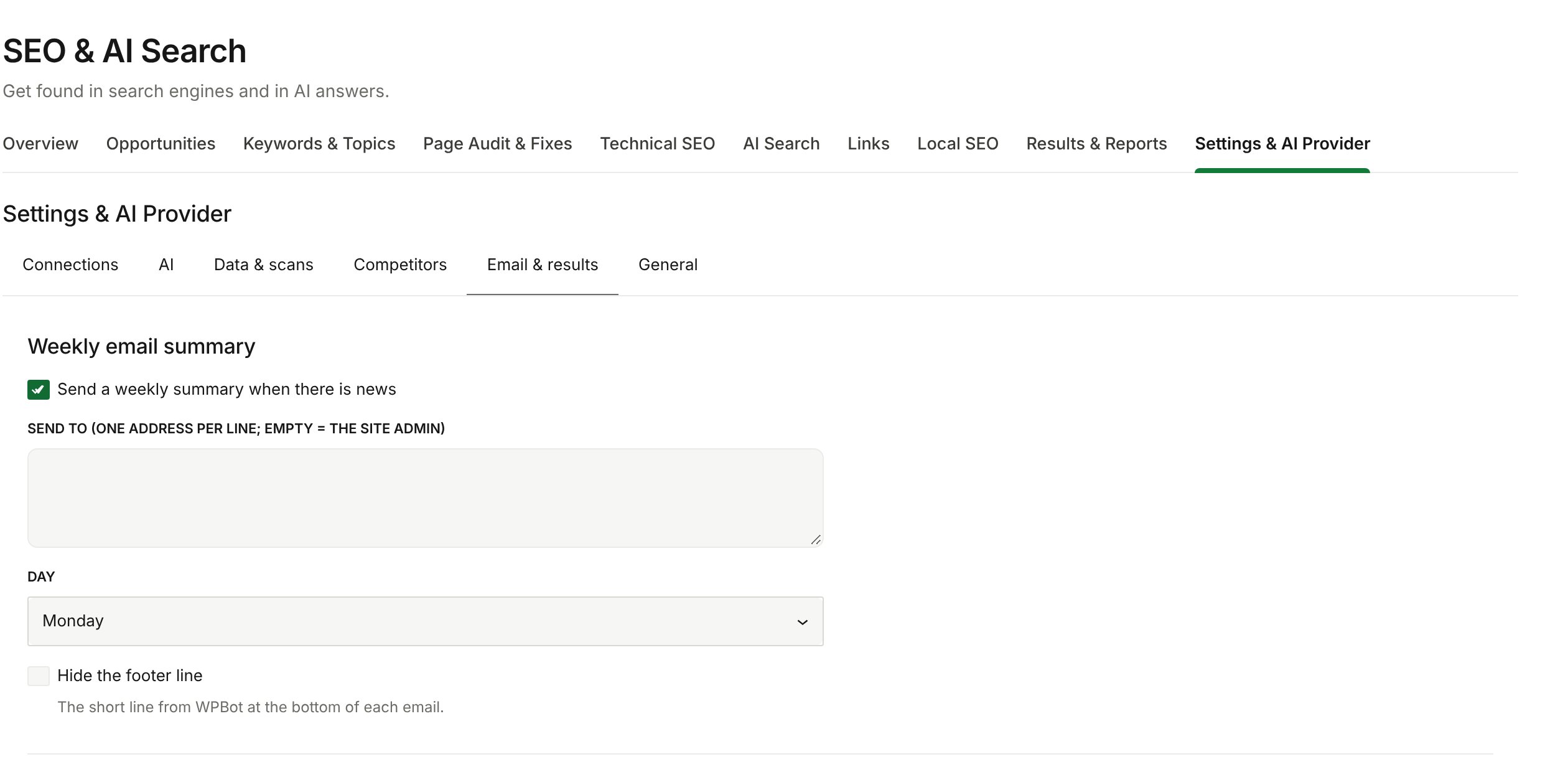
Weekly email summary and results settings.
- Send a weekly summary when there is news, SEND TO (empty = the site admin), the DAY, and Hide the footer line.
- MEASURE RESULTS AFTER (DAYS, ONE PER LINE): after each change you log (a fix, a new page), its clicks, position and conversions are compared with the same number of days before it, at each of these days.
General
- Delete this module's data when the plugin is deleted: search data, scans, logs and settings. Your posts and your SEO plugin's fields are never touched.
- Who can use SEO & AI Search is set in WPBot Pro → Permissions. See Permissions: who can see, use and change each tool.
Availability
All settings on this page are in every edition, including WPBot Free, except the Google Ads API, Keyword Planner and the monthly check for new competitors, which are SEO & AI Search Pro (Professional and Master).
Was this article helpful?
Sorry about that. Get help another way:











