

Links: monitor, earn and keep links from other sites
On this page
Links from other sites still help pages rank and bring visitors. Links helps you earn them and keep them, within Google's spam policies: no buying links, no link schemes, and paid links always marked sponsored.
Open WPBot Pro → SEO & AI Search → Links.
Link Monitor
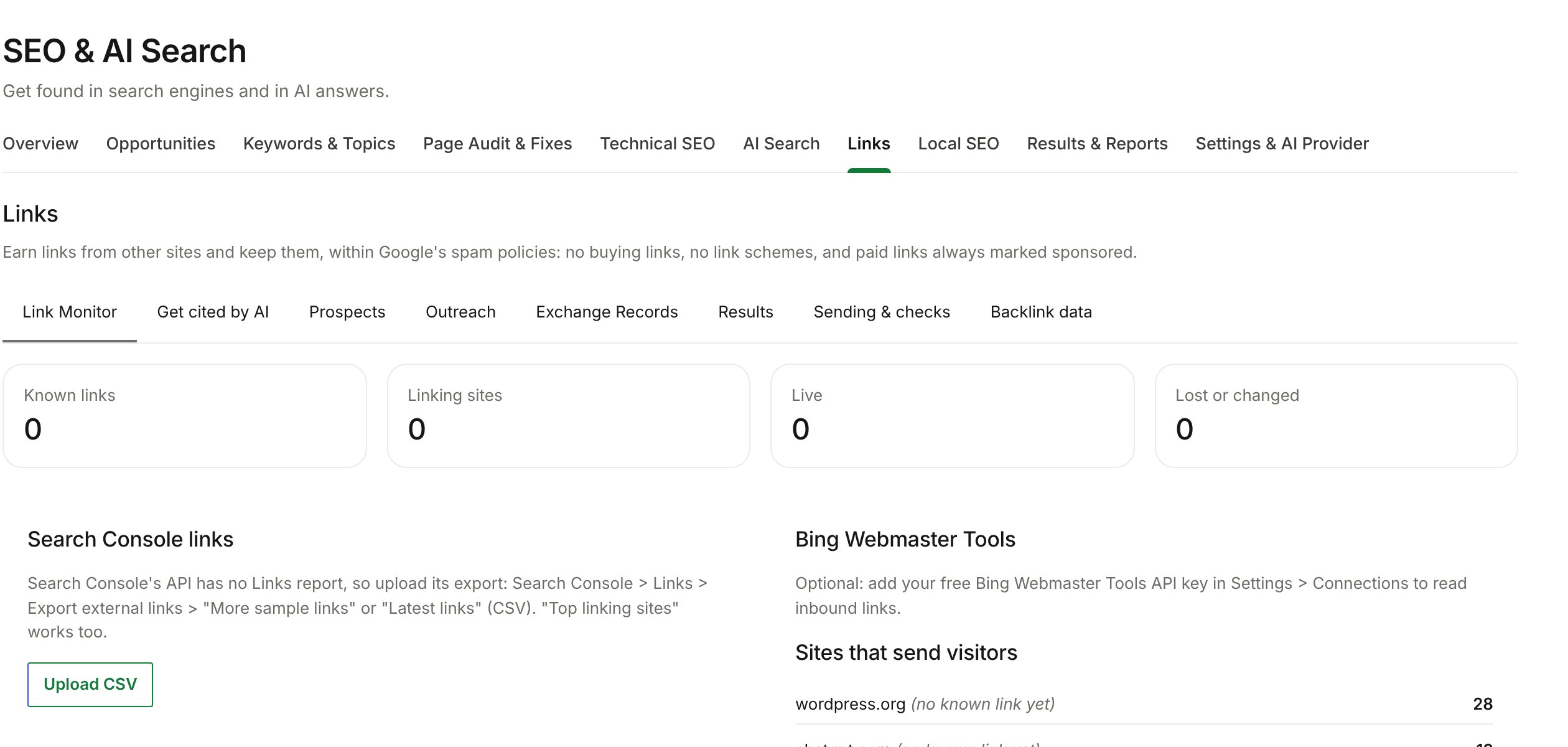
Link Monitor: known links, live and lost links, and the sites that send visitors.
- Known links, Linking sites, Live and Lost or changed.
- Search Console links: Search Console's API has no Links report, so upload its export: Search Console > Links > Export external links > "More sample links" or "Latest links" (CSV). "Top linking sites" works too. Click Upload CSV.
- Bing Webmaster Tools: add your free Bing Webmaster Tools API key in Settings > Connections and click Read from Bing to read link counts and linking pages.
- Sites that send visitors: referring sites from Site Insight, with "(no known link yet)" where you have no record of the link.
- Known links: filter by STATUS (Live, Changed, Lost…) and SOURCE. Add a link you know about with PAGE THAT LINKS TO YOU, YOUR PAGE, ANCHOR TEXT and LINK TYPE, then Add link. Check links now checks them.
Prospects
Sites worth contacting, and why they fit. Only what you enter or a published contact page is kept; your competitors are left out.
- Add a prospect by hand: name, website, the page where a link fits, the published contact page, location and why it fits.
- Find prospects with AI (Pro): an AI assistant searches the web using your business details, looking for Mentions without a link, Resource pages, Broken links, Publications or Partners. Every suggestion is checked on the live page before it is added; sites that sell links are flagged and left out.
- Linkable content: your pages other sites are most likely to link to (guides, data, checklists, tools). Point outreach at these, or plan a new one with Write it in AI Writer.
- Local citations: whether you are listed on key directories (Google Business Profile, Bing Places for Business, Apple Business Connect, Facebook Page, Yelp for Business) with the same name, address and phone as in Local SEO.
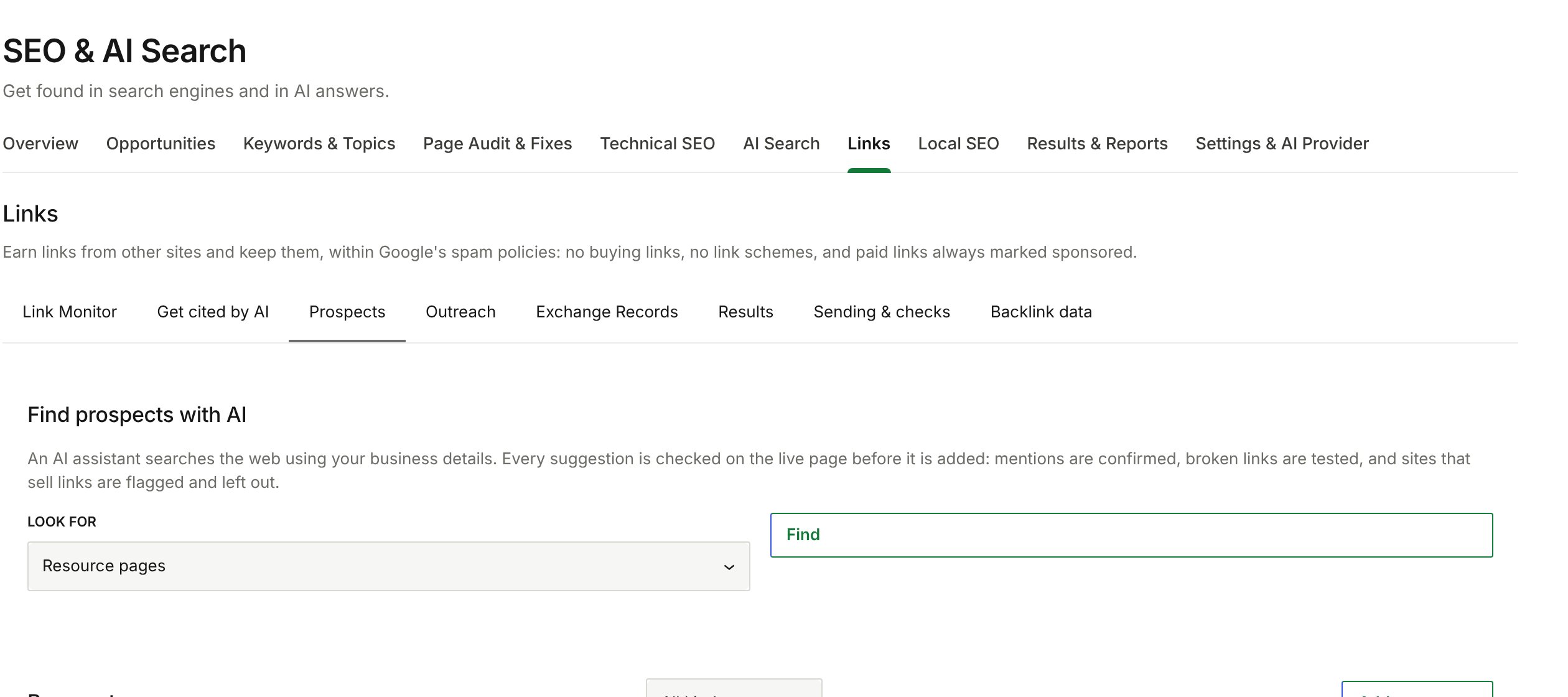
Find prospects with AI.
Outreach
Everyone you reach out to, in one list. Not a mass-mail tool: write each message, make it yours, and send it yourself. Add a contact or start from a prospect (Start outreach). For each contact: Write with AI a message (link request, guest post or collaboration), make it yours, then Copy it or Open in my email. Set a Follow up on date. When the link goes live, it is added to Link Monitor.
In Pro, Sending & checks sends messages one by one through AI Marketing's email connection, only when you click Send, with MOST EMAILS A DAY and follow-up reminders.
Exchange records
For links you agreed with real partners, suppliers or associations. Record an exchange with both sides: their page linking to you and your page linking to them, the link types, dates and the agreement. Both sides are checked. If something was paid or given in return, mark your link sponsored. There is no marketplace or partner search: excessive link exchanges count as a link scheme.
Results and backlink data
- Results: links earned in 12 months, guest posts published, collaborations live and active exchanges, per month.
- Backlink data (Pro): a fuller list of links from your keyword data provider (Update backlink data); new links are added to Link Monitor and missing ones marked lost. Find link gaps lists sites that link to your competitors but not to you.
- Scheduled checks (Pro): CHECK KNOWN LINKS AND EXCHANGES every week or month. Lost or changed links and broken exchanges raise an alert.
Get cited by AI
The Get cited by AI tab helps you show up in the communities AI assistants quote. See Get cited by AI: show up on the sites assistants trust.
Availability
Link Monitor, manual prospects, linkable content, local citations, outreach, exchange records and link results are in every edition, including WPBot Free. Find prospects with AI, sending through AI Marketing with follow-up reminders, scheduled link checks, backlink data and competitor link gaps are SEO & AI Search Pro (Professional and Master). Sending needs AI Marketing's email connection; backlink data needs a keyword data provider.
Was this article helpful?
Sorry about that. Get help another way:











