

Local SEO: business details, Google Business Profile, reviews and locations
On this page
Local customers search with "near me" and a town name, on Google Maps and in AI assistants. Local SEO makes sure every place shows the same, correct details about your business.
Open WPBot Pro → SEO & AI Search → Local SEO.
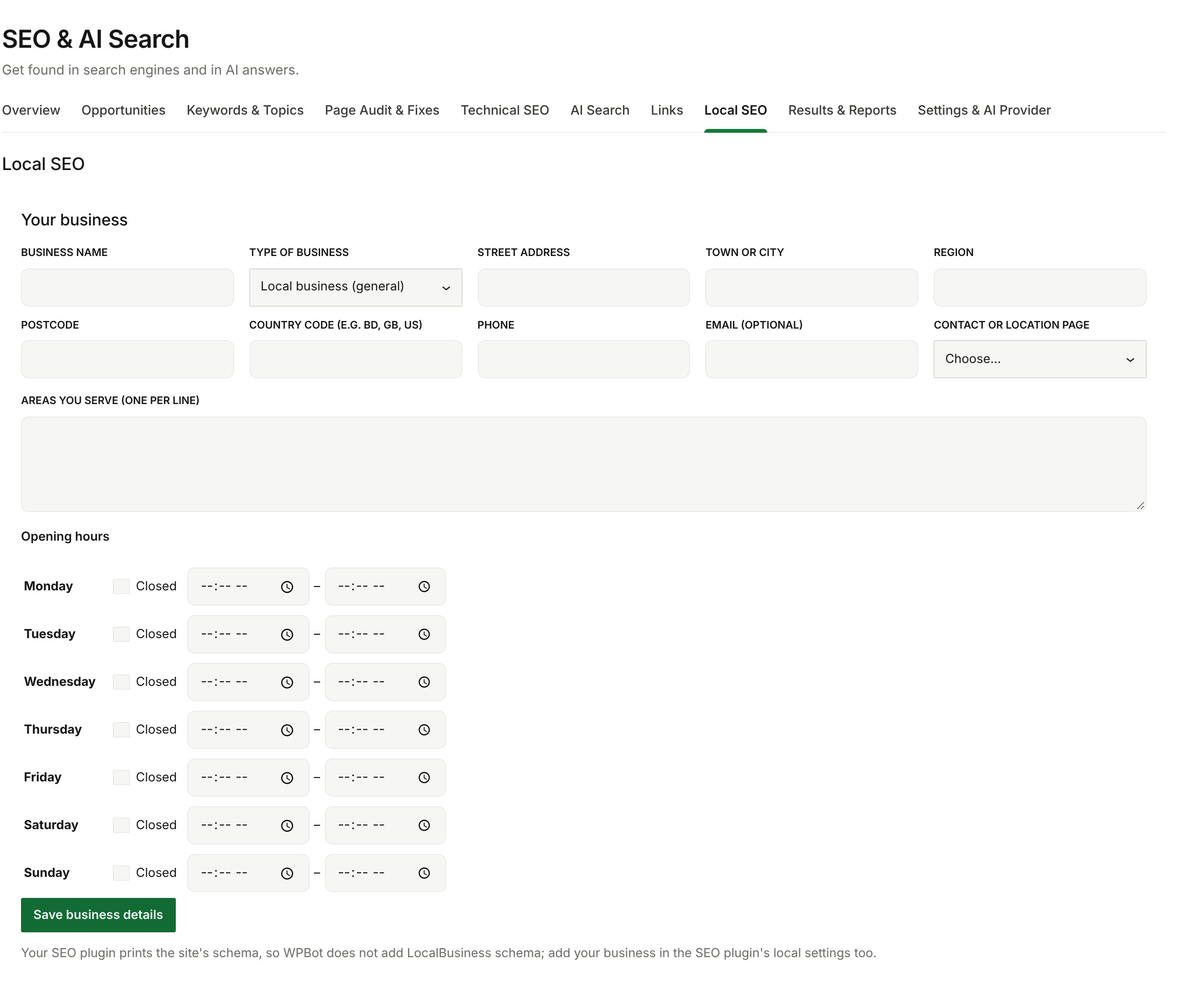
Your business: name, type, address, contact page, areas you serve and opening hours.
Your business
Fill in BUSINESS NAME, TYPE OF BUSINESS, STREET ADDRESS, TOWN OR CITY, REGION, POSTCODE, COUNTRY CODE, PHONE, EMAIL (OPTIONAL), your CONTACT OR LOCATION PAGE, the AREAS YOU SERVE (ONE PER LINE) and the Opening hours for each day (or Closed). Click Save business details.
These details are used for local SEO, structured data and AI answers, and for comparing your directory listings in Links. If your SEO plugin prints the site's schema, SEO & AI Search does not add LocalBusiness schema; add your business in the SEO plugin's local settings too.
Tip
Use exactly the same name, address and phone everywhere: your site, Google Business Profile, Facebook and directories. Differences confuse search engines and customers.
Google Business Profile
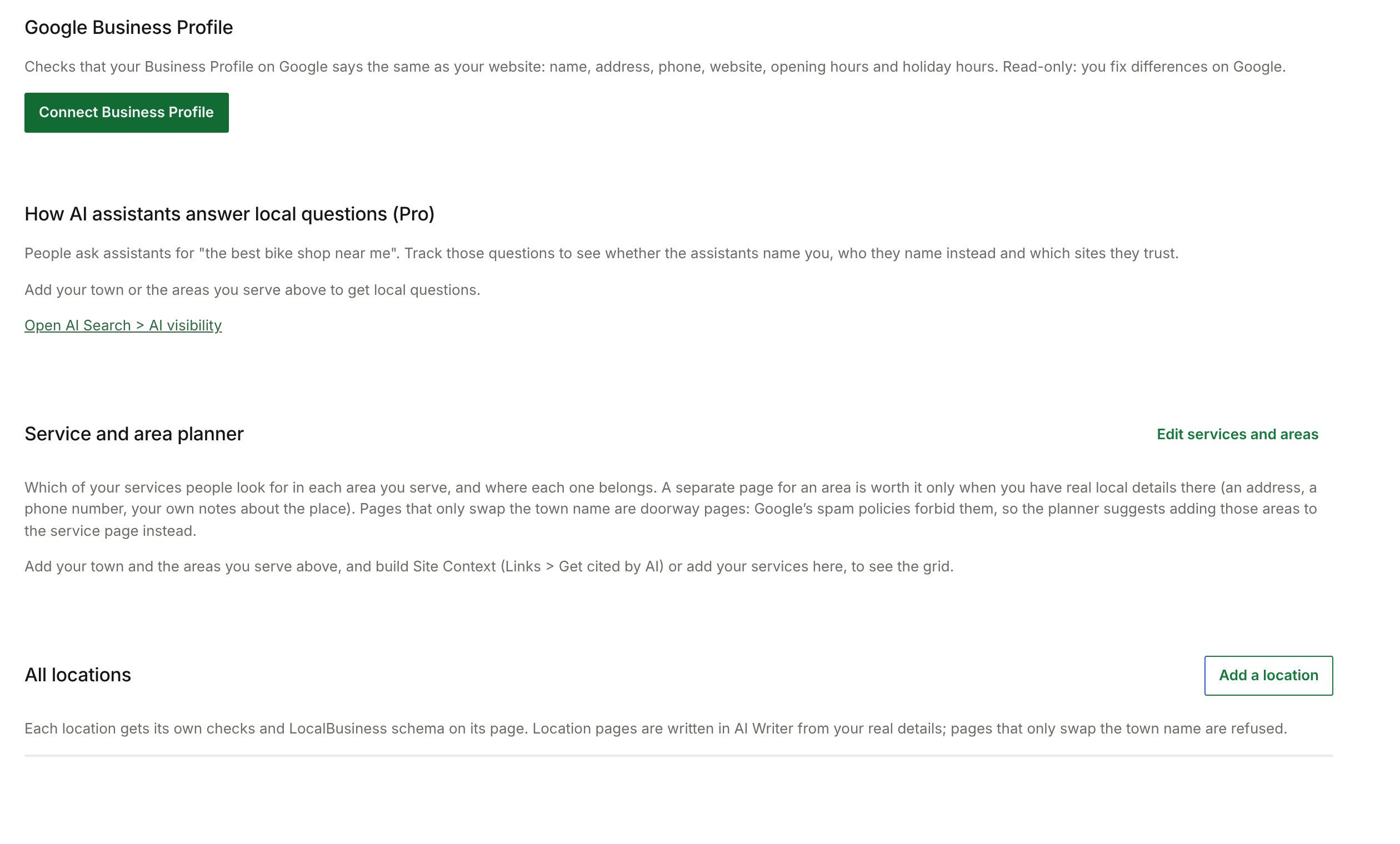
Google Business Profile, local AI questions, the service and area planner and locations.
Checks that your Business Profile on Google says the same as your website: name, address, phone, website, opening hours and holiday hours. Read-only: you fix differences on Google.
- Click Connect Business Profile and reconnect Google once, allowing Business Profile.
- Choose Your Business Profile location.
- The check shows "Your profile matches your website." or the things to fix, with Edit your profile on Google.
Reviews
- See your reviews, with filters for All reviews, Without a reply and 1 to 3 stars, and Refresh from Google.
- Draft a reply with AI, add a Note for the AI (optional), edit it and click Post reply on Google. A reply is posted only when you click.
- Ask every customer for a review: copy your review link (and its QR code) for receipts, emails and your chatbot. Ask everyone, not only happy customers: asking selectively breaks Google's rules.
In Pro you also get the last 30 days of Calls, Website clicks, Direction requests and Profile views, the searches that found your profile, a six-month review trend, alerts for new 1 to 3 star reviews, and Ask for reviews automatically: with WooCommerce, every customer gets the review link once per completed order, after the number of days you set, with an unsubscribe link.
Service and area planner
Which of your services people look for in each area you serve, and where each one belongs. Click Edit services and areas to list them (or leave them empty to use suggestions). Each cell says Deserves its own page, Mention on the service page, Few searches or Covered.
A separate page for an area is worth it only when you have real local details there (an address, a phone number, your own notes about the place). Pages that only swap the town name are doorway pages: Google's spam policies forbid them, so the planner suggests adding those areas to the service page instead. In Pro, Write this page opens AI Writer with a brief built from the location's real details. See Local pages: one service in one place.
Locations (Pro)
All locations → Add a location for each branch: name, type, address, phone, opening hours, areas served and What is local about this place? (landmarks, parking, team, what people there ask for). Each location gets its own checks and LocalBusiness schema on its page. Write the location page writes it in AI Writer from your real details; pages that only swap the town name are refused.
How AI assistants answer local questions (Pro)
People ask assistants for "the best bike shop near me". This card suggests local questions from your locations, business type, town and areas served. Tick them and click Track these questions to add them to AI visibility. You then see, per question, whether each assistant names you, who it names instead and which sites it cites. See AI visibility: do AI assistants name your business?.
Availability
Your business details, the Business Profile check, reviews with AI replies, the review link and the service and area planner are in every edition, including WPBot Free. More locations, location pages, Write this page, Business Profile performance, the review trend and alerts, automatic review requests and local AI questions are SEO & AI Search Pro (Professional and Master).
Was this article helpful?
Sorry about that. Get help another way:











