

Get cited by AI: show up on the sites assistants trust
On this page
AI assistants and Google often quote community sites: Reddit threads, Quora answers, YouTube videos, LinkedIn posts. A helpful answer from you in the right thread can be quoted for months. Get cited by AI finds those places and helps you write an honest answer. You post from your own accounts; nothing is posted for you.
Open WPBot Pro → SEO & AI Search → Links → Get cited by AI.
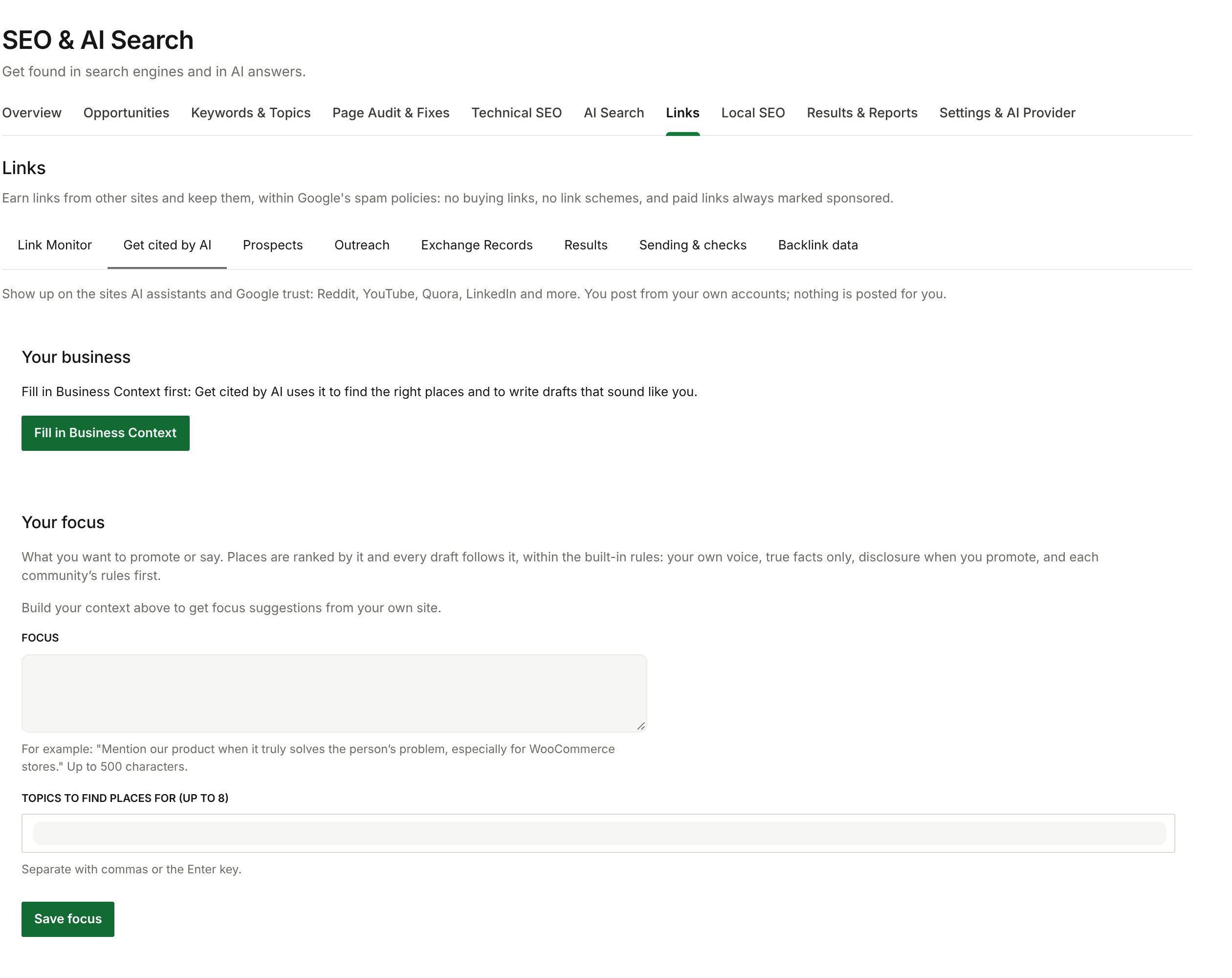
Get cited by AI: your business, your focus and places to show up.
1. Your business
Get cited by AI uses Business Context to find the right places and to write drafts that sound like you. Fill it in first (Fill in Business Context). What we know about your site builds one short profile from your website, the data you already have (top Search Console searches, Keyword Vault, competitors and your location), your chatbot's knowledge base and the questions customers ask your chatbot.
2. Your focus
What you want to promote or say, for example "Mention our product when it truly solves the person's problem, especially for WooCommerce stores." (up to 500 characters). Places are ranked by it and every draft follows it, within the built-in rules: your own voice, true facts only, disclosure when you promote, and each community's rules first. Add up to 8 TOPICS TO FIND PLACES FOR and click Save focus. Suggested for you offers focus ideas from your own site.
3. Places to show up
- Pick up to 5 Searches (from your focus, Vault or Search Console), or type one under OR TYPE A SEARCH.
- Click Find places. Your AI searches the web for threads, questions, videos and articles that rank or get quoted for your searches. The cost is shown first.
- Optionally Turn on YouTube to add YouTube videos (free, read-only; reconnect Google once and turn on the YouTube Data API in your Google Cloud project).
- Filter by Platform: Reddit, Quora, YouTube, LinkedIn, Medium, Stack Exchange, forums, and review and directory sites. Each place shows its fit with your focus; mark places that are Not relevant.
If your AI model cannot search the web, it suggests communities where people discuss your searches instead. Choose a model with web search for real threads.
4. Draft an answer
Open a place and choose Draft a reply, Draft an answer, Write the article or Video idea. Two optional questions make the draft yours: One tip you'd give a customer about this and A real example or number from your work. You can steer the draft, for example "Keep it under 80 words". Click Write the draft (one AI request).
The draft shows Why this works, what to Check this before posting, and what was left out by the rules. A disclosure line is added when the draft mentions your business. If a draft is close to one you made for another place, you are warned: communities treat repeated text as spam.
Before you post, tick I read this community's rules, I post from my own account and I will come back to answer replies. Then Copy text and Open the thread.
5. Log your posts
After posting, click I posted it on the place and paste the Link to your post (and optionally the page of your site it links to). Posted lists your posts. Posts that link to a page of your site also show in Results & Reports, with that page's clicks before and after.
More places and drafts (Pro)
- With a keyword data provider that offers search results (DataForSEO), Find places also lists the Reddit, Quora, YouTube, LinkedIn, Medium and Stack Exchange pages that rank on Google for each search. Check my Vault searches does the same for up to 30 Vault searches.
- Draft the … best new places writes one distinct draft per place, up to 10 at once.
- Check my posts now and a weekly check: is each post still online, and where does the thread rank on Google? You get an alert when a post is removed.
- Get cited there too in AI visibility turns the sites assistants cite into places. See AI visibility: do AI assistants name your business?.
Availability
Get cited by AI (your context, focus, finding places, drafts and the posted log) is in every edition, including WPBot Free. The Pro additions above are SEO & AI Search Pro, in Professional and Master.
Was this article helpful?
Sorry about that. Get help another way:











