

Images in AI Writer: Media Library, stock photos and AI images
AI Writer adds images to each article and a featured image, with alt text and the photographer's credit where the licence asks for it.
Open WPBot Pro → AI Writer → Settings & AI Provider → Images and sources.
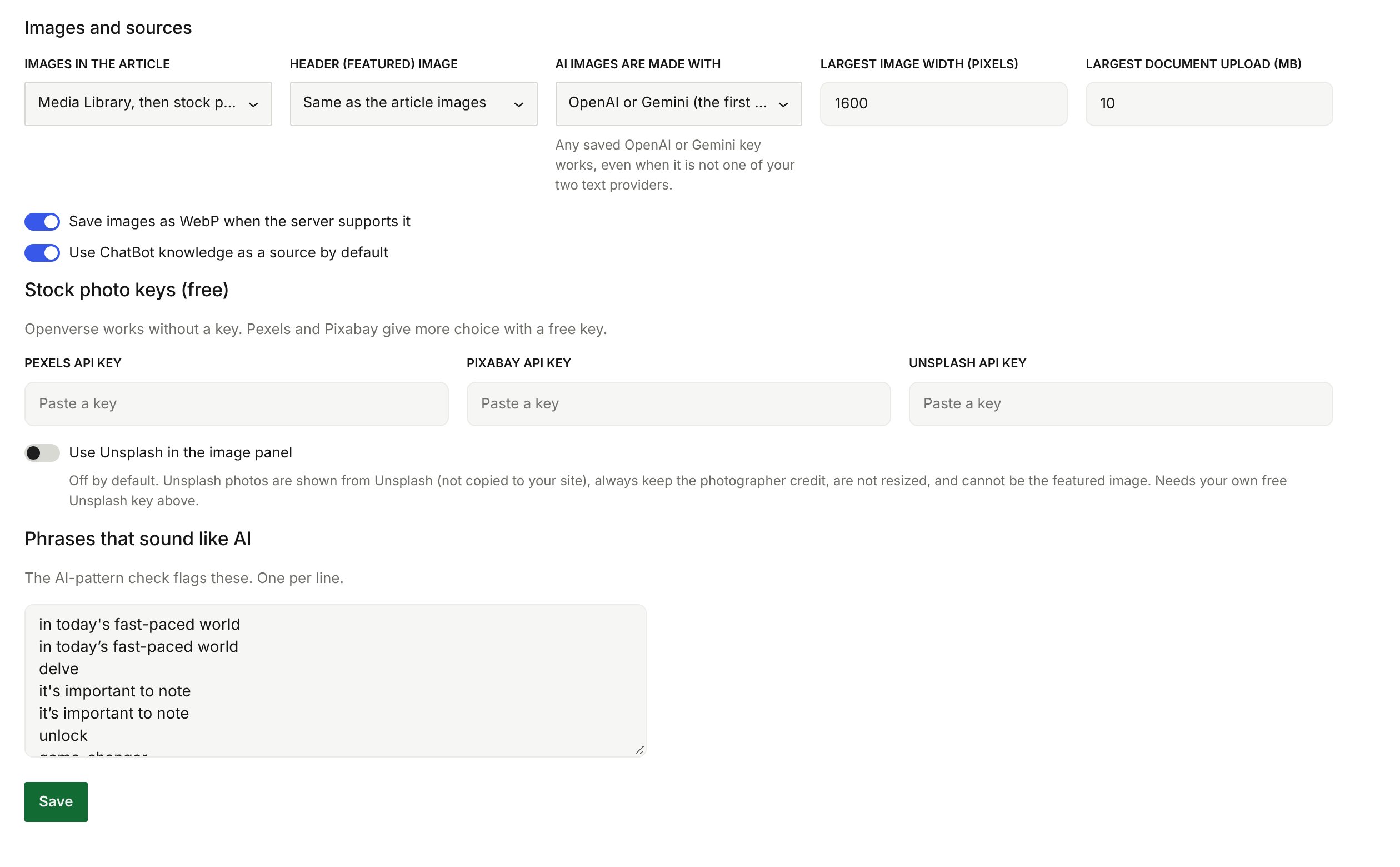
Images and sources, stock photo keys and phrases that sound like AI.
Where images come from
| Setting | Options |
|---|---|
| IMAGES IN THE ARTICLE | Media Library, then stock photos, then AI if nothing is found (default), Media Library first, then free stock photos (no AI), AI first, then Media Library, then stock photos, Placeholders I replace myself, No images |
| HEADER (FEATURED) IMAGE | Same as the article images, or any of the options above |
| AI IMAGES ARE MADE WITH | OpenAI or Gemini (the first saved key), OpenAI or Google Gemini. Any saved OpenAI or Gemini key works, even when it is not one of your two text providers. |
| LARGEST IMAGE WIDTH (PIXELS) | Larger images are resized (default 1600). |
| LARGEST DOCUMENT UPLOAD (MB) | Largest source document on the brief (default 10). |
| Save images as WebP when the server supports it | Smaller files, faster pages. |
| Use ChatBot knowledge as a source by default | Turns on Use what your ChatBot knows on every new brief. |
Chosen images are downloaded to your Media Library with their licence and credit.
Stock photo keys (free)
Openverse works without a key. Pexels and Pixabay give more choice with a free key. Paste it into PEXELS API KEY or PIXABAY API KEY and click Save.
Unsplash is different: turn on Use Unsplash in the image panel and add your own free UNSPLASH API KEY. Unsplash photos are shown from Unsplash (not copied to your site), always keep the photographer credit, are not resized, and cannot be the featured image.
Change images in the editor
- On the Done screen and in the article view, each image has Create with AI, Find a stock photo and Choose from Media Library.
- In the block editor, select an image and use Replace with AI Writer in its toolbar. Suggest featured images offers choices for the featured image.
- Before you publish, the Image check lists images without alt text (Write alt text), very large files, placeholders to replace and missing credits (Add the credit).
Tip
Your own photos sell better than stock. Choose Media Library first and upload real photos of your products, team and work; AI Writer picks from them first.
Availability
Every image option on this page is in every edition, including WPBot Free.
Was this article helpful?
Sorry about that. Get help another way:











