

Chat window layout and colours
On this page
Open WPBot Pro → ChatBot → Customize ChatBot Design and pick the Layout or Colours tab of the chat window designer. Changes show in the preview at once; click Save Settings to publish them.
Layout
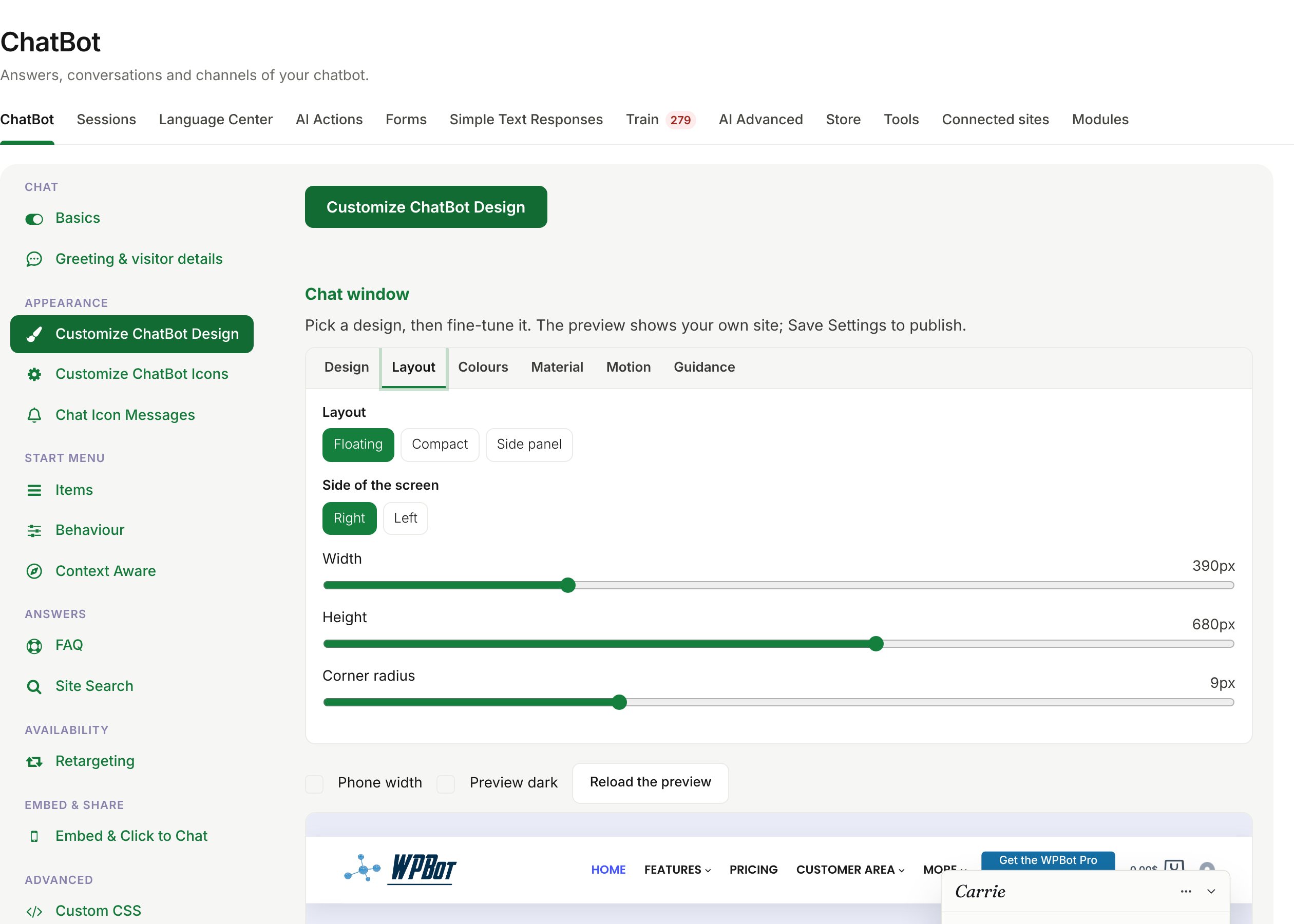
The Layout tab.
| Option | What it does |
|---|---|
| Layout | Floating: the window opens above the chat button. Compact: a smaller window. Side panel: the chat opens as a panel along the side of the screen. |
| Side of the screen | Right or Left. |
| Width | 300 to 640 px (default 390). |
| Height | 400 to 860 px (default 680). On small screens the window never grows taller than the screen. |
| Side panel width | 340 to 640 px, for the Side panel layout. |
| Push the page aside (Side panel) | The page moves over to make room for the panel instead of being covered. |
| Corner radius | 0 to 28 px. |
Tip
Side panel with Push the page aside works well for documentation, courses and long product pages: visitors read the page and chat side by side. On phones, the chat opens full screen when Open Full Screen in Mobile is on (Chat window and bot response options).
Colours
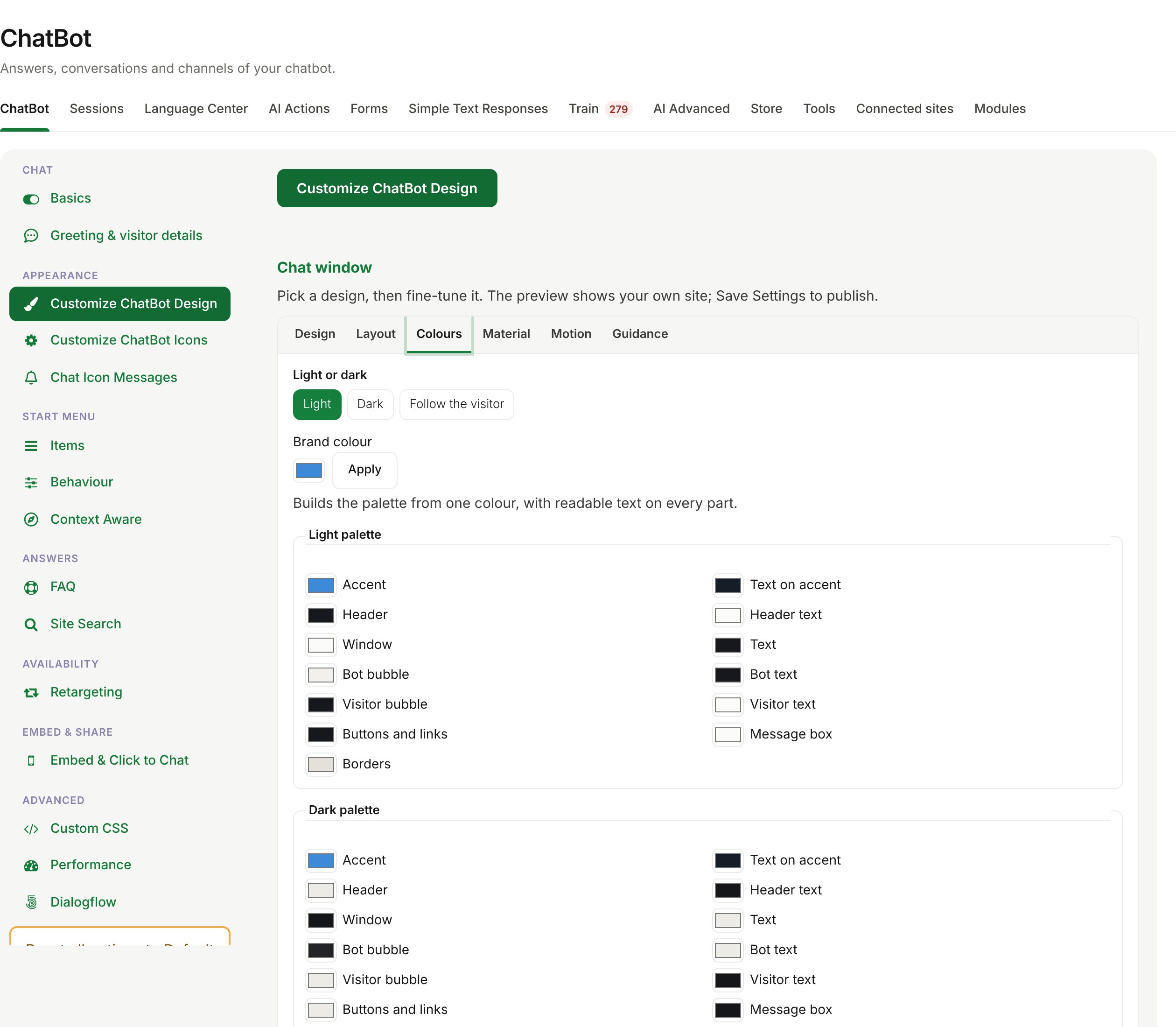
The Colours tab: mode, brand colour and both palettes.
- Light or dark: Light, Dark, or Follow the visitor (the window follows the visitor's device setting).
- Brand colour: pick your main colour and click Apply. WPBot builds the whole palette from it, with readable text on every part.
- Fine-tune single colours in the Light palette and the Dark palette: Accent, Text on accent, Header, Header text, Window, Text, Bot bubble, Bot text, Visitor bubble, Visitor text, Buttons and links, Message box and Borders.
- Back to the design's colours undoes your colour changes.
Check both palettes with Preview dark under the preview, even if you chose Light: with Follow the visitor, many phones show the dark one.
Availability
Floating, the size and corner options and all colour options are in every edition, including WPBot Free. Compact and Side panel are in every WPBot Pro edition.
Was this article helpful?
Sorry about that. Get help another way:











