

Channels: text messages, Telegram, WhatsApp and browser notifications
Open WPBot Pro → AI Marketing → Channels (under More). Reach people beyond email, only on the channels where they said yes. Opt-outs (STOP, blocking the bot, removing notifications) are kept for good.
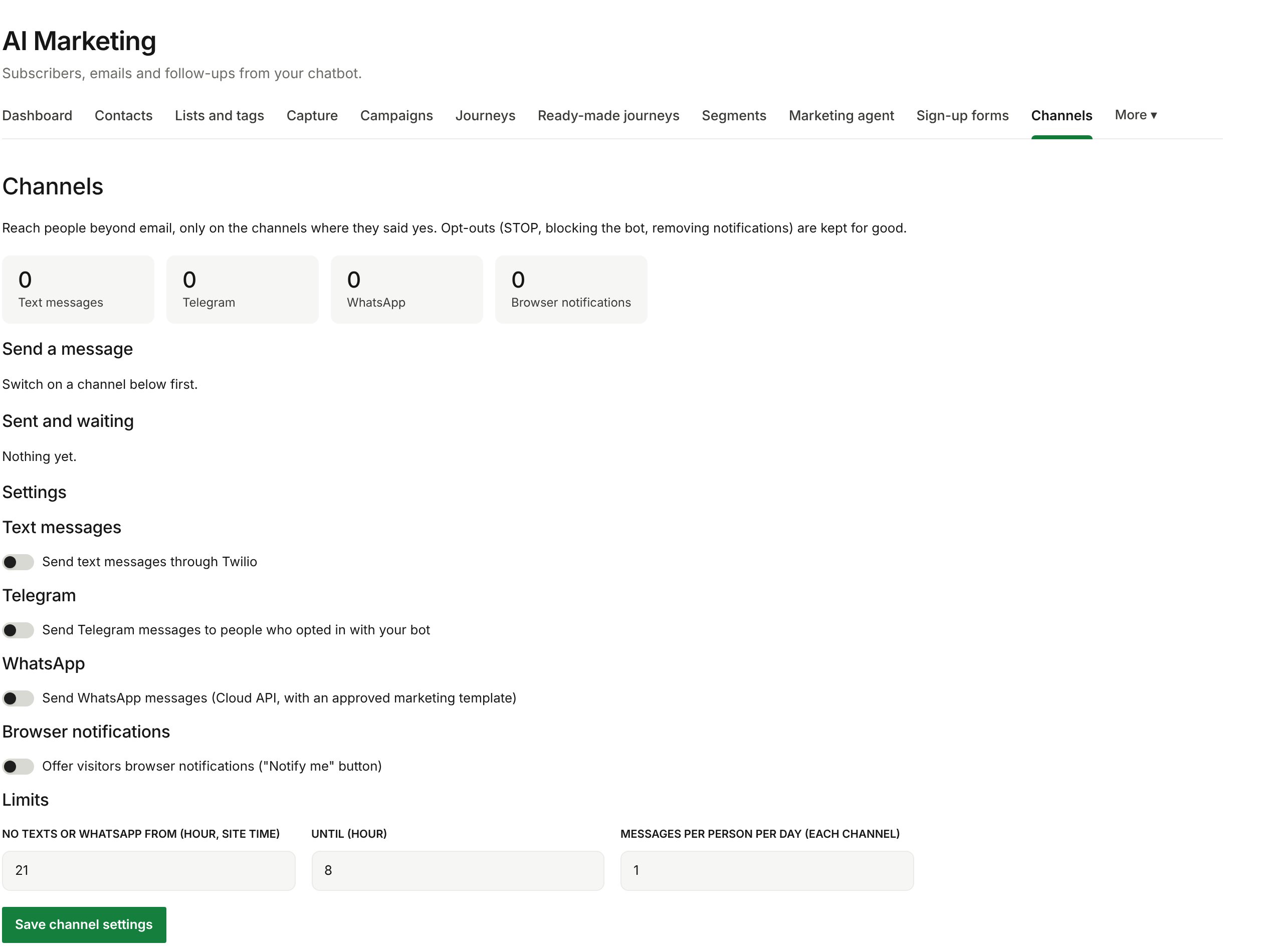
Channels: opted-in people per channel, messages and settings.
The top shows how many people opted in on Text messages, Telegram, WhatsApp and Browser notifications.
Switch on a channel
| Channel | What you need |
|---|---|
| Send text messages through Twilio | Account SID, Auth token, From number, and the Country code for numbers typed without one |
| Send Telegram messages to people who opted in with your bot | The Bot token |
| Send WhatsApp messages (Cloud API, with an approved marketing template) | Access token, Phone number ID, Template name (its body has one variable, {{1}}, for your message) and Template language |
| Offer visitors browser notifications ("Notify me" button) | Button text; optionally Notify subscribers of every new post |
Send a test to your number or chat id after you save.
Limits
- NO TEXTS OR WHATSAPP FROM (HOUR, SITE TIME) / UNTIL (HOUR): 21 to 8 by default.
- MESSAGES PER PERSON PER DAY (EACH CHANNEL): 1 by default.
Click Save channel settings.
Send a message
Under Send a message, choose the Channel, write the Title, Message and Link (optional), and choose who gets it (everyone opted in on this channel when none is ticked). Click Send. Sent and waiting shows progress, with Cancel the rest.
You can also add + Text or message steps to journeys, and offer text messages in sign-up forms.
Warning
WhatsApp and text messages are personal. Send few, useful messages, such as an order update or an offer someone asked for, and never at night.
Availability
Master only.
Was this article helpful?
Sorry about that. Get help another way:











