

Sending providers, warm-up and safety stops
Open WPBot Pro → AI Marketing → Sending (under More). The top shows the last 7 days: emails sent, bounces and complaints.
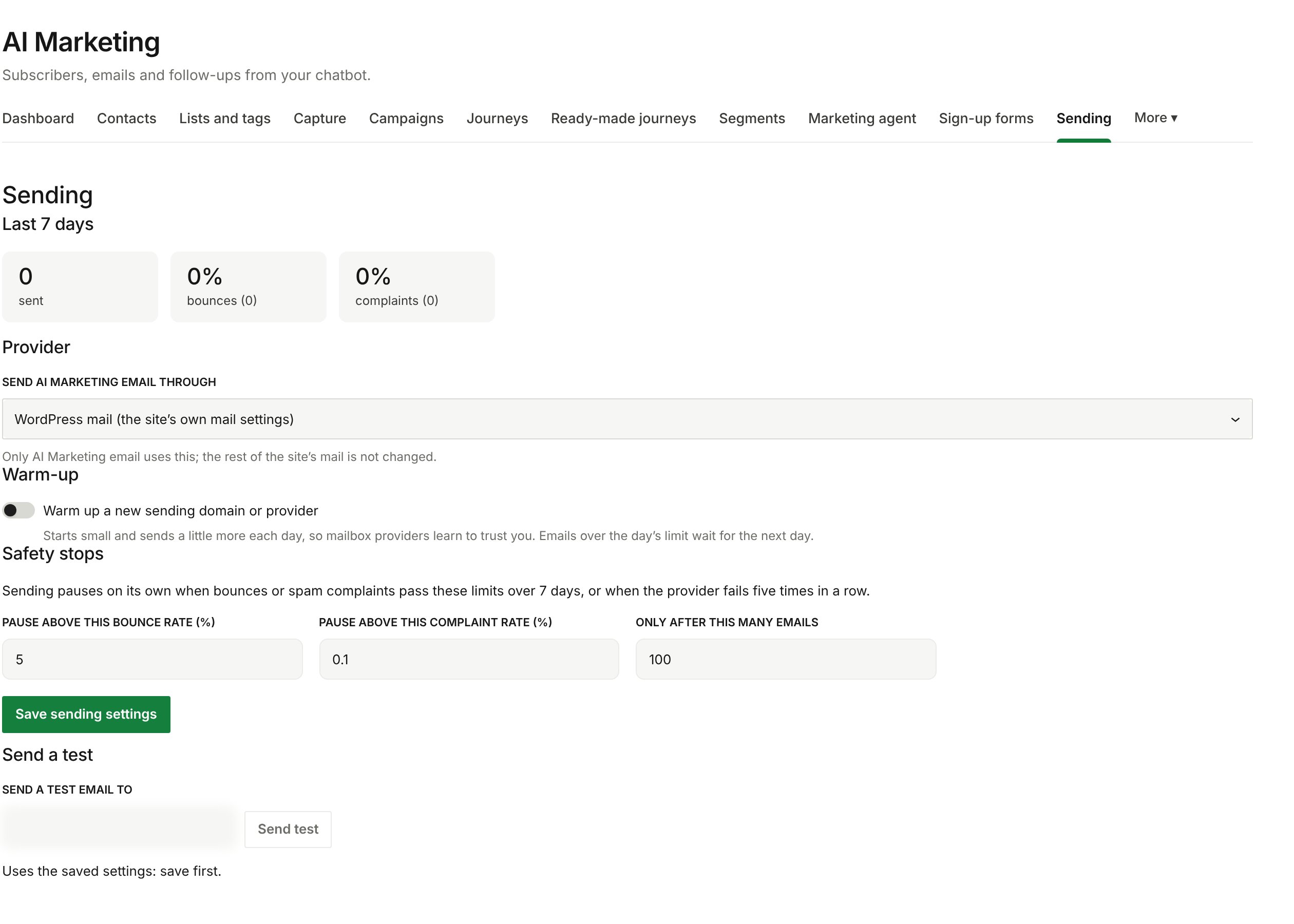
Sending: provider, warm-up, safety stops and a test email.
Provider
SEND AI MARKETING EMAIL THROUGH:
| Provider | What you enter |
|---|---|
| WordPress mail (the site's own mail settings) | Nothing (the default) |
| SMTP server | SMTP host, Port, Encryption, Username, Password |
| Amazon SES | Region, Access key ID, Secret access key |
| Brevo | API key |
| SendGrid | API key |
| Mailgun | API key, Sending domain, region and Webhook signing key |
| Postmark | Server API token and Message stream (marketing email must use a broadcast stream) |
Only AI Marketing email uses this; the rest of the site's mail is not changed. Keys are encrypted; if your server cannot encrypt them, the screen asks you to have your host enable the sodium PHP extension.
Bounces and complaints
For each provider the screen shows an address to add to the provider's webhooks, so bounces and spam complaints come back and those people stop receiving email:
- Amazon SES: in Amazon SNS, create a topic, add an HTTPS subscription with this address, and set it as the bounce and complaint topic of your SES identity.
- Brevo: Transactional > Settings > Webhooks, for hard bounces, soft bounces, spam, blocked, invalid and unsubscribed.
- SendGrid: Settings > Mail Settings > Event Webhook, with Bounced, Dropped, Spam reports and Unsubscribes.
- Mailgun: Sending > Webhooks, for Permanent failure, Temporary failure, Spam complaints and Unsubscribes. With the signing key saved, unsigned reports are refused.
- Postmark: your server > the broadcast stream > Webhooks, for Bounce, Spam complaint and Subscription change.
Warning
The webhook address contains a secret token. Copy it from the screen into your provider only; do not share it.
Warm-up
Warm up a new sending domain or provider starts small and sends a little more each day, so mailbox providers learn to trust you. Emails over the day's limit wait for the next day. Set Emails on the first day (50 by default), Growth per day (%) (50) and the Daily ceiling (10,000). The top shows the warm-up day.
Safety stops
Sending pauses on its own when bounces or spam complaints pass these limits over 7 days, or when the provider fails five times in a row. Sending campaigns are paused and automations stop until you click Resume sending.
| Setting | Default |
|---|---|
| PAUSE ABOVE THIS BOUNCE RATE (%) | 5 |
| PAUSE ABOVE THIS COMPLAINT RATE (%) | 0.1 |
| ONLY AFTER THIS MANY EMAILS | 100 |
Click Save sending settings.
Send a test
Type an address in SEND A TEST EMAIL TO and click Send test. It uses the saved settings, so save first. Check the inbox and the spam folder.
Availability
Master only. In Starter, Professional and WPBot Free, AI Marketing sends with the site's WordPress mail, so use an SMTP plugin for reliable delivery.
Was this article helpful?
Sorry about that. Get help another way:











