

Deliverability basics: get your emails into the inbox
On this page
An email that lands in spam earns nothing. Five things decide whether yours reach the inbox.
1. Prove the email comes from you
Open WPBot Pro → AI Marketing → Settings. The Email delivery check looks up the DNS records of the domain in your FROM EMAIL and shows each one with ✓ or ✗:
| Record | What it does | If it is missing |
|---|---|---|
| SPF | Lists the servers allowed to send for your domain | Add a TXT record; your email or hosting company gives the exact value. If you send through a service (SMTP, Amazon SES, Brevo…), make sure it is included |
| DKIM | Signs each email | Your email or sending service gives you a DKIM record to add; it greatly helps delivery |
| DMARC | Tells mailbox providers what to do with failures | Add a TXT record named _dmarc with v=DMARC1; p=none; rua=mailto:you@yourdomain to start |
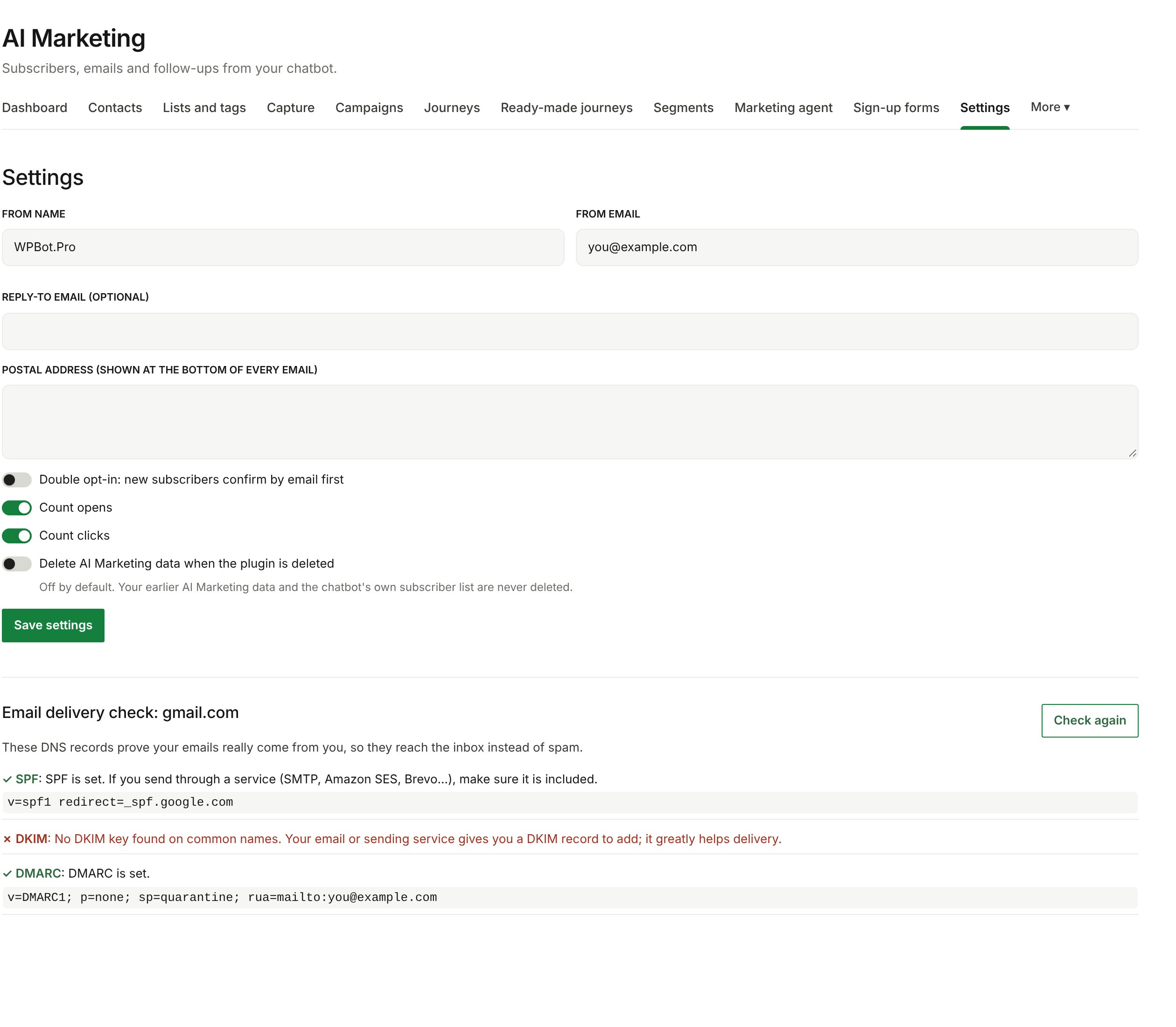
Settings with the email delivery check.
Click Check again after you change your DNS. With Master, the one-click setup checks the sending domain too.
Tip
Send from an address on your own domain, not a free mailbox. You cannot add DKIM to a gmail.com address, so mail "from" it is easily marked as spam.
2. Send through a sending provider
Your web host's mail is built for a few messages, not newsletters. With Master, choose SMTP, Amazon SES, Brevo, SendGrid, Mailgun or Postmark in Sending. See Sending providers, warm-up and safety stops.
3. Start slowly
With Master, Warm up a new sending domain or provider starts small and sends a little more each day, so mailbox providers learn to trust you.
4. Mail only people who want it
- Only subscribed contacts get marketing email.
- Use double opt-in to keep typos and fake addresses out.
- Every email has a one-click unsubscribe link and
List-Unsubscribeheaders. - Bounced addresses and spam complaints stop receiving email; three soft bounces in 30 days count as a hard bounce.
- With Master, the Win back silent subscribers (sunset) journey rests people who stopped opening, and list hygiene tags throwaway and shared addresses.
5. Write like a person
The pre-send check warns about spam words, subjects in capital letters, many exclamation marks, missing alt text and a missing postal address. See Create and send an email campaign.
Safety stops (Master)
Sending pauses on its own when bounces or spam complaints pass your limits over 7 days, or when the provider fails five times in a row. By default: above 5% bounces or 0.1% complaints, after at least 100 emails. Fix the cause, then click Resume sending in Sending.
Availability
The email delivery check, double opt-in, unsubscribe headers, bounce handling and the pre-send check are in every edition, including WPBot Free. Sending providers, warm-up, safety stops, list hygiene and the sunset journey are Master only.
Was this article helpful?
Sorry about that. Get help another way:











